
Vandaag of morgen in huis

Kwaliteit gegarandeerd

Welkomstaanbiedingen ontgrendelen: GRATIS bezorging | Tot 80% korting | Gratis 30 dagen JoyPlus-proefperiode
Download de app
Buying a gaming PC may seem straightforward: choose a fast RTX graphics card, enough RAM and a large SSD. In practice, the differences often lie in details that only become apparent after purchase. A case may leave little room for upgrades, the power supply may be underpowered or a barebone may be sold without memory and storage.
This buying guide helps you compare gaming desktops based on verifiable specifications. That way, you can find a gaming computer that suits your games, monitor and other tasks, such as streaming, video editing or CAD.
An RTX 5060 gaming PC or RTX 5060 Ti gaming PC sounds appealing, but the graphics card works together with the processor, memory and power supply. An entry-level processor can limit performance in games with high frame rates. For esports on a monitor running at 144 Hz or more, the processor and memory are therefore just as relevant as the GPU.
Also pay attention to the difference between an RTX 5060, RTX 5060 Ti and RTX 5070. The product name does not automatically tell you at which resolution or with which graphics settings you can play all modern games. For 1080p, an RTX 5060 configuration is often a sensible starting point. For 1440p, demanding ray tracing or a longer useful lifespan, an RTX 5060 Ti or RTX 5070 may be a better fit, depending on the rest of the configuration.
A barebone gaming PC does not always include all the components. For example, the MSI PRO DP180 14A-059BEU has an Intel Core i5-14400 and a 350 W power supply, but according to the product specifications it is supplied without an installed operating system, RAM or storage. You will need to install suitable DDR4 modules and an M.2 or SATA drive yourself.
MSI CUBI NUC models are also mainly intended as compact barebone or work computers. They use integrated Intel graphics and are not the same as a gaming desktop with a dedicated GeForce RTX graphics card.
A gaming PC with 16GB RAM can be suitable for many games and everyday multitasking. When streaming, editing video or running demanding programmes, more memory may be useful later. So check how many memory slots are free and what the maximum capacity is.
When it comes to storage, a gaming PC with a 1TB SSD is more practical than a model with 480 or 500 GB if you plan to install several large games. Also check for free M.2 slots and 2.5-inch or 3.5-inch bays. A fast SSD mainly improves start-up and loading times; the capacity determines how many games you can actually keep installed.
The dedicated GPU largely determines graphical performance. Do not just look at the model; also check the VRAM, video outputs and support for features such as ray tracing and DLSS. According to NVIDIA, these technologies can affect image quality or frame rates in supported games; the actual result varies by game and settings.
Use this practical guide:
A Ryzen gaming PC, such as a model with a Ryzen 5 5500 or Ryzen 5 7400, can be an interesting option for gaming and multitasking. An Intel gaming PC with, for example, the Core i5-14400F or i7-14700F can also suit gaming, streaming and productivity. Compare the number of cores and threads, clock speed and the type of memory used.
Pay attention to the combination:
Check the wattage and efficiency rating of the power supply. A 500W or 650W power supply may be suitable for various RTX 5060 configurations, but the exact combination of processor, GPU and connections remains decisive. For an RTX 5070 configuration, it is important to check the recommended power supply and the available PCIe connection.
Also consider airflow. A mesh front, multiple fans and sufficient space around the case help dissipate heat. Place the desktop on a stable, dry surface and do not block any ventilation openings. RGB lighting is a visual feature and says nothing about cooling performance in itself.
The selection below is based on the stated processor, graphics card, RAM, storage, power supply, cooling and operating system. Always check the current product page, accessories and warranty terms before placing your order.
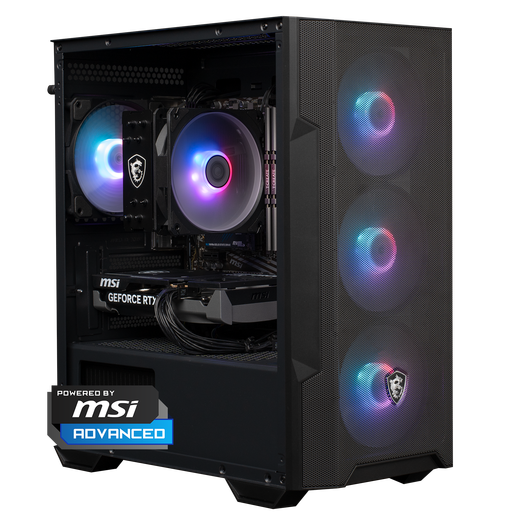
Why it suits this profile: The Ryzen 5 5500, RTX 5060, 16GB DDR4 and 1TB NVMe SSD provide a straightforward ready-made configuration for 1080p and many 1440p scenarios.
The key components are clearly listed. You do not need to select the RAM, SSD or Windows 11 Home separately.
1TB NVMe storage, 16GB DDR4, Windows 11 Home and a 650W power supply.
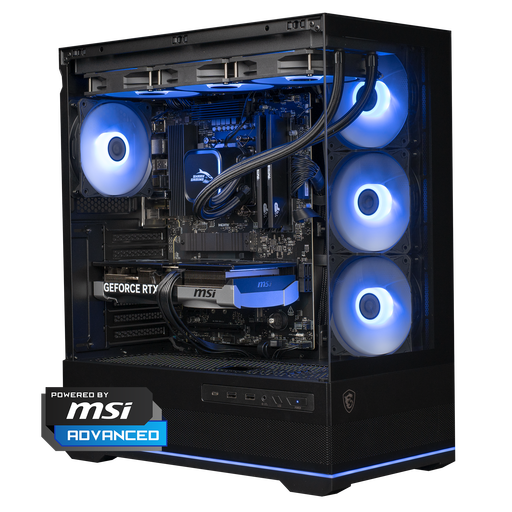
Why it suits this profile: The Ryzen 7 7800X3D, RTX 5070 12GB and 1TB NVMe SSD are designed for high frame rates, 1440p gaming and certain 4K applications.
The configuration lists the processor, GPU, DDR5 memory, cooler and power supply separately. This means the price is not based on the graphics card alone.
RTX 5070 with 12GB of video memory, Ryzen 7 7800X3D, 360mm liquid cooling and a 750W power supply.
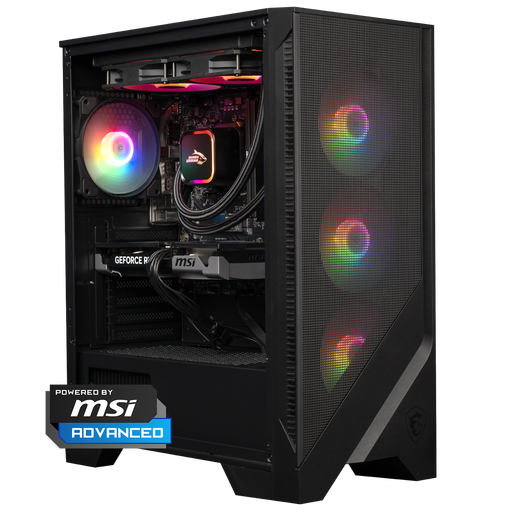
Why it suits this profile: The Ryzen 5 7400, RTX 5060 Ti, 16GB DDR5 and 1TB SSD are suitable for gamers who also stream, edit or render alongside gaming.
The 1TB SSD prevents storage from becoming a limitation too quickly. The 240mm cooler and airflow case are clearly specified rather than described simply as a ‘gaming design’.
RTX 5060 Ti 8GB, DDR5 memory, 1TB NVMe storage and Windows 11 Home.
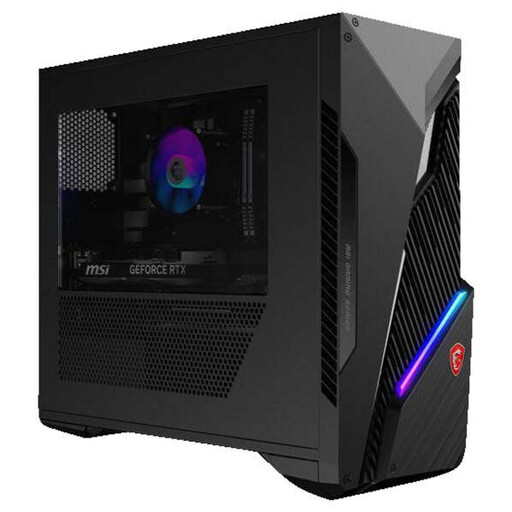
Why it suits this profile: This compact MSI gaming PC combines an Intel Core i5-14400F with an RTX 5060 Ti, 16GB RAM and a 1TB SSD for gaming and everyday use.
The configuration table lists free RAM slots, expansion bays, a 500W power supply, Wi-Fi 6E and Bluetooth 5.3.
RTX 5060 Ti 8GB, 1TB SSD, Windows 11 Home and two free memory slots according to the product information.
We have put together a complete, up-to-date list of products that fully meet these strict selection criteria and the applicable European safety regulations.
16GB RAM is a practical starting point for many games. If you stream at the same time, use lots of browser tabs or edit video, you may benefit from more memory. Always check the number of free slots and the desktop’s maximum RAM capacity.
Its lifespan depends on the games you play, the resolution and your preferred settings. A PC with upgradeable RAM and storage can remain suitable for longer. Dust-free ventilation, good airflow and up-to-date drivers help keep the system usable, but they do not guarantee a fixed lifespan.
Power consumption varies depending on the power supply, processor, graphics card and how long you play. A gaming desktop uses more electricity during demanding games than when browsing the internet. Check the configuration’s power consumption and shut down the PC completely when you are not using it.
