
Aim trainer with a small, permanent workspace
Wants to use a separate screen while keeping plenty of room to move the mouse. That means comparing the case and the position of the ports, as with the ASUS ROG NUC and HP OMEN 16L.


First decide how much room you need for your mouse and screen, and which shooters you play. Then compare the full PC configuration with your screen, rather than looking at the graphics card name alone. A gaming mini PC takes up little space as a standalone computer, a compact desktop needs more room, and a laptop is handy if you want to pack away or take your gaming setup with you. No form factor on its own guarantees a particular FPS or better aim.
Wants to use a separate screen while keeping plenty of room to move the mouse. That means comparing the case and the position of the ports, as with the ASUS ROG NUC and HP OMEN 16L.
Wants to know whether the exact PC configuration is suited to the game and screen they use, rather than relying on a GPU label alone. Riot Games sets out hardware categories for VALORANT at 30, 60 and 144+ FPS.
Needs to clear away their gaming setup after use or take their PC with them, so weighs up a laptop against a separate monitor with a compact PC. ASUS lists the TUF Gaming A16 as a gaming laptop range with screen options that vary by configuration.
Start by mapping out your complete gaming setup. Then compare the PC form factor, game and screen with the space you actually have.
| What to consider | What to look for when buying | Who is this important for? |
|---|---|---|
| Space for your mouse and screen | Measure the available width and depth. Allow for the case, stand, cables and ventilation space required by the exact configuration. | If I want to practise my aim, I need to leave enough free space for my mouse and screen. Around 31% of consumers give this free space top priority. |
| Matching your shooter to your screen | Check your game’s requirements, the CPU and GPU in the exact configuration, the screen variant and the display connection. Riot Games lists categories for VALORANT at 30, 60 and 144+ FPS; these are not performance guarantees for a specific PC. | If I use a particular screen, I want to know whether the specific PC and my shooter are a good match. Around 31% of consumers put this combination first. |
| Being able to pack away your setup | Consider how much space the screen and keyboard take up during use, and whether you also want to pack away or take your power supply and mouse with you afterwards. | If I share my desk, I want to be able to pack away or take my gaming setup with me after use. Around 23% of consumers give this option top priority. |
| Upgrading memory and storage | Check the exact model code, the available memory and storage slots, and which of them are already occupied in the configuration on offer. | If I want to upgrade my memory or storage later, I want to know in advance what space is available. Around 15% of consumers put this upgrade option first. |
Riot Games’ hardware categories for VALORANT do not measure improvements in your aim or guarantee a fixed FPS on a specific PC.
Start with the shooters you play, then check the exact PC configuration, settings and screen.
Model codes and configurations can vary. The product range name alone therefore won’t tell you which GPU, screen variant or storage comes with the configuration on offer.
Compare the full model code and configuration of the product you want to buy.
The case alone doesn’t show how much space your complete gaming setup will take up. A laptop, for example, also needs room for its screen and keyboard while you’re playing.
Map out the monitor, connections, cables and free space for your mouse alongside the PC, all to scale.
ASUS offers both gaming mini PCs and gaming laptops in the product ranges mentioned.
The OMEN 16L is a desktop range to compare if you use a separate monitor.
The MPG Trident AS 14th is a desktop range to compare in terms of case size and expansion slots.
The Legion Tower 5i Gen 10 is a larger desktop range to weigh up against compact systems if you have room for a tower at your workstation.
This selection of Joybuy products features gaming laptops with built-in screens. Compare the full configuration with the shooter you play and the space you need while using it.
 No image available
The built-in screen and keyboard may suit you if you don’t want a separate monitor. Bear in mind that they take up desk space while you’re playing.
15,3-inch WQXGA OLED screen with 165Hz; AMD Ryzen 7 250; GeForce RTX 5060 Laptop GPU; 16GB DDR5; 512GB SSD; Windows 11 Home.
 No image available
The built-in screen and keyboard may suit you if you want to avoid a separate monitor. Check how much room you’ll have left for your mouse.
16-inch WUXGA screen with 165Hz; RTX 5060 Laptop GPU; 16GB DDR5; 1TB SSD.
 No image available
The built-in screen means you may not need a separate monitor, but it takes up space along with the keyboard while you’re playing.
16-inch QHD+ OLED screen with 240Hz; Intel Core Ultra 9 386H; GeForce RTX 5060; 32GB DDR5; 1TB SSD; Wi-Fi 7; Windows 11 Home.
 No image available
Compare the built-in screen variant with your shooter’s requirements, and allow for the space taken up by the screen and keyboard.
15,6-inch FHD screen with 144Hz; Intel Core i5-13420H; GeForce RTX 5050 8GB; 16GB DDR5; 512GB SSD; Wi-Fi 6E; Windows 11 Home.
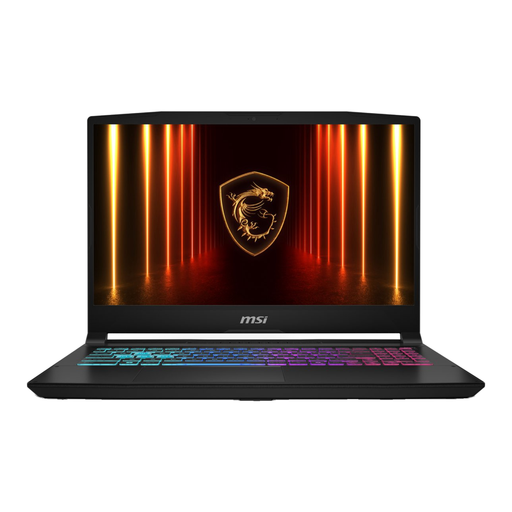 No image available
The built-in screen means you don’t need a separate monitor, but the screen and keyboard take up desk space while you’re using it.
16-inch QHD+ screen with 240Hz; Ryzen 9 8940HX; RTX 5070; 16GB RAM; 1TB SSD; QWERTY keyboard. The charger must be purchased separately.
Not necessarily. Riot Games distinguishes between minimum hardware for 30 FPS, recommended hardware for 60 FPS, and a higher category for 144+ FPS. Also check the specific PC, settings and screen connection; these categories don’t guarantee a fixed FPS.
Yes. Riot Games requires TPM 2.0 and UEFI Secure Boot for VALORANT on Windows 11. This is a requirement for this game, not a general requirement for every gaming PC or shooter.
Check the exact model code, which slots are already occupied and which components are compatible with the configuration. MSI and ASUS list expansion slots for specific product ranges, but check the configuration you actually want to buy.
For distance purchases from a business as a consumer, the Dutch government states that you will usually have a 14-day cooling-off period; terms and exceptions apply. If there’s a fault, contact the seller about your statutory guarantee. The Dutch government states that the Netherlands has no fixed statutory guarantee period for all products.