
3D character texturer
You paint or texture a character and choose a PC to suit Blender, Substance 3D Painter or both, rather than focusing on gaming alone.


Choose your gaming PC based first on your 3D software and project size. Blender recommends 32 GB RAM and 8 GB VRAM, while Adobe recommends 32 GB RAM and 16 GB VRAM for Substance 3D Painter on Windows. Then compare the exact desktop configuration for noise under load, case size, ports and upgrade options. A cooling design or powerful GPU alone is no proof that a PC is quiet.
You paint or texture a character and choose a PC to suit Blender, Substance 3D Painter or both, rather than focusing on gaming alone.
You’re looking for a desktop for creative work and want to consider noise, ventilation and the space the case takes up when choosing.
You want to game as well as work in 3D, so you compare the full configuration and the components you need for both activities.
Start with your main software and project size. Then compare the complete PC’s noise under load, dimensions, ports and upgrade options.
| What to consider | What should you check? | Who is this important for? |
|---|---|---|
| RAM and VRAM | Check the full configuration and match the RAM and video memory to your main software. Blender recommends 32 GB RAM and 8 GB VRAM; for Substance 3D Painter on Windows, Adobe recommends 32 GB RAM and 16 GB VRAM. | If I paint large textures or use several 3D programmes at once, I want enough memory for my work session. Around 33% of consumers give this workflow top priority. |
| Noise and ventilation | Check the dimensions and the clearance around air intakes and outlets. Ask how noisy the exact configuration is under load; claims about cooling design are not a noise measurement. | If my PC is next to colleagues, I want to know what it sounds like while I’m doing my own 3D work or gaming. Around 27% of consumers prioritise minimising disruption in a shared office. |
| Gaming and 3D work | Compare the exact GPU variant and VRAM, as well as the CPU and RAM. Assess the requirements of your games separately from those of your painting software. | If I want to game and create characters on the same desktop, I want to choose a configuration that suits both tasks. Around 20% of consumers give this combination top priority. |
| Upgrades and ports | Check access to the case, upgrade options and ports for your own monitor and graphics tablet. Don’t assume accessories are included. | If I want to upgrade the memory or storage later and connect my own screen or tablet, I want to know in advance what the PC and workspace will allow. Around 20% of consumers prioritise flexibility and workspace setup. |
Blender and Substance 3D Painter have different recommended configurations. RAM and VRAM can also vary between variants in the same product range.
Compare the full model code with the requirements of your main software, and check RAM and VRAM separately.
A manufacturer may describe airflow or cooling without providing a comparable noise measurement for the complete PC under load.
If you’ll be using the PC alongside colleagues, ask for a measurement of the exact configuration under relevant workloads and check where the air intakes are.
Similar model names can refer to different GPUs, memory configurations or accessories. For example, the ASUS G700 variants mentioned here do not share the same model code.
Before buying, check the full model code, GPU variant, accessories and warranty terms.
The Legion Tower 5i Gen 10 range includes configurations for gaming and creative work, with options to upgrade memory and storage.
The OMEN 35L GT16-0606nd configuration mentioned has 32 GB RAM, a 2 TB SSD and an RTX 5070 Ti with 16 GB VRAM.
The Alienware Aurora can be configured with different CPUs, GPUs and amounts of RAM.
The ROG G700 is a full-tower range with various gaming configurations. The G700TF-07265F200W variant has 32 GB RAM and an RTX 5070 with 12 GB VRAM.
The MPG Infinite Z3 X3D range includes configurations with different GPUs and options to upgrade memory and storage.
These Joybuy products are suited to gaming and 3D work, with configurations aimed at Painter or Blender, as well as a compact mini PC option. For each model, compare the exact specifications with your software and the space and noise requirements of your workspace.
 No image available
A configuration worth comparing if Painter is your main programme: the listed 32 GB RAM and 16 GB VRAM match Adobe’s recommended Windows configuration.
The product name lists a Ryzen 7 7800X3D, a 1 TB NVMe SSD and Windows 11 Trial. Check which Windows licence is right for your needs.
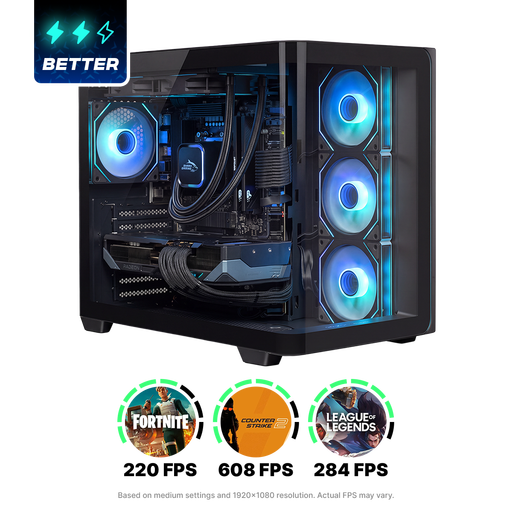 No image available
For Painter work, this configuration lists 16 GB VRAM, matching the amount Adobe recommends for Windows.
According to the product information, the PC has 16 GB system memory, less than the 32 GB recommended by Blender and Adobe for their respective configurations. The listed storage is a 1 TB NVMe SSD.
 No image available
This variant is worth comparing for Blender: its 32 GB RAM and 12 GB VRAM exceed Blender’s recommended 32 GB RAM and 8 GB VRAM.
The configuration also lists a 1 TB SSD and Windows 11 Home. Its 12 GB VRAM is below Adobe’s recommendation of 16 GB for Substance 3D Painter on Windows.
 No image available
For Blender-focused work, this PC lists 32 GB RAM and 12 GB VRAM; Adobe recommends 16 GB VRAM for Painter on Windows.
The product name lists an RTX 5070 and a 1 TB PCIe 4.0 SSD. Check that the ports and upgrade options suit your monitor and graphics tablet.
 No image available
The compact mini PC form factor could be a good fit if space is a key consideration; check that the configuration suits your 3D software.
The product name lists 24 GB RAM, a Radeon 880M and a 1 TB SSD. Its 24 GB RAM is below the 32 GB recommended by Blender and Adobe for their respective configurations.
No, their recommended configurations differ. Blender recommends 32 GB RAM and 8 GB VRAM; Adobe recommends 32 GB RAM and 16 GB VRAM for Substance 3D Painter on Windows. Check which programme you use and distinguish between recommended configurations and minimum requirements.
Ask for a noise measurement of the exact PC configuration under load. Descriptions of airflow, fans or cooling don’t, by themselves, tell you how much noise the complete desktop makes while you work.
Don’t assume that it does. Before buying, check which accessories are included and whether the desktop has ports for your own monitor and graphics tablet.
According to Arboportaal, the screen and keyboard must not be attached to each other in that case. This relates to setting up a workstation in the applicable working situation, not a universal specification for every PC buyer.
No. Business.gov.nl explains that CE is not a quality mark and says nothing about a product’s overall quality or safety. Assess noise and suitability for your software separately.