
Vandaag of morgen in huis

Kwaliteit gegarandeerd

Welkomstaanbiedingen ontgrendelen: GRATIS bezorging | Tot 80% korting | Gratis 30 dagen JoyPlus-proefperiode
Download de app
Gaming is no longer confined to the bedroom. Whether you're on the train, on a friend's couch, or temporarily converting your workspace into a command centre, a good setup for gaming on the go has become essential. However, the market is flooded with products that promise the world. Many of these promises lead to disappointment and wasted money.
Before you invest in a mobile gaming setup, it's important to recognise the most common pitfalls:
This guide will help you cut through the marketing jargon and focus on what truly matters for a great on-the-go gaming experience.
To avoid a bad buy, there are a few technical specifications you must check. These determine whether a product is practical and future-proof.
For gaming, a smooth visual experience is often more important than the absolute highest pixel density.
A good mobile gaming setup lives and dies by its simple connections. Look for the following ports:
"Gaming on the go" can mean many things. The ideal solution depends on your use case. The main categories are:
Below is a selection of products, matched with specific user profiles. This is not a ranking, but an overview to help you find the right match based on your needs.
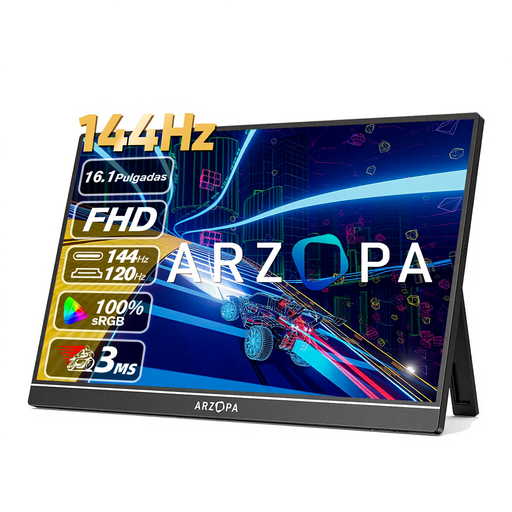
Why This Fits Their Persona: This user switches between a gaming laptop, a Nintendo Switch, and maybe even a PS5. They need a flexible, high-quality screen that they can take anywhere and connect with ease.
This screen avoids the 4K trap by focusing on a smooth 144Hz refresh rate at a sharp 1080p resolution. The dual USB-C and Mini HDMI ports prevent cable clutter.
The high refresh rate is ideal for competitive games. Weighing just 780 grams and featuring a slim profile, the screen is highly portable.
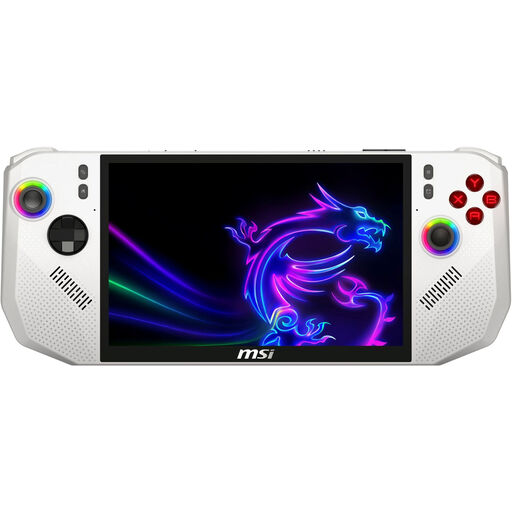
Why This Fits Their Persona: This gamer doesn't want the hassle of separate screens or consoles. They are looking for a single, powerful device to play their PC game library anywhere, with the simplicity of a console.
As a fully integrated handheld gaming PC, the MSI Claw bypasses the pitfalls of compatibility issues and cable messes. Everything is designed to work together seamlessly in one portable package.
Equipped with a powerful AMD Ryzen Z2 Extreme processor and a fast 1 TB SSD for short loading times. The Wi-Fi 7 support ensures a stable and fast online experience.
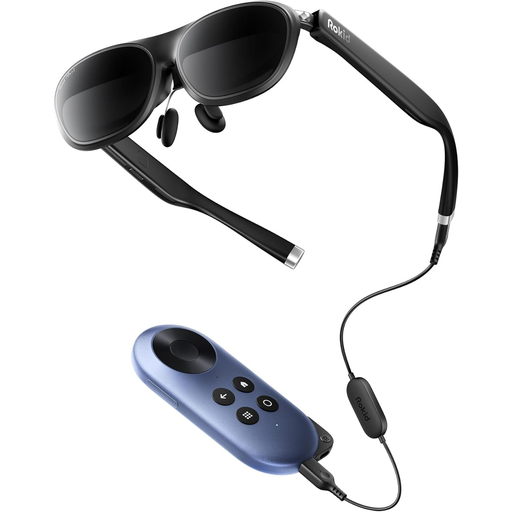
Why This Fits Their Persona: This user isn't looking for a traditional screen. They want the most immersive and portable experience, and are interested in the latest technology like AR glasses for gaming.
These AR glasses create a completely new category. Instead of competing on traditional specs, they offer a unique experience: a giant virtual screen in an ultra-light package.
Simulates a 215-inch screen from 6 metres away for a cinema-like experience. Weighing just 75 grams, this is the most portable 'big screen' solution available.
We have compiled a complete, up-to-date list of products that meet these selection criteria and local regulations.
That depends on the monitor and your laptop. Many modern portable monitors with a USB-C connection can receive power and video from your laptop via a single cable. However, you should check if your laptop's USB-C port supports "DisplayPort Alt Mode" and sufficient "Power Delivery". For an HDMI connection, a separate power source is usually required, often via a second USB cable to an adapter or another port on your laptop.
A gaming tablet typically runs on a mobile operating system (like Android) and is optimised for mobile games from the app store and cloud gaming services (like Xbox Cloud Gaming or GeForce NOW). A handheld gaming PC runs on a full-fledged desktop operating system (like Windows or a Linux variant) and can install and play PC games directly from platforms like Steam, Epic Games, or GOG. As a result, a handheld is often more powerful and versatile for PC gamers.
Very important. The built-in speakers on most portable devices are mediocre. Good gaming earbuds offer much more immersive sound, helping you hear approaching enemies and better enjoy the game's atmosphere. They are also far more compact and easier to carry than large headphones, which is a perfect fit for a mobile setup. Models like the HyperX Cloud Earbuds II are specifically designed for this purpose, with a flat, tangle-free cable.
