
Vandaag of morgen in huis

Kwaliteit gegarandeerd

Welkomstaanbiedingen ontgrendelen: GRATIS bezorging | Tot 80% korting | Gratis 30 dagen JoyPlus-proefperiode
Download de app
A gaming mouse needs to do more than respond quickly. Its shape, connection and customisation options have just as much impact on how comfortable it is to use. You often only notice you've made the wrong choice after several long sessions: a cable that keeps catching, a mouse that feels too heavy or a sensor setting that doesn't suit your playing style.
So watch out for these three common pitfalls:
An optical gaming mouse uses an optical sensor to track movement. Check the maximum resolution, but also make sure the DPI can be adjusted in practical increments. For example, a mouse with 50 DPI steps gives you more control than a model with just a few fixed settings.
DPI determines how far the cursor moves with the same physical mouse movement. For FPS games, players often choose lower sensitivity for more controlled aiming. A higher setting may feel more comfortable for MOBA, RTS and everyday desktop use. An adjustable DPI gaming mouse is therefore more versatile than a model with just one fixed value.
Also check the software. With a programmable gaming mouse, you can often customise buttons, macros, profiles and lighting. Make sure the software is compatible with your operating system. Some configuration programmes are primarily designed for Windows.
The weight affects how easily you can move the mouse across a mouse mat. Models weighing around 52 to 69 grams, such as the HyperX Pulsefire Haste 2 and Pulsefire Saga, are relatively light. A heavier model may feel more stable and sometimes offers additional buttons or an adjustable weight system.
Consider the shape:
Always check the dimensions in millimetres. A difference of a few centimetres in length or width becomes noticeable after several hours of use.
A wired gaming mouse draws power via USB and does not need a battery. You never have to charge it and the connection remains direct. However, pay attention to the cable length and flexibility. A paracord or Speedflex cable may create less resistance than a rigid standard cable.
A wireless gaming mouse is more practical if you want to keep your desk tidy or use the same mouse with both a PC and laptop. Check the connection options: some models combine a 2.4GHz dongle with Bluetooth. Also consider the battery life and battery type. For example, the Razer Orochi V2 uses an AA or AAA battery, according to the product information.
The polling rate indicates how many times per second the mouse sends data to the computer. 1,000 Hz is a commonly used setting. Higher rates, such as 8,000 Hz, can refine data transfer, but they also place greater demands on the computer. For casual gaming, a high polling rate is not automatically necessary.
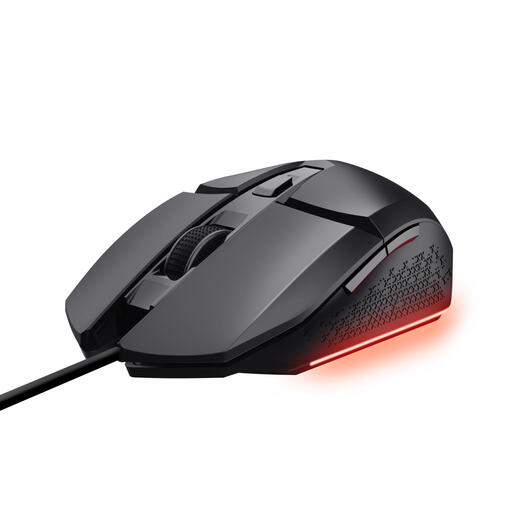
Why it suits this profile: This wired gaming mouse provides a straightforward setup for PC gamers looking for adjustable DPI, six buttons and RGB lighting without a rechargeable battery.
The DPI can be adjusted from 200 to 6,400 and the cable is 1.5 metres long. This means you know exactly what you are getting in advance, rather than relying on a vague marketing claim.
Optical sensor, six buttons, programmable functions and three RGB settings via software.
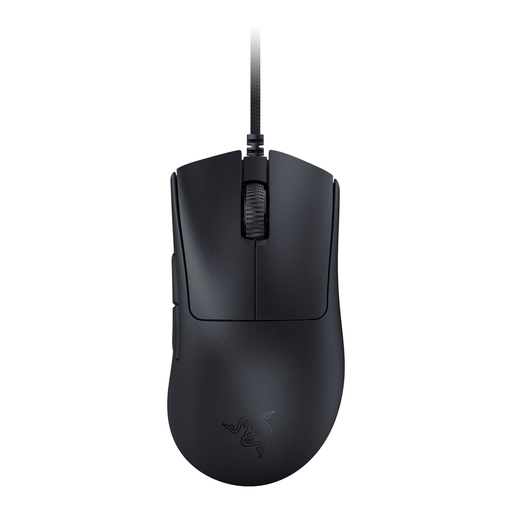
Why it suits this profile: Right-handed players looking for a lightweight, wired mouse with extensive customisation get a clear combination of ergonomic design and performance specifications.
The product information lists a weight of 59 grams, an optical sensor of up to 30,000 DPI and a polling rate of up to 8,000 Hz. These figures can be checked and are independent of the lighting.
Ergonomic right-handed shape, six programmable buttons and a flexible SpeedFlex cable.
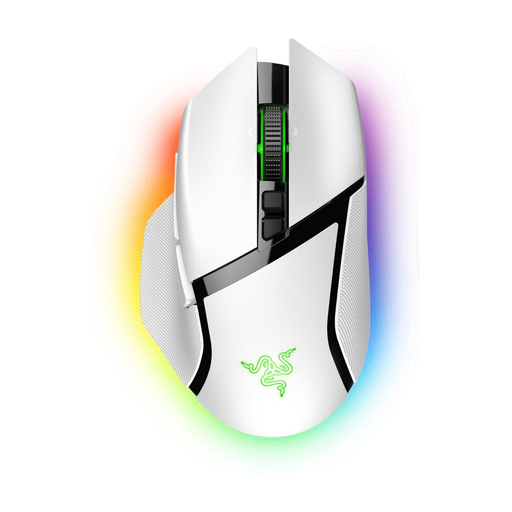
Why it suits this profile: Suitable for players who use lots of functions in MOBA and RTS games and want the flexibility to switch between wired, wireless and Bluetooth connections.
You are not choosing based on RGB alone: the specifications list 11 buttons, an adjustable optical sensor of up to 30,000 DPI and a battery life of up to 90 hours with HyperSpeed Wireless.
Ergonomic shape with rubberised grips, programmable buttons and a tilt-click scroll wheel.
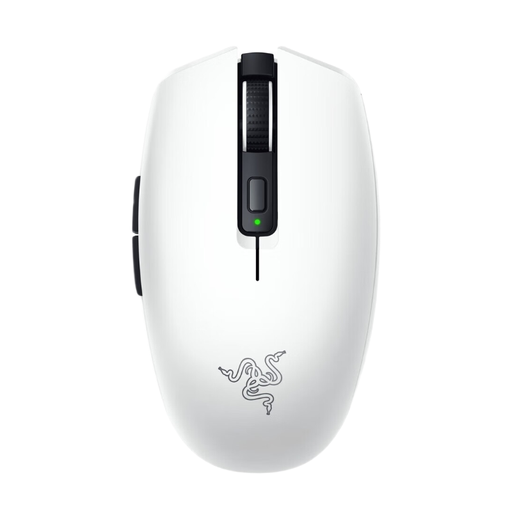
Why it suits this profile: This compact wireless gaming mouse is practical for use with a laptop, a flexible workspace or for gamers who regularly take their mouse with them.
The connection is not limited to one method: this model supports Razer HyperSpeed Wireless and Bluetooth. However, check in advance which connection your device supports.
Approximately 60 grams without the battery, six buttons and an optical sensor with a stated resolution of up to 18,000 DPI.
We have put together a complete, up-to-date list of products that fully meet these strict selection criteria and the applicable European safety regulations.
For a gaming mouse for PC, USB compatibility is usually easy to check. Consoles are different. Check the official product listing and confirm that the game supports mouse controls. According to the product specifications, the HyperX Pulsefire Haste 2 is listed for PC, PS4, PS5, Xbox One and Xbox Series X|S.
Software features do not always work directly on a console. You may first need to configure DPI profiles and button settings via a PC. A mouse that technically works with a PS5 or Xbox therefore does not automatically provide all the functions available on PC.
Start with a moderate setting and adjust it during a game. For FPS games, a lower DPI often helps with small aiming movements. Use a DPI button or software profile if you regularly switch between games. A higher maximum DPI is mainly useful if you want to fine-tune the sensitivity, not because you always need to use the maximum setting.
This depends on the connection protocol, usage and battery. Check the stated battery life and whether the mouse uses a rechargeable battery or replaceable batteries. Depending on the model, Bluetooth may offer longer battery life for office work than a fast wireless mode.
Its lifespan depends on the switches, cable, scroll wheel, moisture, dust and intensity of use. Manufacturers sometimes specify a click lifespan, such as 10, 90 or 100 million clicks. This is a product specification or manufacturer claim, not a guarantee for every usage scenario. Clean the sensor and mouse feet with a suitable dry cloth, keep moisture away and do not pull on the USB cable. When buying, also check the statutory guarantee; within the EU, consumers are entitled to at least the applicable legal conformity protection.
