
Vandaag of morgen in huis

Kwaliteit gegarandeerd

Welkomstaanbiedingen ontgrendelen: GRATIS bezorging | Tot 80% korting | Gratis 30 dagen JoyPlus-proefperiode
Download de app
Buying a gaming mouse may seem straightforward, until you have to choose between wireless or wired, a 1,000 or 8,000 Hz polling rate, and a sensor offering 8,000 or 44,000 DPI. Marketing copy often focuses on big numbers, while comfort, compatibility and battery management are just as important.
For PC and laptop gamers in the Netherlands, there are three common pitfalls:
An optical sensor tracks mouse movement using a light source and image analysis. When choosing an optical sensor gaming mouse, look at:
A sensor rated at 26,000 or 35,000 DPI does not automatically mean you will play more accurately. Above all, check whether the software allows you to adjust DPI in small increments and save profiles.
The polling rate indicates how often the mouse position is sent to the computer per second. A 1,000 Hz mouse reports its position up to 1,000 times per second. A 4K gaming mouse or 8K polling rate mouse does this more frequently, but the visible benefit depends on your monitor, game and system.
A wireless gaming mouse usually connects via a 2.4GHz receiver. Bluetooth is convenient for office work or multiple devices, but it is not intended as the primary competitive connection on every model. Also check:
A weight of 53 to 75 grams generally falls into the lightweight category. This can be helpful for fast movements and low sensitivity. An ergonomic gaming mouse with a higher hump or thumb rest may be a better choice for a palm or claw grip.
Also pay attention to how battery-life claims were measured. ‘Up to 750 hours’, for example, applies to a specific polling rate and usage scenario. According to Rapoo’s product information, the stated battery life for the VT3 series applies at 1,000 Hz. RGB lighting, higher polling rates and intensive use can increase power consumption.
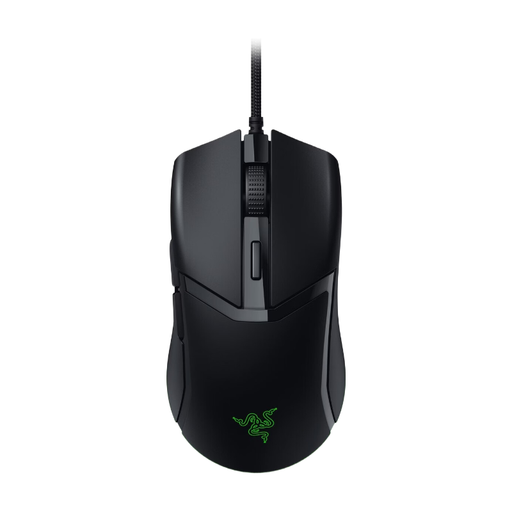
Why it suits this profile: A wired mouse eliminates battery maintenance and keeps the purchase simple for PC and laptop gamers who mainly play at home.
The specifications list a weight of 58 grams, an optical sensor of up to 8,500 DPI and six programmable buttons. You are not paying for a wireless battery or an extremely high polling rate that you may not need.
58 grams, USB connection, six buttons and DPI adjustment in 50-point increments according to the product description.

Why it suits this profile: FPS players who want to play wirelessly and value low weight and adjustable performance get a focused set of features.
The low weight of 54 grams is combined with a wireless connection and a quoted battery life of up to 95 hours. This puts the focus not only on DPI, but also on portability and everyday use.
54 grams, Focus Pro 35K optical sensor according to the product information, programmable buttons and a polling rate of up to 8,000 Hz.

Why it suits this profile: Intensive gamers who want to recharge as little as possible and genuinely use features such as macros, profiles and a high polling rate.
The quoted battery life is linked to 1,000 Hz. At 8K, power consumption may differ. Check in advance which polling rate your system and games can handle.
53 grams, up to 8,000 Hz, up to 750 hours of battery life at 1,000 Hz and ten programmable buttons according to Rapoo’s product information.

Why it suits this profile: This vertical mouse is designed for users who switch between office work and gaming and want to try a different hand position.
The vertical design makes it clear that ergonomics are more important here than low weight: the model weighs 150 grams. This is not necessarily the right shape for fast FPS flicks.
Bluetooth, 2.4GHz and USB-C, six programmable buttons, a quoted sensor resolution of 30,000 DPI and battery life of up to six months according to Razer.
We have put together a complete, up-to-date list of products that fully meet these strict selection criteria and the applicable European safety regulations.
Use this checklist before ordering a gaming mouse:
It can be, provided the connection via the supplied 2.4GHz receiver offers low latency and the battery is sufficiently charged. For competitive use, it is sensible to check whether the mouse can also operate in wired mode while charging.
There is no single setting that suits every player. Start with, for example, 800 to 1,600 DPI and adjust it in the game. A sensor with a higher maximum DPI mainly gives you more adjustment range; the number on the packaging does not determine your aiming accuracy on its own.
Its lifespan depends on the switches, cable or battery, intensity of use and maintenance. Keep the sensor dry and clean, do not pull on the cable and recharge a built-in lithium battery in good time. Claims such as a specific number of clicks or hours are manufacturer specifications and do not guarantee identical usage time for every user.
