Joybuy products
These Joybuy products include wired and wireless gaming mice for a shared work-and-gaming desk, with different options for controlling buttons.
 No image available
Turtle Beach Kone II wired gaming mouse – black
A wired model for a fixed desk setup; the product name lists 23 buttons and 26.000 DPI.
View at Joybuy
 No image available
Logitech G G502 X – right-handed, USB Type-A
A wired option for a fixed workspace, with no battery management required. The product information lists an optical sensor and 25.600 DPI; Logitech also specifies an adjustable thumb button and a two-mode scroll wheel for this model.
View at Joybuy
 No image available
Razer Basilisk V3 X HyperSpeed
A wireless model for anyone who doesn’t want a mouse cable on their desk. Bear battery management in mind and check which connection options are available on your work computer.
View at Joybuy
 No image available
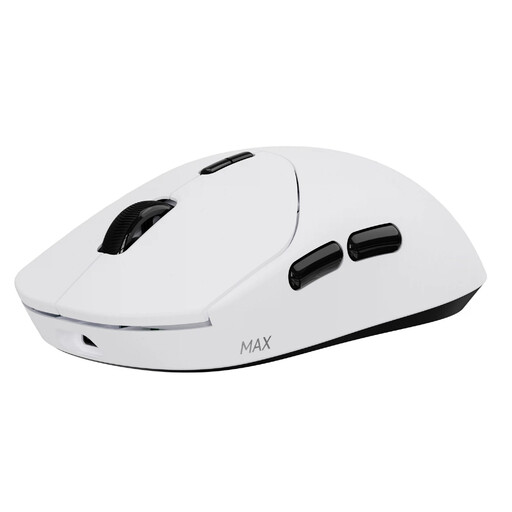
RAPOO VT2 MAX wireless gaming mouse – white
A wireless option for anyone who wants to assign commands to mouse buttons. The product name lists ten programmable buttons, an 8K polling rate and a weight of 53 g; the product information specifies a built-in rechargeable battery.
View at Joybuy
 No image available
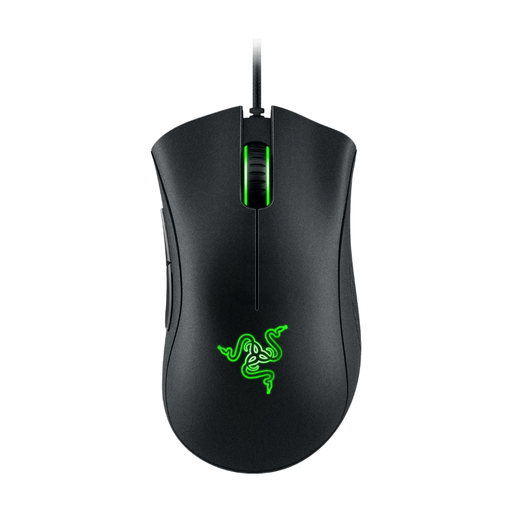
Razer DeathAdder Essential 2021 – wired, black
A wired model for a fixed desk setup and a simple configuration. The product name lists an optical sensor and 6.400 DPI; if you want to assign lots of different commands, check in advance whether the button layout will be enough.
View at Joybuy
Frequently asked questions
Should I choose the highest DPI for turn-based strategy games?
No. The highest stated sensor resolution doesn’t, on its own, prove that you’ll have a better gaming experience. Choose an adjustable sensitivity that suits how you control the cursor, and consider the shape, button reach and scroll controls too.
How do I set up extra mouse buttons?
First, check whether you can assign the command you want to a key or mouse button in the game. Then use the setup software for the exact model and test the assignment. Installing software may be restricted on a managed work computer.
Can a gaming mouse described as ergonomic help with discomfort after a working day?
You can’t tell from a product description alone. The Dutch Arboportaal highlights the strain caused by prolonged, repetitive screen work and recommends varying your activities and taking micro-breaks. Also consider whether the mouse fits your hand and how your workspace is set up.
What should I consider with a wireless or wired mouse?
For a wireless mouse, check how the model connects and is powered, and whether that suits your devices. Keep the sensor clean and use a suitable surface; follow the instructions for your chosen model when cleaning and connecting it.
What cancellation period and guarantee apply to online purchases in the Netherlands?
For a typical online consumer purchase, you’ll generally have a statutory 14-day cancellation period from delivery, subject to legal exceptions. ACM ConsuWijzer also explains that you’re entitled to a product that meets what you could reasonably expect. If a product develops a fault under normal conditions of use, the seller is responsible for providing an appropriate solution at no cost.


