Gaming mice at Joybuy
This selection includes wired and wireless gaming mice to suit different preferences for grip, freedom of movement and use alongside a headset.
 No image available
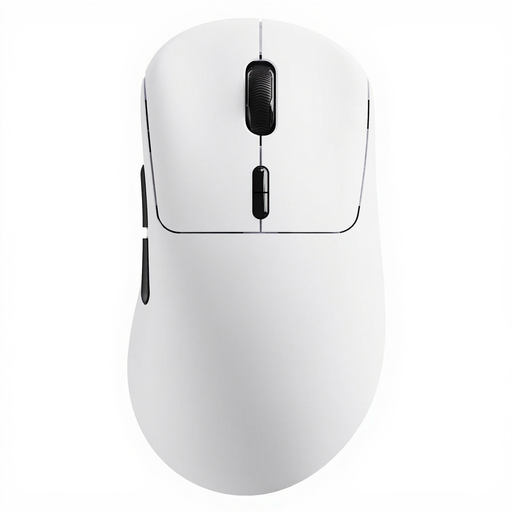
AJAZZ AJ159 PRO wireless gaming mouse, white
An option if you want to play wirelessly and are looking for a 56 g mouse.
PAW3395 sensor; 26K DPI; 2.4G, USB-C and Bluetooth; 400 mAh battery and magnetic charging dock.
View at Joybuy
 No image available
Rapoo VT3 wireless gaming mouse, white
A wireless option if you’re looking for a 53 g mouse with configurable buttons.
PAW 3398 sensor; stated 8K polling; 10 programmable buttons. The product information lists up to 750 hours of battery life at 1000 Hz.
View at Joybuy
 No image available
Razer Viper V3 Pro, black
A wireless option if you’re looking for a symmetrical mouse for fast movements.
Razer lists the black Viper V3 Pro as weighing 54 g and coming with a HyperPolling dongle that supports polling rates of up to 8000 Hz.
View at Joybuy
 No image available
HyperX Pulsefire Saga wired gaming mouse
A wired option if you want to practise without a wireless mouse receiver and be able to swap the grip components.
Weight 69 g; HyperX 26K sensor; the product information lists polling rates of up to 8000 Hz and 16 combinations with interchangeable grip components. The cable will remain part of your setup.
View at Joybuy
 No image available
AJAZZ AJ200 AI MC wireless gaming mouse
An option if you use a claw or palm grip and have a medium to large hand; the product information lists this model as suitable for that fit.
Weight 63 g; PAW3311 sensor; 24,000 DPI; 2.4G, Bluetooth and USB-C. The stated polling rate is 1000 Hz in wired and 2.4G modes.
View at Joybuy
Frequently asked questions
Should you use the highest DPI or polling rate for fast movements?
Not necessarily. Check whether the setting you want is available with your exact mouse and receiver, and compare performance on the same PC and in the same game. ZOWIE also recommends trying 2K if you have problems with a 4K setting. A specification on its own doesn’t predict how the mouse will perform in your setup.
What can you do if your wireless mouse stutters when you’re using a headset?
First, check whether your headset uses a 2.4 GHz connection. ZOWIE lists nearby wireless earphones and other 2.4 GHz devices as possible sources of interference. Try moving the receiver or using a different USB port. This is troubleshooting advice from the manufacturer, not a diagnosis for every combination.
Is an 8000 Hz dongle always included?
No, it depends on the model and version. Pulsar states that a separate dongle is required for 8000 Hz on the X2H v3 Medium. Razer distinguishes between the Viper V3 Pro, which comes with a HyperPolling dongle, and the Viper V3 Pro SE, which needs a separate dongle for polling rates above the standard 1000 Hz.
What are your rights when buying online in the Netherlands?
For online purchases, you generally have a statutory cooling-off period of up to 14 days after delivery, subject to legal exceptions, according to ACM ConsuWijzer. Products must also meet the standard you could reasonably expect with normal use; if there’s a fault, the seller is responsible for providing an appropriate solution. In the Netherlands, statutory guarantees don’t have a fixed end date of two years for every mouse.


