
Ranked player looking for the right fit
You play tactical matches and want a mouse that suits your hand and grip, rather than simply choosing the highest DPI. RTINGS.com highlights shape as an important factor in an FPS mouse.


RTINGS.com highlights fit, weight, and low click and sensor latency as important considerations for FPS mice. A wired mouse never needs charging, but it does leave a cable on your desk. Wireless gaming gives you more freedom to move, but you’ll need a suitable receiver and to keep an eye on charging and battery life. A higher maximum DPI or polling rate doesn’t, by itself, prove that you’ll play better.
You play tactical matches and want a mouse that suits your hand and grip, rather than simply choosing the highest DPI. RTINGS.com highlights shape as an important factor in an FPS mouse.
You want to swipe without a cable getting in the way of your things, and you can fit a wireless receiver and charging into your setup.
You want to weigh up the features against what you’ll actually use, and know in advance what returns and warranty rights apply to an online purchase in the Netherlands.
A good fit if: you want to play without charging your mouse and the cable can move freely across your desk.
The trade-off: the cable remains part of your setup; also consider the shape and whether it suits your grip.
A good fit if: moving your mouse freely without a cable is a priority, and you can connect the receiver and charge the mouse.
The trade-off: check the battery life for the mode you use; Bluetooth isn’t necessarily the same as 2.4 GHz for gaming.
| What to consider | What to look for | Who is this important for? |
|---|---|---|
| Fit | Compare the shape and dimensions with your hand and usual grip; try it out if possible. | When I’m aiming and moving repeatedly during ranked matches, I want a shape that feels comfortable in my hand. Around 36% of consumers give fit the highest priority. |
| Control | Look at click and sensor latency, and compare independent measurements for the exact model, where available. A maximum polling rate or DPI is not, on its own, proof of better results. | When I want to keep my control consistent during matches, I look beyond maximum settings alone. Around 29% of consumers put consistent control first. |
| Desk and connection | Check whether the cable can move freely or whether you have a USB port for the receiver; also check the charging method and battery life for the mode you use. | At a crowded desk, I want to move freely and know where the cable or receiver will go. Around 21% of consumers say desk space and freedom of movement are their main considerations. |
| Costs and rights | Compare the features you’ll use and check the current returns policy before ordering. ACM ConsuWijzer explains that the seller is responsible for providing an appropriate solution if a product is faulty. | As a student, I don’t want to pay for features I won’t use, and I want to know where I stand if the mouse isn’t right for me or develops a fault. Around 14% of consumers prioritise costs and after-sales rights. |
Polling rate describes how often data is sent, but it’s only one part of control. RTINGS.com also highlights shape and latency as considerations for FPS use.
Start by comparing the fit, and where possible check independent measurements for the exact model before weighing up extra features.
Available settings can vary by connection mode and model. For example, SteelSeries states that Bluetooth on the Rival 3 Wireless uses a polling rate of 125 Hz; this specific figure doesn’t automatically apply to other mice.
Check which connection and receiver you’ll use during matches for your exact model.
According to ACM ConsuWijzer, statutory warranty in the Netherlands depends on what you could reasonably expect from the product with normal use.
If you think a product is faulty, contact the seller and keep your proof of purchase.
The wired DeathAdder V3 is an asymmetrical FPS option to consider for its shape and cable setup.
The PRO X SUPERLIGHT 2 is a wireless alternative for anyone who wants to play without a mouse cable.
The Aerox 3 Wireless lets you choose between a 2.4 GHz connection and Bluetooth.
The EC2-C is a medium-sized, wired ergonomic mouse for anyone looking for a straightforward plug-and-play setup.
The OP1 8k v2 is a wired option to compare if you like a narrower body and customisable components.
The products below include wireless models with a 2.4 GHz option and the wired Razer DeathAdder V3. As well as the connection, compare the shape and how well it fits your hand.
 No image available
The stated 2.4 GHz option makes this model worth considering if you want to play wirelessly.
The product information lists a PAW3395 sensor, a weight of 56 g and connectivity via 2.4 GHz, USB-C or Bluetooth.
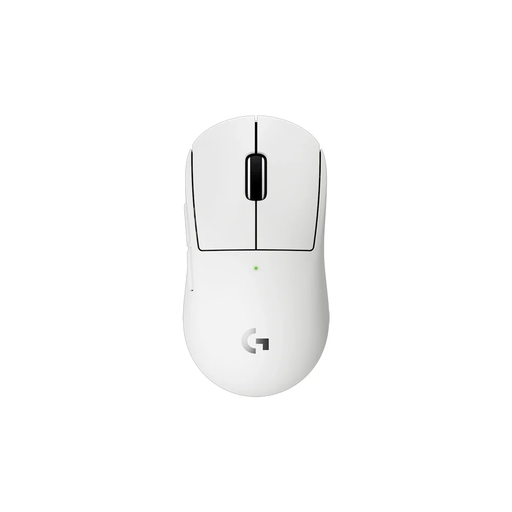 No image available
The wireless connection with receiver suits anyone who wants to move without a mouse cable; its compact design may be a good choice if you have smaller hands or a compact grip.
The product information lists a weight of 53 g, a HERO 2 sensor and LIGHTSPEED with a polling rate of up to 8 kHz.
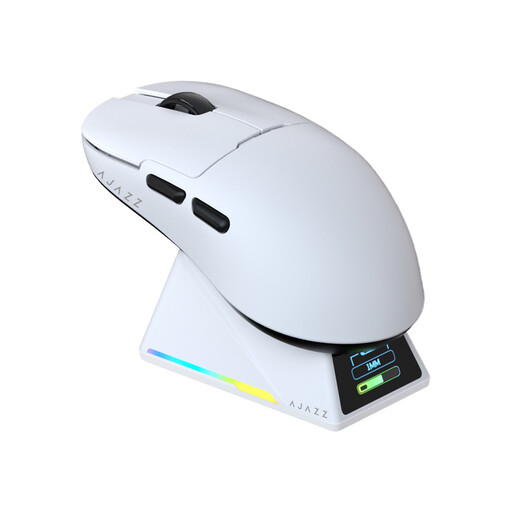 No image available
The stated symmetrical shape and suitability for small to medium-sized hands may help you compare the fit.
The product information lists a weight of 56 g, a PAW3950 sensor and tri-mode connectivity, including 2.4 GHz and wired USB-C.
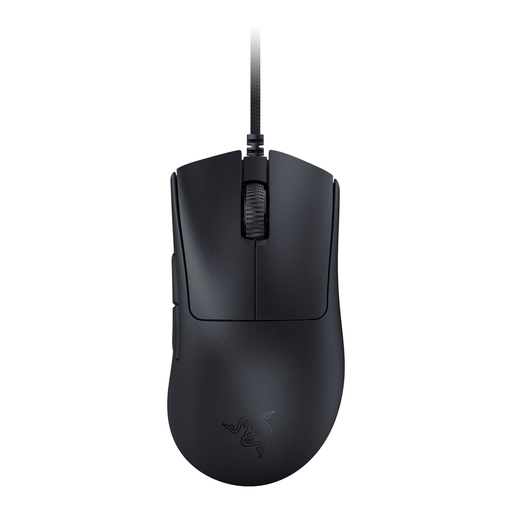 No image available
This wired, asymmetrical mouse is an option if you want to play without charging and its shape suits your grip; the cable will remain on your desk.
The product information lists a weight of 59 g and a polling rate of up to 8,000 Hz.
 No image available
The wireless design and right-handed shape may suit you if you want to move without a cable and are looking for a right-handed model.
The product information lists a weight of 54 g and 8K HyperPolling.
No. Start by choosing a shape that suits your hand and grip, then consider the click and sensor response. Polling rate describes how often data is sent to the PC; a high maximum figure doesn’t, by itself, prove better gaming performance in your setup.
Check which connections your model supports and, for the 2.4 GHz mode you intend to use, connect the corresponding receiver; also make sure the mouse is sufficiently charged. SteelSeries states that settings for the Rival 3 Wireless can be adjusted in Engine in 2.4 GHz mode, while Bluetooth uses different default settings. Follow your model’s instructions to set it up.
Contact the seller. According to ACM ConsuWijzer, statutory warranty in the Netherlands applies for as long as you can reasonably expect the product to work properly; if a product is faulty, the seller must resolve the issue free of charge under the applicable terms.
For a standard online consumer purchase, you’ll usually have a statutory cooling-off period of up to 14 days after delivery, with some exceptions. ACM ConsuWijzer explains how this period works; check the terms for trying out the product and any return costs before buying. This is separate from your rights if the product is faulty.