
Garden designer who works for long sessions
You design for longer sessions and want a grip that suits your hand. Arboportaal recommends varying your posture and taking regular short microbreaks when working at a screen.


Start by choosing a mouse shape that suits your hand and how long you use it, then adjust the pointer sensitivity for placing small objects. In a bright room, screen glare and tracking on your desk need separate attention. Extra buttons or a wireless connection are most useful when they suit your game and workspace.
You design for longer sessions and want a grip that suits your hand. Arboportaal recommends varying your posture and taking regular short microbreaks when working at a screen.
You move small items and want to fine-tune your pointer. If you have tracking problems, Logitech recommends using a flat, non-reflective mouse mat and advises against using a mouse directly on glass or a reflective surface.
You want to assign frequently used actions to easily accessible mouse buttons. Whether this works depends on the game and the mouse configuration software.
Start with grip and posture, then decide which pointer setting and surface work best for placing items. After that, consider whether extra buttons or a cable-free setup would benefit your game and desk.
| What to consider | What should you look for? | Who is this more important for? |
|---|---|---|
| Grip during long sessions | Compare the shape and hand orientation, and think about how much space the cable takes up. | If I design for a long time, I want a shape that feels comfortable in my hand and enough room to move the mouse. Around 36% of consumers put grip and comfort first. |
| Precise placement | Adjust the pointer sensitivity to suit your movements. If you have tracking problems, use a flat, non-reflective mouse mat. | When placing small items, I want to keep the pointer under control and avoid it stuttering on my desk. Around 29% of consumers give placement control and reliable tracking top priority. |
| Shortcuts | Check whether the game lets you assign commands to buttons and whether the required configuration software works on your computer. | If I repeat the same actions often, I only want to assign them to mouse buttons if my game supports it. Around 21% of consumers choose shortcuts as their main consideration. |
| Cable-free desk | Weigh up greater freedom of movement against having to replace the battery, and check which connection and power supply the model uses. | I want to move my mouse freely across the desk and will only accept battery maintenance if it suits my setup. Around 14% of consumers prioritise a clear desk setup. |
Glare on your screen and tracking on a reflective desk are two separate problems.
Assess the surface beneath your mouse and the position of your screen separately. When light falls on your screen, Arboportaal recommends considering reflections and screen placement.
Hand shapes and working postures vary. A different mouse shape does not prove it will be comfortable for everyone or prevent discomfort.
Try the grip for yourself and break up long sessions with other tasks or postures.
Razer gives different maximum battery life figures for HyperSpeed and Bluetooth for the Basilisk V3 X HyperSpeed. These figures apply to different modes.
Compare the figure for the connection you actually plan to use and check which type of battery the model needs.
A programmable mouse button does not guarantee that your game supports the command you want.
Make a list of the actions you use often and check whether you can assign them in the game and the mouse software.
According to Logitech, the G502 HERO is wired and has 11 programmable buttons; the G305 is wireless and runs for up to 250 hours on a single AA battery.
According to Razer, the wired Basilisk V3 has programmable buttons and different scroll modes. The wireless Basilisk V3 X HyperSpeed offers nine programmable controls and Bluetooth and HyperSpeed connectivity.
Trust describes the wired GXT 145 Rexxa as a mouse with a distinctive 45-degree angle and programmable buttons.
According to SteelSeries, the Rival 3 Gen 2 range includes wired and wireless versions.
Corsair describes the wired Scimitar RGB Elite as a mouse for games with lots of commands that can be assigned individually.
This selection includes wired and wireless gaming mice for precise placement, shortcuts and different desk setups.
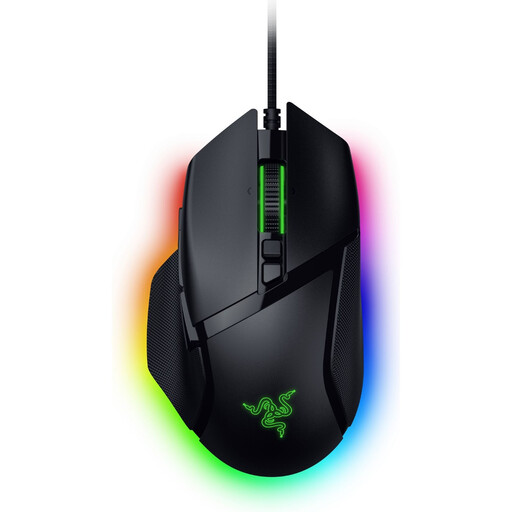 No image available
A wired option if you want to weigh up its buttons and pointer settings against the space taken up by a cable.
The product name lists 35,000 DPI and 11 buttons.
This is a right-handed model.
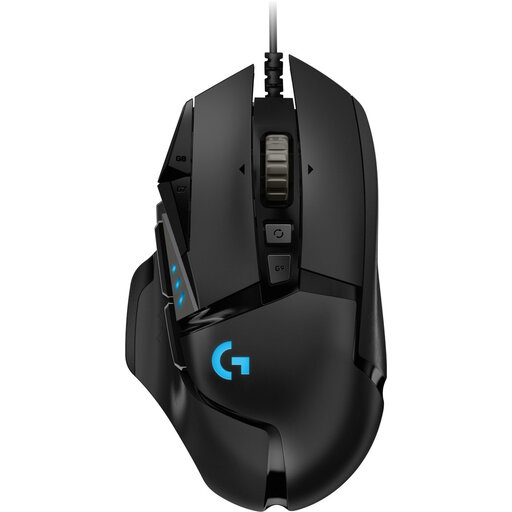 No image available
A wired option if you want to adjust pointer sensitivity for small placement movements and assign commands to buttons.
Logitech lists 11 programmable buttons and adjustable sensitivity for the G502 HERO.
The product name lists 25,600 DPI. This is a maximum figure, not a measure of suitability on its own.
This is a right-handed model.
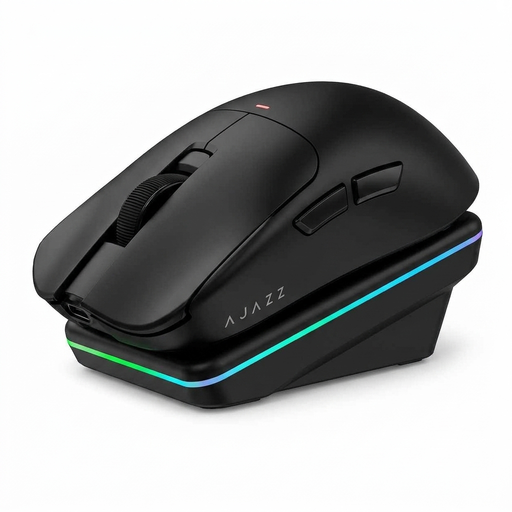 No image available
A wireless option to consider if you want a cable-free desk and the flexibility to adjust sensitivity to your own movements.
The product name lists three connection options: BT, 2.4G and USB-C.
The product name lists a PAW3311 sensor and 24,000 DPI.
The stated shape is designed for medium to large hands.
 No image available
A wired mouse to consider if a USB Type-A connection suits your desk and computer.
The product name describes an optical mouse with 25,600 DPI.
This model is designed for right-handed use.
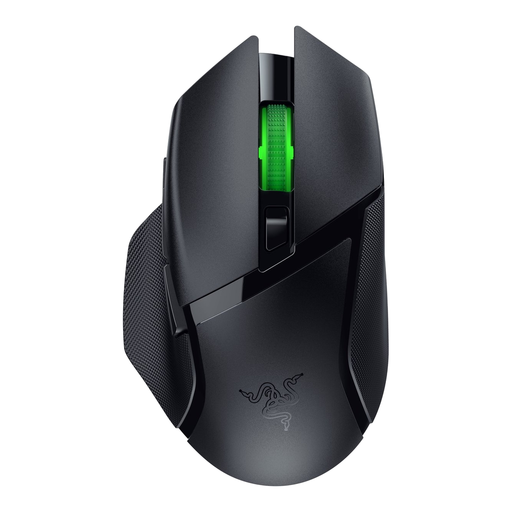 No image available
A wireless option if you want to combine cable-free movement with assignable commands.
According to Razer, this model has nine programmable controls and Bluetooth and HyperSpeed connectivity.
The manual lists an AA battery. Stated battery life varies by connection mode.
No. A higher maximum DPI does not, by itself, prove that a mouse is better for virtual garden design. Choose a sensitivity that suits your hand movements and the game. Logitech lists adjustable sensitivity for the G502 HERO.
Try a flat, non-reflective mouse mat; Logitech advises against using a mouse directly on glass or a reflective surface. Tackle distracting screen glare separately by reviewing the position of your screen and lighting.
It depends on the model and the settings you want to use. Logitech describes G HUB for programming the G502 HERO, while Razer describes Synapse for the extra features of the Basilisk V3 X HyperSpeed. Also check that your game supports the commands you want.
Check which type of battery or charging option the model uses, and which connection mode the stated battery life applies to. If a product is faulty, contact the seller about your statutory rights; a manufacturer's guarantee may provide additional cover.
For an online consumer purchase, the statutory cancellation period generally ends 14 days after delivery. ACM ConsuWijzer also sets out exceptions, so check whether any apply to your purchase.