
Frequent timeline user
If you review or edit lots of clips, easily accessible buttons can be useful for repeated tasks. Check that your software supports the shortcuts you want; Adobe, for example, lists keyboard shortcuts for Premiere.


Choose a mouse that feels comfortable in your hand and whose controls work with the software you use to review or edit footage. Programmable buttons or a more advanced scroll wheel can be useful if you can configure them to suit your needs; weigh this up against a simpler, lighter or wired model.
If you review or edit lots of clips, easily accessible buttons can be useful for repeated tasks. Check that your software supports the shortcuts you want; Adobe, for example, lists keyboard shortcuts for Premiere.
For long sessions, a comfortable fit and varying your working posture are important. The Arboportaal advises regularly alternating screen work with other tasks or taking a break.
If you switch between reviewing footage and gaming, a wireless mouse can give you more freedom of movement. Also consider which buttons you actually use, the connection mode and how you charge the mouse; HyperX and SteelSeries describe these features for specific models.
First, decide which controls you need in your playback or editing software. Then check whether the shape and connection suit your workspace and how long you use the mouse at a time.
| What to consider | What should you look for? | Who is this important for? |
|---|---|---|
| Footage controls | Check that your software supports the shortcuts you want and that the buttons are easy to reach. | If I rewind clips frequently, I want to carry out repeated tasks with an accessible button and check that my software supports that assignment. Around 36% of consumers rank controls first. |
| Comfort during long sessions | Consider how the mouse fits your hand and how easy the buttons are to reach; weight alone doesn't determine whether a mouse is right for you. | During long sessions, I want a shape that feels comfortable in my hand; a low weight alone doesn't tell me that. Around 29% of consumers give fit top priority. |
| Freedom of movement | Check your computer's connection options and how the mouse charges. | If I switch between reviewing footage and gaming, I want to move freely and know how to charge a wireless mouse. Around 21% of consumers put freedom of movement first. |
| Extra features | Consider whether you actually use the extra buttons or scroll wheel modes and whether you can configure them to suit the way you work. | If I'm mainly reviewing footage, I don't want controls that I won't use. Around 14% of consumers give simplicity and avoiding unused features top priority. |
A mouse may have buttons, but that doesn't mean the task or assignment you want will work as expected in your software.
First, find the tasks and shortcuts you need, then check whether the mouse software lets you assign them to a button.
Setting everything up takes time, and unused buttons don't add any useful controls.
A specification doesn't tell you whether the mouse feels comfortable in your hand or whether its controls suit the way you review footage.
Prioritise fit and the features you actually use over figures that won't change the way you work.
Versions with similar names may have different specifications or connection options. For example, with the Razer Basilisk V3 Pro 35K, check that the model name and sensor details refer to the same version.
Before buying, compare the full model name and the product specifications for the version you select.
The G502 X range includes wired and wireless versions, giving you a choice of controls and connection type.
The Basilisk V3 Pro 35K is a wireless option to consider if you'd like a more configurable scroll wheel.
The Aerox 5 Wireless is a wireless option with programmable controls.
The Pulsefire Haste 2 Wireless is a lightweight wireless version with several connection options.
The wired GXT 145 Rexxa is an option if you'd like to try a vertical mouse shape.
This selection includes lightweight wireless mice and wired or wireless models with programmable controls for reviewing footage, navigating and gaming.
 No image available
An option if you want wireless control and programmable buttons in one mouse.
7 programmable buttons; Bluetooth, 2.4 GHz and USB-C; 63 g; charging dock.
 No image available
An option for a fixed workspace if you want wired control and programmable buttons.
13 programmable buttons; USB Type-A; right-handed; optical sensor, 25600 DPI.
The cable runs across your desk.
 No image available
A wireless option if you want to use several programmable buttons for repeated tasks.
10 programmable buttons; 4K polling rate; 26000 DPI; 2.4 GHz and Bluetooth; built-in memory.
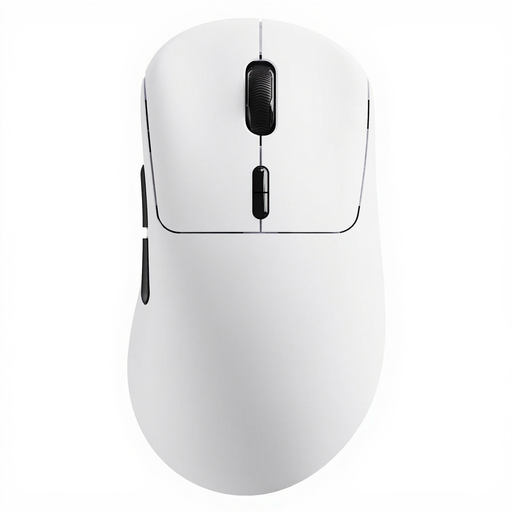 No image available
A lightweight wireless option with programmable buttons for anyone who wants to configure the controls in advance.
53 g; 10 programmable buttons; 8K wireless polling rate; driver for Windows and Mac OS.
 No image available
An option if you're looking for extra programmable controls and different scroll wheel modes.
11 programmable buttons; scroll wheel with notched and free-spin modes; wireless and wired connection options.
Before buying, check that the model name and sensor details match the version you select.
No, don't assume they will work automatically. Look up the task and shortcut in your application, then check whether the mouse software lets you assign that input to a button. Adobe lists keyboard shortcuts for Premiere, but that doesn't show that the same setup will work in other programmes.
Check the connection mode and charging options for the exact model. HyperX lists a 2.4 GHz mode, Bluetooth and wired use while charging for the Pulsefire Haste 2 Wireless; these features don't automatically apply to other mice.
No, a mouse specification can't guarantee that you won't experience discomfort. The Arboportaal advises regularly alternating screen work with other tasks or taking a break; this guidance for employees isn't a mandatory product specification for every buyer.
For eligible online purchases from a business, you generally have a 14-day cooling-off period. You are also entitled to a product that meets reasonable expectations in the Netherlands; there is no fixed statutory guarantee period, and if a product is faulty, the seller is your point of contact for a solution. Check the terms and conditions for your specific purchase.