What should you look for when choosing?
Start with the controls your game actually needs, then compare lighting, fit and the choice between wired and wireless use.
| What to consider |
What should you check? |
Who should consider this most? |
| Controls and navigation |
Check that the scroll wheel is clickable, the right button is easy to reach and any extra buttons suit your game. |
If I move the camera often while building, I want the buttons I need to be easy to use. Around 36% of consumers make controls their top priority. |
| Lighting in the dark |
Check whether the lighting on the exact model can be adjusted; make sure you have suitable ambient lighting separately. |
I want to adjust the lighting to suit my room, without assuming that light from the mouse will make the screen easier to read. Around 29% of consumers prioritise lighting settings. |
| Fit and comfort |
Consider the shape, hand size, grip and distance to the buttons; try the mouse if possible. |
During a longer gaming session, I want the shape and buttons to feel comfortable and easy to reach. Around 21% of consumers give fit top priority. |
| Wired or wireless |
Check the connection, any receiver and how it charges; for wireless models, also check whether you can use the mouse while it is charging. |
I want to choose between moving freely without a cable and not having to keep track of a battery. Around 14% of consumers prioritise connection convenience. |
Gaming mice at Joybuy
This selection includes wired and wireless gaming mice, with options for adjustable lighting and extra buttons. Check which features are available on each model.
 Image unavailable
AJAZZ AJ159 PRO wireless gaming mouse
A wireless option if you want to play without a cable and are looking for lighting on the mouse.
The product name lists a PAW3395 sensor, 26K DPI, 2.4G, USB-C and Bluetooth support, a 400 mAh battery and a weight of 56 g.
The product information warns you to keep the magnetic charging base away from pacemakers and medical implants.
View at Joybuy
 Image unavailable
HyperX Pulsefire Saga wired gaming mouse
A wired option if you’d rather not have to charge a battery.
The product name lists RGB lighting and 26,000 DPI; the product description mentions adjustable RGB lighting through HyperX NGENUITY.
View at Joybuy
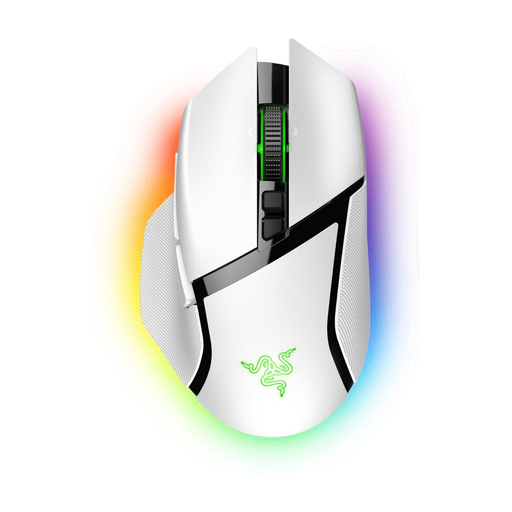 Image unavailable
Razer Basilisk V3 Pro White
An option to compare if you’re looking for wireless use, customisable lighting and programmable buttons.
The product description lists a scroll wheel, 11 programmable buttons and customisable Chroma RGB lighting.
View at Joybuy
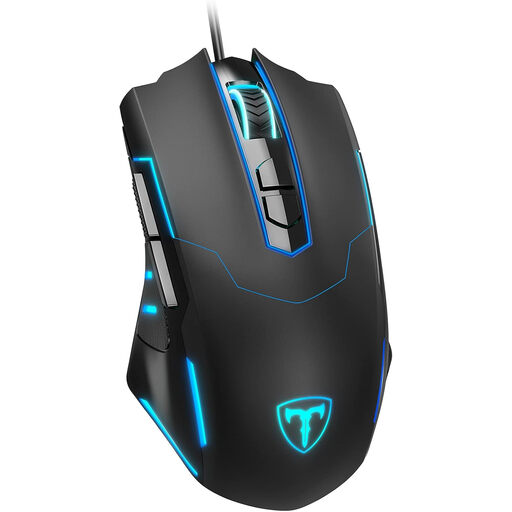 Image unavailable
ET wired gaming mouse
A wired option if you want to adjust the lighting and customise extra buttons.
The product name lists 7200 DPI and seven programmable buttons. The product description mentions 16 million colour options and the ability to switch off the lighting.
View at Joybuy
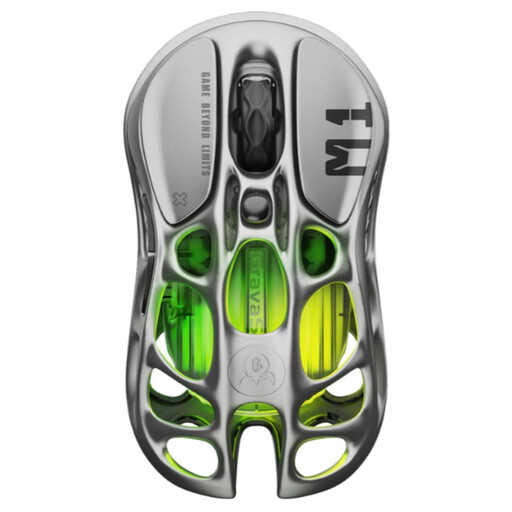 Image unavailable
GravaStar Mercury M1 Wireless, Gunmetal
An option to compare if you’re looking for wireless connectivity, adjustable lighting and programmable buttons.
The product name lists a PAW3395 sensor, 26,000 DPI, five programmable buttons and a magnesium alloy body. The product description mentions wireless, wired and Bluetooth connections, plus five RGB modes.
View at Joybuy
Frequently asked questions
Do you need a mouse with lots of extra buttons for Two Point Hospital?
Not for the basic actions described by SEGA Support: the manual lists the middle and right mouse buttons for the camera, and the left button for placing objects. Extra programmable buttons are a personal choice if you want to assign other actions; check whether your game supports this.
Is RGB lighting enough to play in a dark room?
No. Mouse lighting cannot replace suitable ambient lighting. Arboportaal points out that poor ambient lighting can make screens harder to read when working at a computer, so assess the mouse lighting and the room lighting separately.
How should you clean your mouse?
For Logitech devices, Logitech Support recommends unplugging a wired mouse first, not applying liquid directly to the device, and gently using a soft, lint-free cloth that is slightly damp. For other brands, follow the manufacturer’s cleaning instructions.
What are your rights when buying online or if a mouse is faulty in the Netherlands?
According to the Dutch Government, distance purchases are covered by a 14-day cooling-off period in many cases; check the applicable terms. ACM ConsuWijzer explains that your statutory guarantee depends on what you could reasonably expect from the product under normal use. If the mouse develops a fault sooner, the seller must provide an appropriate solution at no cost; a manufacturer’s guarantee does not replace your statutory rights.


