Choose a gaming mouse with a shape that suits your hand and buttons you can easily reach for the commands you actually use. If you’re having tracking problems, Logitech recommends a flat, non-reflective mouse mat; screen glare calls for a separate adjustment to the lighting or screen position. A wired mouse means no battery to manage, while a wireless one gives you more freedom of movement but requires you to keep an eye on its power and connection.
Who is this buying guide for?
Players who have long sessions
You play for long periods and want a shape and weight that suit your hand and grip. A shape described as ergonomic isn’t guaranteed to feel comfortable for you, so compare the exact version of the mouse. Logitech G and SteelSeries describe the shape and weight of their models.
Players who use shortcuts
You want to assign frequently used in-game commands to buttons you can reach easily. Check the button layout, as well as the configuration software and support for your system. Razer and CORSAIR describe programmable features for specific models.
Players with a glossy desk
You want to assess pointer movement accurately on your desk and distinguish tracking problems from screen reflections. Logitech recommends a flat, non-reflective mouse mat if you’re having tracking problems; the US Occupational Safety and Health Administration (OSHA) explains how incoming light can make the image on a screen harder to see.
What should you look for in a gaming mouse?
Start with your grip and the commands you actually use. Then consider tracking, screen glare and freedom from cables as separate factors.
Logitech recommends a flat, non-reflective mouse mat if you’re having tracking problems. Screen glare is a separate issue: the US Occupational Safety and Health Administration (OSHA) points out that incoming light can make the image on a screen harder to see.
| Key consideration |
What to check before buying |
Who is this most relevant to? |
| Grip and comfort |
Compare the shape, hand orientation and weight of the exact version; if possible, try holding the mouse. |
For long gaming sessions, I want a shape and weight that suit my grip. Around 36% of consumers put grip and comfort first. |
| Buttons within easy reach |
Count the commands you want to assign, then check the button placement and software support for your system. |
If I use the same commands often, I want to control them with buttons that are easy to reach. Around 29% of consumers give shortcuts top priority. |
| Tracking on your desk |
Check the surface; if the mouse stutters, try a flat, non-reflective mouse mat and assess screen glare separately. |
On a glossy desk, I want to tackle tracking problems without confusing them with screen glare. Around 21% of consumers start by looking at the surface and tracking. |
| Wired or wireless |
Check the connections, connection modes and charging method for the exact version. |
I want the freedom to move without a cable, or I’d rather not manage a battery. Around 14% of consumers put freedom from cables or battery management first. |
Common buying mistakes
-
Confusing a glossy desk with a low DPI
A higher DPI specification doesn’t tell you whether a mouse will track well on your desk. Logitech recommends a flat, non-reflective mouse mat if you’re having tracking problems and advises against using a mouse directly on glass or reflective surfaces.
Try the mouse on a suitable surface first, before choosing another one based on DPI.
-
Choosing the mouse with the most buttons
A large side panel gives you more options for assigning commands, but the number of buttons doesn’t tell you whether they’re easy to reach. CORSAIR lists twelve side buttons on the Scimitar RGB Elite, but that doesn’t mean this layout is a must-have for turn-based tactics.
First, make a note of the commands you want to assign, then check where the buttons are positioned.
-
Assuming similarly named versions are identical
Wired and wireless versions can differ in weight, connection and power. Don’t assume the specifications for one version apply to another.
Check the full model name and specifications for the exact version you’re considering.
Brands to consider
Logitech G
The wired G502 X could suit you if you’re looking for extra controls and a dual-mode scroll wheel.
- Logitech G lists the wired G502 X as weighing 89 g and featuring a reversible or removable DPI button.
- Weight and button layout alone don’t tell you whether a mouse will feel comfortable in your hand; check that the shape suits you.
Razer
The wired Basilisk V3 is designed for players who want programmable features and different scroll modes.
- Razer lists the wired Basilisk V3 as having 10+1 programmable buttons.
- Check whether you’re looking at the V3, V3 Pro or 35K; the name alone doesn’t confirm that the sensor and connection are the same.
SteelSeries
According to SteelSeries, the Aerox 5 Wireless combines a lightweight design with extra side controls.
- SteelSeries lists the Aerox 5 Wireless as weighing 66 g and featuring nine programmable buttons.
- Don’t assume these specifications apply to other Aerox versions; the fit is still a matter of personal preference.
CORSAIR
The wired Scimitar RGB Elite is worth considering if you’re specifically looking for an extensive side panel.
- CORSAIR lists 17 programmable buttons, including twelve side buttons with adjustable positioning.
- Having lots of possible assignments doesn’t mean you need that many buttons, or that they’ll be easy to reach while gaming.
HyperX
The wired Pulsefire Haste 2 could suit you if you’re looking for a lightweight mouse with a simpler button layout.
- HyperX lists the wired version as weighing 53 g and featuring six programmable buttons.
- The wireless version has different specifications, so compare the full model version.
Gaming mice at Joybuy
This selection includes wired and wireless gaming mice with different button layouts, for players who prioritise grip, shortcuts or freedom from cables.
 No image available
HyperX Pulsefire Saga wired, black
A wired option if grip and customisable controls matter to you; check that the cable routing works with your desk setup.
The product name lists RGB lighting and 26,000 DPI.
View at Joybuy
 No image available
Logitech G G502 X, right-handed
A wired option to consider if you want extra controls; check that the shape and buttons suit your hand.
The product name lists an optical mouse, USB Type-A and 25,600 DPI.
View at Joybuy
 No image available
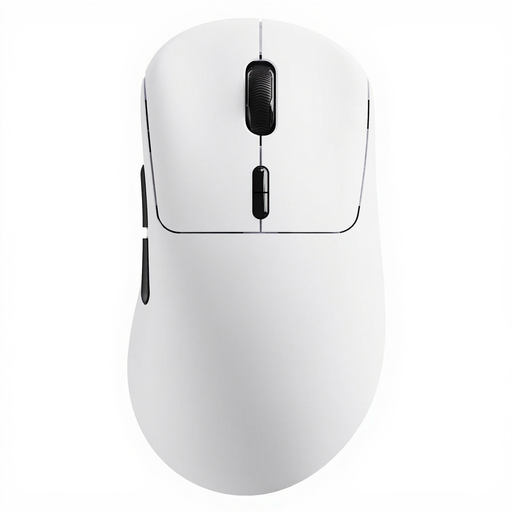
Rapoo VT3 wireless, white
A wireless option if you want programmable controls and freedom to move without a mouse cable; bear in mind that you’ll need to manage its power.
The product name lists a weight of 53 g, ten programmable buttons, battery life of up to 750 hours and True 8K Wireless Polling Rate.
View at Joybuy
 No image available
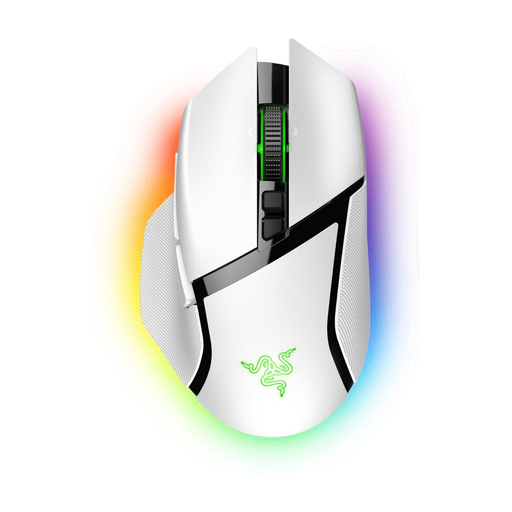
Razer Basilisk V3 Pro, white
A wireless option if you want to assign frequently used commands; check that the button layout suits your grip and bear in mind that you’ll need to manage the battery.
The product name lists the white version.
View at Joybuy
 No image available
Razer Viper V3 Pro, black
A wireless option to consider if you’re looking for a lightweight mouse; check the grip and button controls on this version, and bear in mind that you’ll need to manage its power.
The product name lists the black version.
View at Joybuy
Frequently asked questions
Do I need an extremely high DPI in a bright room?
Not just because of the ambient light. Check tracking on the surface you use for gaming; a higher DPI won’t fix screen reflections. If your screen is affected by glare, adjust the incoming light or the screen position.
What can I try if the pointer stutters on my desk?
First, try a flat, non-reflective mouse mat. Logitech recommends this if you’re having tracking problems and advises against using a mouse directly on glass or reflective surfaces.
What are my rights when I buy a mouse online?
For distance purchases, you generally have a 14-day cooling-off period, according to the Dutch government; check the applicable terms and exceptions. You’re also entitled to a product that meets the required standards. If a product is faulty, contact the seller.
What product rules apply to a wireless gaming mouse in the Netherlands?
Equipment with Bluetooth or another radio module is also covered by the Radio Equipment Directive, according to Business.gov.nl, the Dutch government website for businesses. Where required, the manufacturer must provide the CE marking and EU declaration of conformity; this doesn’t mean that a specific product sold in a shop has been checked separately.


