
Shortcut enthusiast
You want to assign tasks to buttons within easy reach of your thumb, so you’re considering a mouse with more buttons. First, check which assignments your game supports.


Choose a gaming mouse based on the tasks you can actually assign to its buttons in your transport simulator, and whether you can comfortably reach those buttons while working and gaming. More thumb buttons offer more potential shortcuts, while a simpler layout or a wired connection may suit you better if that is what you prefer. Check your game’s settings, the exact model variant and the CE marking on the product. The Dutch Radiocommunications Agency emphasises that a listing on a sales page alone does not confirm that the marking is present.
You want to assign tasks to buttons within easy reach of your thumb, so you’re considering a mouse with more buttons. First, check which assignments your game supports.
You use the same mouse for work and longer gaming sessions, so the shape and how easily you can reach the buttons are your main priorities. A stated weight or button count won’t necessarily tell you whether the mouse will suit your hand.
You want to scroll accurately or quickly through menus and overviews, without necessarily needing a large grid of thumb buttons.
Start with the controls you use most often in your simulator. Then consider whether the mouse will also feel comfortable at your everyday workstation.
| What to consider | What should you check? | Who would benefit most? |
|---|---|---|
| Assigning buttons | Check which mouse buttons your game accepts as separate commands and how to assign them. | I want to reach lots of commands directly with my thumb; around 33% of consumers say assigning commands is their main need. |
| Fit and reach | Compare the shape, handedness and button placement; try the fit if possible. | I’m looking for a mouse that feels comfortable in my hand at work and while gaming; around 27% of consumers prioritise comfort and reach. |
| Scrolling | Check whether the specific model offers free-spinning and stepped scrolling, and whether its controls suit the way you use it. | I navigate menus and overviews a lot and want to use the scroll wheel for this; around 20% of consumers put scroll controls first. |
| Wired or wireless | Check the connections on your PC and, for wireless use, which connectivity and charging options the exact variant offers. | I want the connection to suit my shared desk; around 20% of consumers choose connectivity as their main consideration. |
For the Turtle Beach Kone XP Air, the 29 programmable functions listed include alternative assignments via Easy-Shift; that figure does not mean it has 29 separate thumb buttons.
Look at the physical button layout and decide how many commands you want to reach without switching functions.
Specifications can vary between variants. For example, the Basilisk V3 Pro is not automatically the same variant as the Basilisk V3.
Check the full model name, connection type and specifications of the variant you’re buying.
According to the Dutch Government, the Netherlands does not have a fixed statutory warranty period. A manufacturer’s warranty does not replace your rights in relation to the seller.
Keep your purchase details and contact the seller about your rights if the product develops a fault.
The G502 X range is worth considering if you want to compare scroll modes and customisable controls. The G502 X reviewed here is wired; the G502 X LIGHTSPEED is wireless.
The Basilisk V3 is an option to compare if you’re looking for a mouse with different scroll modes; the Naga range focuses on models with more thumb buttons.
The Aerox 9 Wireless is worth considering if you want to compare a wireless mouse with an extensive side panel.
The Scimitar Elite Wireless is worth considering if the position of a large side panel matters to you.
The Kone XP Air is worth considering if you want to compare multiple input functions and wired and wireless use.
These mice can help you compare wired and wireless setups, programmable controls and scroll functions. For the exact variant, check that the product itself carries the correct CE marking. The Dutch Radiocommunications Agency warns that a listing on a sales page is not enough.
 Image unavailable
The wired variant suits a fixed desk setup; check which buttons you can assign separately in your game.
The product name lists 26000 DPI and 23 buttons.
 Image unavailable
For a fixed PC setup where you want to scroll both quickly and in steps; according to Logitech, the wired G502 X model has two scroll modes.
The product name lists a USB Type-A connection, an optical sensor and 25600 DPI.
 Image unavailable
For anyone who wants to game wirelessly and assign multiple commands; check that your game supports the button assignments you want.
The product name lists 10 programmable buttons and 26000 DPI.
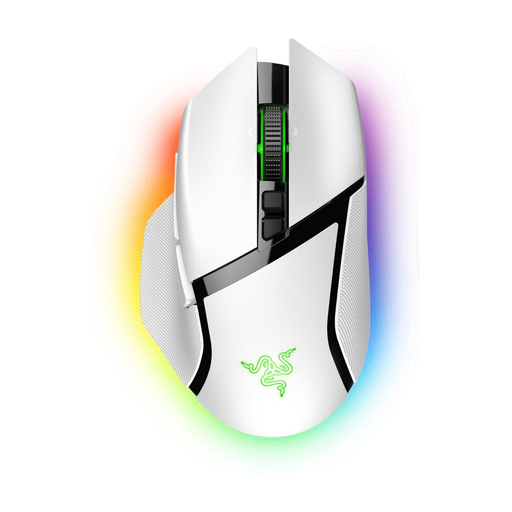 Image unavailable
If you’re looking for extra commands and different scroll controls, check which features this specific Pro variant offers and whether your game supports the assignments you want.
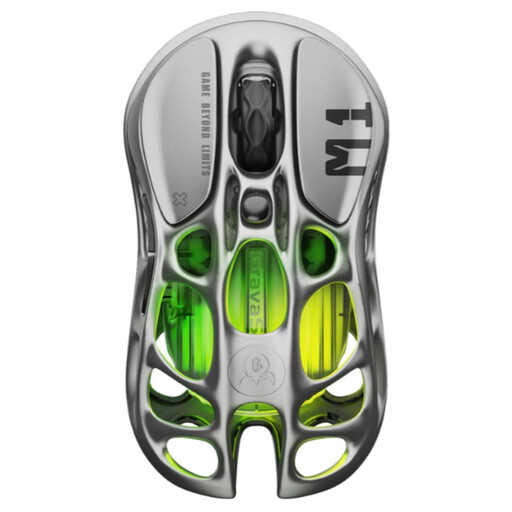 Image unavailable
For anyone comparing wireless use with a limited number of customisable commands; check the connection and configuration of the exact variant.
The product name lists five programmable buttons and 26000 DPI.
No. First check your game’s input and key settings. Mouse software may let you assign buttons, but that doesn’t automatically mean the game will recognise every button as a separate command.
Start by assigning a few commands you use often, then test whether the buttons are easy to reach. Logitech explains game profiles and button assignments in G HUB; the Corsair manual for the Scimitar Elite Wireless covers, among other things, the connection and adjustment of the side panel. Follow the manual for the variant you choose.
Check that the electrical or electronic mouse bears the correct CE marking on the product itself. The Dutch Radiocommunications Agency explains that applicable radio equipment requirements also apply to wireless radio equipment; a CE statement on a webshop does not by itself confirm that the item you receive is correctly marked.
When buying online from a business, you usually have 14 days to change your mind, according to the Dutch Government. You’re also entitled to a product that works properly. There is no fixed statutory warranty period in the Netherlands, and you can contact the seller if there’s a problem. A manufacturer’s warranty is in addition to those statutory rights.