First, decide how you want to use push-to-talk. A programmable mouse button within easy reach can be handy, but you can also use a regular key. If you play some distance from your PC, weigh the extra freedom of movement offered by a wireless mouse against the need to recharge it or replace its batteries. Also check that your game and communication app support your chosen key bindings.
Who is this guide for?
Players who use push-to-talk
If you want to speak during team practice without taking your hand off the mouse, check whether an adjustable button is within easy reach in your usual grip. You don’t have to use a mouse button: Discord supports keyboard shortcuts for push-to-talk in its desktop app.
Players who sit further from their PC
With a large screen, the distance to your computer may be a factor. Decide whether you’d prefer more freedom of movement or to avoid recharging and replacing batteries.
Players who value a comfortable grip
For longer practice sessions, the mouse’s shape, weight and button placement can all matter. A simpler button layout may suit you if you’d rather use a keyboard key to talk.
What should you consider when choosing?
First, decide how you want to talk and how far your gaming area is from your PC. Then compare the mouse’s grip and power options with the way you use it during a practice session.
| What to consider |
What should you check? |
Who will care most about this? |
| Push-to-talk button |
Easy to reach with your usual grip; support for the key binding in your communication app and game. |
If I want to keep using my mouse while talking, I look for a push-to-talk button that’s easy to reach. Around 36% of consumers put push-to-talk first. |
| Freedom of movement |
Distance from the PC; available connection and space for a wireless receiver. |
If a cable gets in the way of my large-screen setup, I look at wireless options and how they connect to my system. Around 29% of consumers prioritise freedom of movement. |
| Grip and control |
Shape for left- or right-handed use, weight and button placement. |
For longer practice sessions, I want a shape and button layout that suit my hand, even if that means fewer extra controls. Around 21% of consumers prioritise grip and control. |
| Power and maintenance |
Check whether the model uses a replaceable battery or rechargeable battery, and which connection mode the stated battery life is based on. |
If I want to avoid unexpected charging or battery changes, I take power options into account when choosing. Around 14% of consumers put power and maintenance first. |
Common mistakes
-
Choosing the highest maximum DPI for a large screen
DPI is a sensitivity setting. Screen size alone won’t tell you which setting suits your game, distance and mouse movements.
Check that you can adjust the sensitivity, then try the controls in your own setup alongside the grip and buttons.
-
Looking only at the number of buttons
A button needs to be within easy reach when you hold the mouse as usual, and your communication app needs to support the binding you choose.
Decide which voice chat and in-game actions you want to assign, then test the layout in your own software.
-
Comparing battery life across different wireless modes
Stated battery life can vary by connection mode. SteelSeries gives the Aerox 5 Wireless a battery life of over 80 hours in standard 2.4 GHz mode and up to 180 hours via Bluetooth or in a power-saving mode.
Compare battery life figures for the same connection mode, and check whether the model uses a rechargeable or replaceable battery.
Brands and models to consider
Logitech G
The G502 HERO we looked at is wired, while the G305 LIGHTSPEED is a wireless alternative that uses an AA battery. They’re different models for different setups.
- According to Logitech, the G502 HERO has 11 programmable buttons and adjustable weights.
- Logitech rates the G305 for up to 250 hours on a single AA battery. Actual battery life depends on how you use it.
Razer
The Basilisk V3 we looked at is wired and designed for right-handed use, while the Basilisk V3 Pro offers wireless connectivity options.
- Razer specifies 11 programmable buttons for both the Basilisk V3 and Basilisk V3 Pro we looked at.
- The stated battery life of the V3 Pro varies considerably depending on the connection and polling modes. These figures don’t automatically apply to other Basilisk versions.
SteelSeries
The Aerox 5 Wireless combines wireless connectivity with nine programmable buttons, including a side panel with five controls.
- SteelSeries lists its weight as 66 g.
- SteelSeries gives a battery life of over 80 hours in standard 2.4 GHz mode and up to 180 hours via Bluetooth or in a power-saving mode. Compare figures only when the connection mode is the same.
HyperX
The Pulsefire Haste 2 Wireless is an option if you’re looking for a lightweight wireless mouse with a more streamlined button layout.
- HyperX lists a weight of 61 g, six programmable buttons and a choice of a 2.4 GHz receiver or Bluetooth.
- HyperX claims up to 100 hours of battery life. This manufacturer figure doesn’t guarantee the same battery life in every situation or that the mouse will suit your grip.
Gaming mice at Joybuy
These product picks include wired models with programmable buttons and wireless models that offer more freedom of movement.
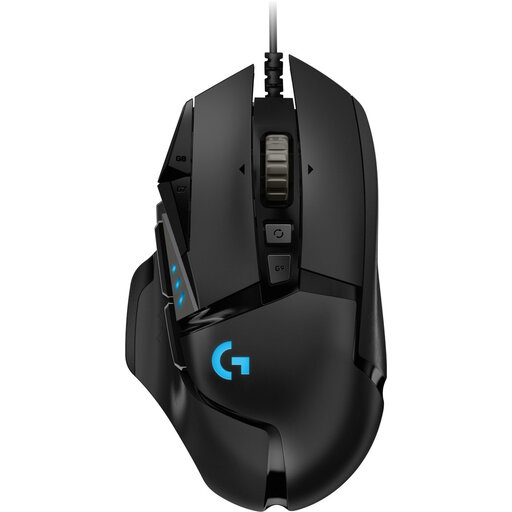 Image unavailable
Logitech G502 HERO wired gaming mouse, 25,600 DPI
Well suited to a setup close to your PC if you want to use programmable buttons for commands.
Logitech lists 11 programmable buttons. The cable may limit your freedom of movement, so test whether your game and communication app support your chosen button binding.
View at Joybuy
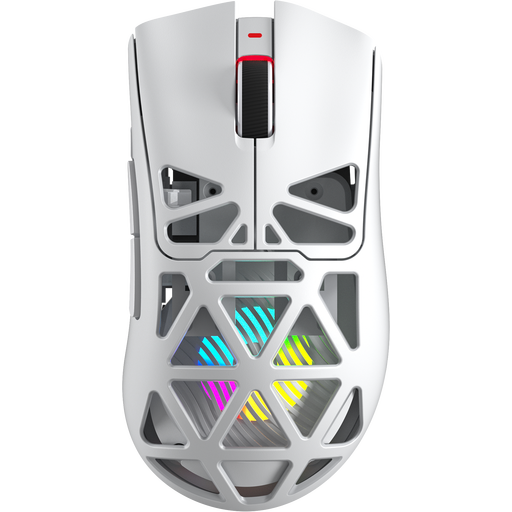 Image unavailable
AULA SC620 wireless gaming mouse
Well suited to a setup where you’re looking for a wireless mouse with several programmable buttons.
The product name lists BT5.0, 2.4G and USB-C, seven programmable buttons, 67 g, 12,000 DPI, 8KHz and a 400 mAh battery. Check that the listed connections work with your system, and test the button bindings in your software.
View at Joybuy
 Image unavailable
Logitech G G502 X gaming mouse, USB Type-A
Well suited to use close to your computer if you want to assign several commands to the mouse.
The product name lists USB Type-A, an optical sensor and 25,600 DPI; the product description mentions 13 programmable buttons. The cable may limit your freedom of movement. Check the button bindings in your own software.
View at Joybuy
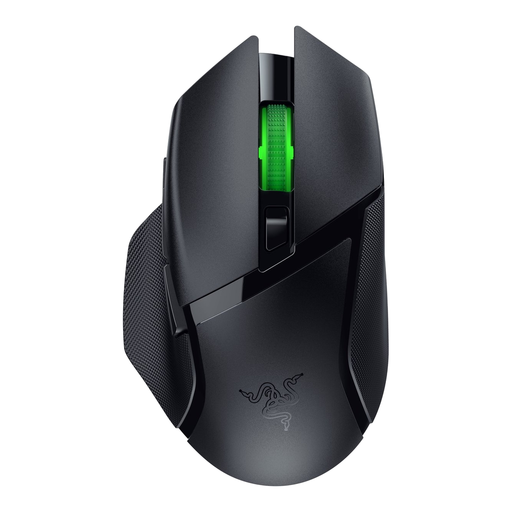 Image unavailable
Razer Basilisk V3 X HyperSpeed
Well suited to a wireless setup if you want several controls within easy reach.
The product description lists nine programmable buttons. Check that your communication app and game support the bindings you want to use.
View at Joybuy
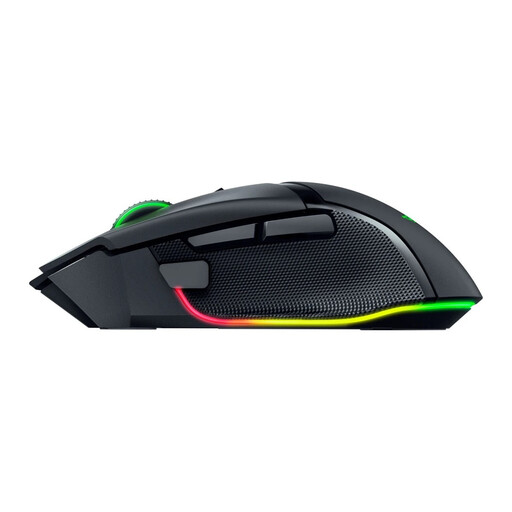 Image unavailable
Razer Basilisk V3 Pro 35K wireless gaming mouse
Well suited to a wireless setup if you want to assign several commands to the mouse buttons.
The product description lists 11 programmable buttons. Check that it connects to your system, and test that your chosen button bindings work in your game and communication app.
View at Joybuy
Frequently asked questions
Does a gaming mouse provide team voice chat?
No. You’ll need a communication app and a microphone; the mouse can only provide a control button. Discord also offers a mode that responds to voice activity.
How do I set up push-to-talk for a practice session?
In the Discord desktop app, you can add a keyboard shortcut for push-to-talk in the user settings. Then test that your chosen input works. Discord says this keyboard shortcut feature isn’t available in the mobile app or browser client.
How do I compare the battery life of wireless mice?
Compare both the power source and the connection mode used by the manufacturer to calculate battery life. For the Aerox 5 Wireless, SteelSeries lists different figures for standard 2.4 GHz mode and for Bluetooth or a power-saving mode. Logitech says the G305 runs on a single AA battery.
What are my rights when buying a gaming mouse online in the Netherlands?
According to ACM ConsuWijzer, for a typical online product purchase you’re generally entitled to a statutory cooling-off period of up to 14 days after delivery; exceptions may apply. The seller is also responsible for the statutory guarantee if the product doesn’t meet what you could reasonably expect. A commercial guarantee doesn’t replace these statutory rights.


