What should you look for when choosing?
First decide which commands you want to control directly with the mouse. Then compare the cursor settings, how it feels in your hand and the connection type with your own setup.
| What to consider |
What to look for |
Who it matters most to |
| Commands under your thumb |
Count the commands you actually want to assign. Check whether the game supports mouse buttons or key bindings, and whether you can reach the buttons. |
If you want to control abilities or menus directly in the game, how easy the buttons are to reach matters at least as much as the number of buttons. Around 33% of consumers give shortcuts top priority. |
| Cursor control |
Check whether the sensitivity is adjustable, then tailor it to your screen resolution, clickable targets and preferred movement. |
If you want to select units accurately while navigating smoothly around the screen, adjustable sensitivity may be your priority. Around 27% of consumers say cursor control is their main requirement. |
| Grip and how it feels in your hand |
Assess the shape, weight and distance to any side buttons using your own hand. |
If you play for long periods, a grip you can hold comfortably matters more than an ergonomic claim alone. Around 20% of consumers put comfort in the hand first when choosing. |
| Connection |
Check the cable routing or, if you’re going wireless, the connection mode and charging or battery method. |
If you want freedom of movement or would rather not manage a battery and receiver, choose a connection type that suits your setup. Around 20% of consumers give ease of connection top priority. |
Joybuy products for this play style
This selection includes wired and wireless gaming mice with adjustable cursor control and customisable commands.
 No image available
Logitech G502 HERO wired gaming mouse
An option if you want to assign a few commands and adjust sensitivity without choosing a large thumb-button grid.
11 programmable buttons; 25,600 DPI; right-handed design; wired.
Bear the cable route around your setup in mind.
Joybuy
 No image available
Turtle Beach Kone II wired gaming mouse
A wired option if you want several mouse buttons and the ability to adjust sensitivity on the mouse itself.
23 buttons; 26,000 DPI; black.
Bear the cable route around your setup in mind.
Joybuy
 No image available
HyperX Pulsefire Haste 2 wired gaming mouse
A wired version to consider if you want to connect it to a PC or one of the listed consoles.
White; the product name lists PC, PS5, PS4, Xbox Series X|S and Xbox One.
Bear the cable route around your setup in mind.
Joybuy
 No image available
Rapoo VT9Pro 4K wireless gaming mouse
A wireless option if you want to assign several commands and adjust X and Y sensitivity independently.
10 programmable buttons; 26,000 DPI; PAW 3398 sensor; black and purple.
Joybuy
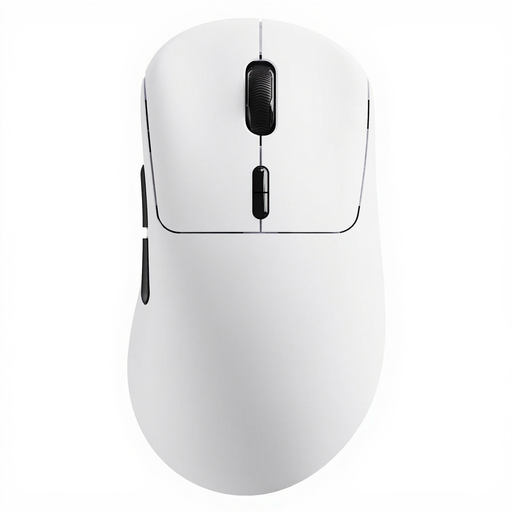 No image available
Rapoo VT3 wireless gaming mouse
A wireless option if you want to assign several commands and adjust X and Y sensitivity separately.
10 programmable buttons; 53 g; stated battery life of up to 750 hours at 1000 Hz; white.
Joybuy
Frequently asked questions
Does a larger screen automatically mean I need a higher maximum DPI?
No, screen size alone doesn’t determine which DPI setting is right for you. Adjust the mouse and in-game sensitivity to suit the actual resolution, your movements and the size of clickable targets. Logitech G explains how to adjust DPI in G HUB for the G502 HERO.
How do I assign a side button to an action in my game?
It depends on the mouse and the game. Corsair describes how to use iCUE to link a mouse button to a keyboard key, then assign that key to an action in the game’s controls menu. Check that your game and platform support this method.
What maintenance does a wireless gaming mouse need?
Follow the charging or battery instructions for the exact model, and keep hold of any USB receiver. The Corsair SCIMITAR ELITE WIRELESS manual has separate instructions for charging, 2.4GHz connectivity and Bluetooth; these apply to that model.
What are my rights in the Netherlands if I’m unhappy with a mouse bought online or it develops a fault?
According to ACM ConsuWijzer, online purchases generally come with a statutory 14-day cooling-off period after delivery, subject to exceptions. You’re also covered by the statutory guarantee if a product breaks sooner than you could reasonably expect under normal use. In the Netherlands, this doesn’t have a fixed two-year term, and the retailer is your point of contact.


