
Players who want precise aim
If you mainly play tactical games, you’ll want a grip and controls that work for both quick and precise aiming movements. Consider the shape and settings before treating a high DPI figure as the deciding factor.


Start with a shape and grip that suit your hand, then compare the weight and response of the exact mouse you’re considering. A wired mouse means no battery to manage, while a wireless one gives you more freedom to move. Extra buttons are most useful when you use them for gaming or work commands.
If you mainly play tactical games, you’ll want a grip and controls that work for both quick and precise aiming movements. Consider the shape and settings before treating a high DPI figure as the deciding factor.
If you use the same desk for gaming and working from home, it’s also worth considering how the mouse feels in your hand during longer sessions. Hand size and grip are personal, and weight alone won’t tell you whether a model will feel comfortable.
If you like to keep your workspace tidy or switch between tasks, you may want to factor in cable space, wireless connectivity, power and any shortcut buttons.
Start with grip and fit, then consider which connection and controls will suit your desk and everyday use.
| What to consider | What should you check? | Who is this important for? |
|---|---|---|
| Aiming and clicking | Compare the fit, weight and response measurements of the exact mouse. A high DPI figure alone doesn’t prove that you’ll aim better. | If aiming is my main priority, I want a mouse that suits my grip and responds consistently. Around 33% of consumers put control when aiming first. |
| Fit for long sessions | Compare the shape and dimensions of the model with your hand and grip; try the shape out if possible. | When I spend long hours at the same desk, I want a mouse that feels comfortable in my hand, not just one that’s lightweight. Around 27% of consumers prioritise fit above all else. |
| Cable, connection and power | Check whether the mouse is wired or wireless, which receiver it uses and whether it runs on a battery or rechargeable battery. Compare the stated battery life only with the corresponding setting. | If cable-free movement and a tidy desk matter to me, I want to know in advance how the mouse connects and is powered. Around 20% of consumers base their choice mainly on their desk setup. |
| Purchase and running costs | Compare the exact model and what’s included; factor in any replacement batteries as part of your decision. | I want to know what I’ll get when I buy it and whether the power supply will need attention later. Around 13% of consumers prioritise cost above all else. |
| Extra controls | Check how many buttons you can programme and whether you can reach them with your grip. | If I want quick access to gaming or work commands, extra buttons are only useful if I actually use them. Around 7% of consumers prioritise shortcut buttons. |
A maximum sensitivity figure doesn’t tell you whether the mouse fits your hand or how its click and sensor response perform in tests.
First, consider your grip and any response measurements available for the exact model, then choose settings that feel comfortable to you.
Stated battery life can vary between models and settings. ZOWIE lists different figures for the EC2-DW at 1, 2 and 4 kHz; Logitech says the G305 runs on a single AA battery.
Compare battery life with the stated polling rate and power source. With an AA model, remember that you’ll need to replace the battery; for a rechargeable model, the stated life also depends on the setting.
The Razer Basilisk V3 Pro and Basilisk V3 Pro 35K are different versions, with Focus Pro 30K and Focus Pro 35K Gen-2 sensors respectively.
Check the full model name and specifications of the version on offer before comparing models.
The G305 is a wireless mouse powered by a single AA battery. Logitech describes the PRO X SUPERLIGHT 2 DEX as an asymmetrical model designed for right-handed use.
The wired Aerox 3 and Rival 5 offer different options, balancing a lower stated weight with extra programmable controls.
ZOWIE describes the EC2-DW as a wireless FPS mouse with an asymmetrical shape and settings you can access without a driver.
The Viper V4 Pro is a lightweight wireless esports model; the Basilisk V3 Pro is a different, right-handed model with more programmable buttons.
This selection includes wired and wireless gaming mice, including models with extra programmable buttons. Compare the connection, shape and specific features with what you need at your home-working desk.
 No image available
A wired option to consider if you want to use extra programmable commands and would rather not manage wireless power.
The product information lists 11 programmable buttons, an adjustable weight system, an optical HERO sensor and adjustable sensitivity up to 25,600 DPI. The description also mentions Logitech Gaming Software for programming buttons and preferences.
 No image available
A wired option to consider if you want to use customisable features and extra buttons for gaming commands.
The product name lists 23 buttons and 26,000 DPI; the description mentions customisable features through Easy-Shift[+].
 No image available
A wireless option to consider if you want to move freely without a cable and are looking for a rechargeable model with a charging dock.
The product information lists a weight of 56 g, a PAW3395 sensor, 2.4G, USB-C and Bluetooth support, a 400 mAh battery and a magnetic charging dock. The dock warning states: keep it at least 15 cm away from pacemakers and away from medical implants and payment cards.
 No image available
A wired option to consider if you want to avoid managing batteries and value adjustable mouse features.
The description lists a weight of 69 g, a HyperX 26K sensor and a polling rate of up to 8,000 Hz. The product information names HyperX NGENUITY software for adjusting DPI, lighting and button assignments.
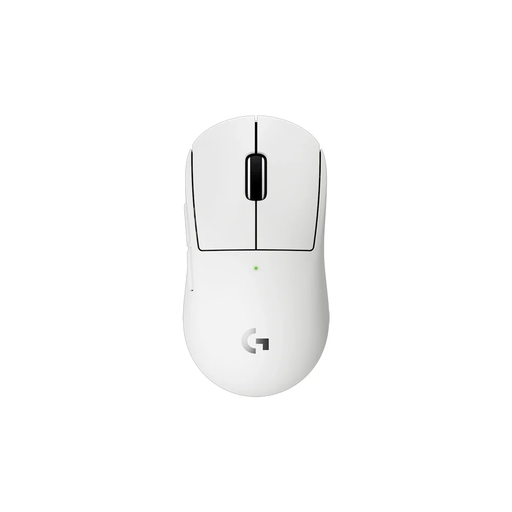 No image available
A wireless option to consider if you want a lightweight mouse with a receiver. The product description also mentions a compact design for smaller hands or a different grip.
The description lists a weight of 53 g, a HERO 2 sensor, an included wireless receiver and rechargeable power. The product information names Logitech G HUB software for advanced features.
No, not based on the maximum alone. First, check whether the shape and grip suit you, then compare response measurements for the exact model if they’re available. ZOWIE also lists different battery-life figures for the EC2-DW at 1, 2 and 4 kHz, so factor in the setting you choose.
Check that you have the required USB connection available and find out which receiver and power source the exact model uses. ZOWIE describes the EC2-DW as adjustable without a driver; Logitech lists a single AA battery for the G305. Follow the instructions for your chosen model when setting it up.
According to ACM ConsuWijzer, a standard online purchase usually comes with a statutory 14-day cooling-off period after delivery, subject to applicable exceptions. This is separate from your rights if a product, when used normally, doesn’t do what you could reasonably expect; the seller is responsible for the statutory guarantee.
The Dutch government states that electronic products placed on the EU market must meet the applicable requirements and carry the required CE marking. Check this for the exact model you’re considering; a brand or model name alone doesn’t confirm it.