
Players who want to aim accurately
You’re looking for a grip that suits your hand and gives you control when making aim adjustments. RTINGS highlights factors such as weight and low click and sensor latency in its coverage of FPS mice.


Start with a shape and grip that suit your hand, then compare the mouse’s weight and click and sensor response. If you also use a wireless headset, consider how both receivers connect to your PC. A wired mouse avoids adding a second wireless connection, but does mean having a cable on your desk.
You’re looking for a grip that suits your hand and gives you control when making aim adjustments. RTINGS highlights factors such as weight and low click and sensor latency in its coverage of FPS mice.
You want to know how to connect and position the receivers in practice when both your headset and mouse are wireless. Logitech Support describes possible interference in certain USB and 2.4 GHz setups.
You’re weighing cable-free gaming against charging and managing a wireless mouse receiver, or considering how much space a mouse cable takes up.
| What to consider | What to look for | Who is this important for? |
|---|---|---|
| Grip and aim control | Compare the shape and weight of the specific model with your hand and grip. Also check that the mouse feet suit the surface you play on. | I want the mouse to feel comfortable in my hand and make aim adjustments easy to control. Around 36% of consumers give grip and aim control top priority. |
| Connection to your headset | Check whether your headset uses a wireless USB receiver and how many ports your PC has available. Think about where you can position the receivers. | I use a wireless headset and want to know how to position the connections on my PC. Around 29% of consumers prioritise combining wireless connections. |
| Cable, battery and response | Weigh up the space taken by a wired mouse’s cable against the charging and receiver management involved with a wireless model. Compare the click and sensor response of the exact models; maximum DPI isn’t the only factor in your choice. | I want to play smoothly without a cable in my movement space or the extra management of a wireless mouse. Around 21% of consumers give ease of connection and response top priority. |
| Maintenance and aftercare | For wireless models, check whether they recharge or use a replaceable battery. See what’s included with the model and what warranty terms apply to your purchase. | I want to know in advance what maintenance the mouse needs and who to contact if something goes wrong. Around 14% of consumers prioritise maintenance and aftercare. |
A maximum DPI rating alone doesn’t tell you whether the shape will feel comfortable in your hand or how the mouse will perform on your system. For FPS use, RTINGS highlights factors including shape, weight and low click and sensor latency.
First compare the fit and controls that matter to you. Then assess the performance of the specific model.
In some setups, nearby USB devices can affect wireless peripherals. That doesn’t mean every combination will cause interference.
Check which ports you have available. If the connection falters, try repositioning the mouse receiver and follow the instructions for your model. Logitech Support recommends, among other things, increasing the distance from USB 3.0 devices and metal surfaces.
A stated manufacturer’s warranty isn’t the same as the statutory guarantee in the Netherlands. ACM ConsuWijzer explains that the law doesn’t set a fixed period of exactly two years.
Keep your proof of purchase and contact the seller if something goes wrong.
The PRO X SUPERLIGHT 2 is a wireless option for FPS games, while the wired G502 X has a different shape and more controls.
The Viper V3 Pro is a wireless model for esports use. The Viper V3 HyperSpeed is a separate model that uses an AA battery.
The MM712 is available in both wired and wireless versions, so you can weigh up cable management against using a receiver and battery.
The Prime Mini Wireless is a smaller, ergonomically shaped wireless model to compare with larger or symmetrical mice.
This selection includes wired and wireless gaming mice with different connection options and grip styles.
 No image available
Suits you if you’re looking for different connection options and programmable macro buttons.
The product name lists a wired connection, a 2.4GHz connection and Bluetooth, 12.800 DPI and 7 programmable macro buttons.
RGB lighting; black version.
 No image available
Suits you if you’re looking for a lightweight gaming mouse with several connection options.
The product details list a weight of 56 g, a PAW3395 sensor and 26K DPI.
Wired via USB-C, 2.4G or Bluetooth; the product name lists a 400 mAh battery and a magnetic charging dock.
 No image available
Suits you if you want a wired connection and the option to swap grip components.
The product details list a weight of 69 g, a HyperX 26K sensor and polling rates of up to 8000 Hz.
The description mentions replaceable grip components and 16 possible grip combinations. The cable remains part of your gaming setup.
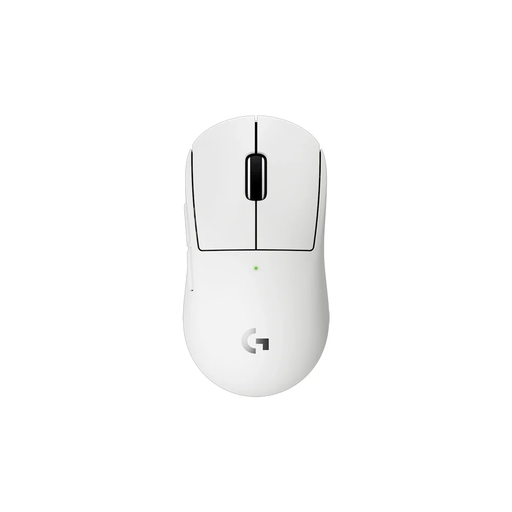 No image available
Suits you if you’re looking for a compact wireless mouse; the product description says it’s designed for smaller hands or a more compact grip.
The description lists 53 g, a HERO 2 sensor and LIGHTSPEED connectivity.
The wireless version uses a receiver and a rechargeable battery.
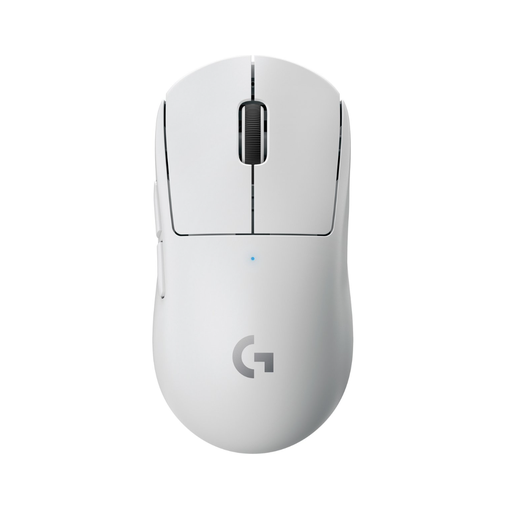 No image available
Suits you if you’re looking for a wireless mouse for FPS games with a low stated weight.
The product description lists a weight of under 63 g, a HERO sensor, up to 25.600 DPI and five customisable buttons.
The wireless version uses a USB receiver and a rechargeable lithium-ion battery.
No. It’s mainly worth considering if both your headset and mouse use a wireless receiver. Logitech describes possible interference in certain USB and 2.4 GHz setups, but that doesn’t mean every combination will cause interference. If you have problems, try repositioning the receiver.
Check the power, connection and USB port, then try repositioning the receiver. Logitech Support recommends placing the receiver closer to the mouse and further away from devices such as USB 3.0 devices, Wi-Fi routers and metal surfaces. Also follow the instructions for your exact model.
For a standard online consumer purchase in the Netherlands, you’re generally entitled to a 14-day cooling-off period from the day after delivery. ACM ConsuWijzer explains the exceptions and separate rules for unboxing, trying out and returning products. Check that information and the seller’s returns policy before ordering.
No. According to ACM ConsuWijzer, the statutory guarantee in the Netherlands doesn’t have a fixed duration of exactly two years. It depends on how long you can reasonably expect the product to last with normal use. A separately stated manufacturer’s warranty doesn’t replace this right.
For a device with Bluetooth or a radio-frequency module, Ondernemersplein identifies the Radio Equipment Directive as a relevant framework. This general rule doesn’t confirm that an individual listing meets all requirements, so check the product information and the seller’s details.