What should you look for?
First, choose between wireless and wired based on the space you have for a cable and the power routine that suits you. Then consider the grip and how easy the buttons are to reach. These both affect how comfortable the mouse is to use in your small gaming space.
Wireless with replaceable battery
A good fit if: you want to move without a cable and find a small mouse comfortable to hold.
Bear in mind: you’ll need to replace the battery, and its weight affects the overall weight of the mouse. Razer lists Bluetooth and a 2.4GHz dongle for the Orochi V2.
Rechargeable wireless
A good fit if: you want to play wirelessly but still be able to carry on using the mouse while it charges via cable. HyperX says this is possible with the Pulsefire Haste 2 Mini Wireless.
Bear in mind: you’ll need a charging cable and an accessible charging point.
Wired
A good fit if: you don’t want to replace or recharge batteries and can route the cable along your desk.
Bear in mind: a cable can get in the way of mouse movement if you have little space.
| What to consider |
What should you check? |
Who should pay extra attention? |
| Movement space and grip |
Measure the space next to your keyboard and compare the shape and dimensions of the exact model. Also check whether you can adjust the sensitivity. |
If space for my mouse is tight, I want enough freedom to move without choosing a shape that feels uncomfortable to hold. Around 36% of consumers consider movement space and grip their main priority. |
| Moving without a cable |
Check the wireless connection options, whether there’s a suitable port for a dongle and where you can position a charging cable. |
If a cable runs past my keyboard or other things, I want to move without it getting in the way. Around 29% of consumers prioritise moving without a cable. |
| Easy-to-reach gaming buttons |
Check the number and position of the buttons, and whether the required software works on your system. |
If I want to use actions quickly while playing, I make sure the buttons are within reach for my grip. Around 21% of consumers prioritise easy-to-reach gaming buttons. |
| Power and everyday use |
Check the battery type, whether the stated weight includes a battery and the conditions for the stated battery life. For rechargeable models, see whether you can keep playing while they charge. |
If I don’t want to be caught out by needing to recharge or replace batteries, I compare the power option with how I use the mouse. Around 14% of consumers focus mainly on power and the routine it involves. |
Joybuy products for small desks
These Joybuy picks are aimed at wireless gaming on a small desk, with a focus on accessible gaming buttons and adjustable controls.
 No image available
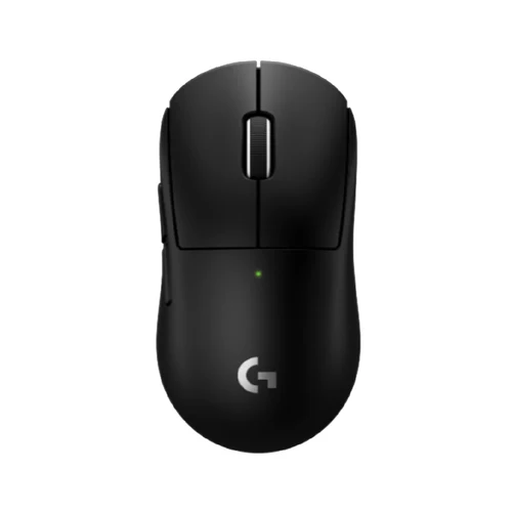
Logitech G PRO X Superlight 2c Wireless Gaming Mouse Black
The product description mentions a compact design and a wireless LIGHTSPEED connection, making it a good option if you want to play without a cable in a small setup.
The product title describes a black wireless gaming mouse.
Joybuy
 No image available
AJAZZ AJ159 V2 MC
The product title lists several connection modes, which could suit you if you want to play wirelessly but also want to check another connection option.
The product title lists a PAW3311 sensor, DPI adjustment, a stated polling rate of up to 1 kHz and a 300 mAh battery. Check which mode the stated polling rate applies to.
According to the product title, this model supports battery replacement. Before buying, check which battery type is used by this version.
Joybuy
 No image available
Rapoo VT9Pro 4K Wireless Gaming Mouse
This wireless model could suit you if you want to assign gaming actions to extra mouse buttons. Check that the button layout works with your grip.
The product title lists a PAW 3398 sensor, 10 programmable buttons, 4K polling and a stated battery life of 180 hours. These are product claims, not independent performance measurements.
Joybuy
 No image available
Razer Orochi V2
The product description mentions a compact design, two wireless options and six programmable buttons. That makes this model worth considering if you want to move freely without a cable and assign actions to buttons.
The product title describes an optical gaming mouse with 18,000 DPI. The product information states that it runs on an AA or AAA battery; neither battery is rechargeable.
Joybuy
 No image available
Razer Basilisk V3 X HyperSpeed
The product description lists two wireless connection options and nine programmable buttons. Check that the shape and button positions suit your grip.
The product description lists an optical sensor and sensitivity of up to 18,000 DPI. A maximum DPI figure alone won’t tell you whether the mouse will feel comfortable to use in your small gaming space.
Joybuy
Frequently asked questions
Is a higher maximum DPI automatically better on a small desk?
No. At a higher DPI, the cursor moves further for the same mouse movement. The key things to check are whether you can set the sensitivity comfortably and whether the mouse works on your surface.
Can I keep playing while a wireless mouse is charging?
It depends on the model. HyperX says you can use the Pulsefire Haste 2 Mini Wireless with the supplied cable while it charges. Check this separately for each other version.
How should I dispose of a flat battery or an old mouse?
Take loose flat batteries to a collection point and don’t put them in your general waste. The Dutch government lists a collection point or recycling centre as options for disposing of an electrical mouse. If you buy a similar new device, private buyers may be covered by the take-back scheme.
What if a mouse I bought online doesn’t feel comfortable or breaks too soon?
For a standard online product purchase, you generally have a 14-day cooling-off period from delivery, subject to applicable exceptions and conditions. ACM ConsuWijzer also distinguishes between the cooling-off period and your statutory guarantee. If a product doesn’t meet what you could reasonably expect under normal use, the guarantee may apply; the manufacturer’s warranty period isn’t automatically the limit of your rights.


