
Support player with lots of abilities
You want to assign frequently used actions to easy-to-reach, recognisable mouse buttons. SteelSeries and RTINGS describe mice with multiple buttons and interchangeable layouts for different numbers of actions.


Start with the buttons you want to use for support actions: a layout you can reach comfortably with your grip is more useful than the highest button count or DPI figure. Then compare the shape, sensitivity settings and wired or wireless connection. Mouse RGB lighting has not been shown to improve screen visibility, so assess that issue separately.
You want to assign frequently used actions to easy-to-reach, recognisable mouse buttons. SteelSeries and RTINGS describe mice with multiple buttons and interchangeable layouts for different numbers of actions.
You switch between supporting your team and aiming precisely, and want to assess sensitivity, movement space and button reach together. Logitech G describes a DPI shift button on the G502 X.
You want to practise without confusing screen visibility with lighting on your mouse. Microsoft Support explains how to make the Windows pointer larger or change its colour.
First, list the support actions you want to assign to mouse buttons. Then assess the grip and aiming settings, and only after that decide between a cable and wireless use.
| What to consider | What should you check? | Who is this important for? |
|---|---|---|
| Easy-to-reach buttons | Count the actions you genuinely want to assign, then check that you can reach and distinguish the buttons with your grip. | If I want to control abilities, pings or communication with my thumb, a recognisable layout matters most; around 29% of consumers prioritise buttons for support actions. |
| Aiming sensitivity | Check whether you can adjust the sensitivity and try it in the game you’re practising. | When I aim often, I want to find a sensitivity setting that suits my hand movements; around 23% of consumers prioritise sensitivity control for this reason. |
| Visibility in a bright room | Assess reflections and how clearly you can see the game interface; don’t rely on mouse lighting to solve the problem. | If I practise in a bright room, I want to see the game information clearly; around 18% of consumers prioritise screen visibility. |
| Grip and button reach | Check the shape, handedness and distance to the buttons; try the grip if possible. | When practising repeatedly, I want to use the buttons without constantly repositioning my hand; around 18% of consumers consider grip comfort their top priority. |
| Wired or wireless | Check the room you have to move with a cable or, for wireless use, the connection mode and charging requirements. | If I want to move freely without a cable, I’ll also need to consider charging. If I’d rather not manage a battery, a cable may be a better choice. Around 12% of consumers prioritise the connection. |
DPI indicates sensitivity, but the maximum setting won’t automatically feel comfortable for the way you move. Lenovo recommends adjusting the mouse to suit how you play.
Check which settings you can adjust and try them in the game you’re practising.
RGB lighting on a mouse and the visibility of what’s on screen are two different things. Lenovo describes RGB mainly as a visual setting, while Microsoft Support provides guidance on the Windows system pointer.
Assess reflections and the visibility of the game interface separately. Only change the size or colour of the Windows pointer if that pointer itself is difficult to see; a game may use its own pointer.
For the Aerox 5 Wireless, SteelSeries Support lists up to 180 hours over Bluetooth or in power-saving mode, compared with more than 80 hours in standard 2.4 GHz mode. These figures apply to different connection modes.
Compare the stated battery life only for the mode and settings you plan to use.
The Aerox 5 is available in both wired and Wireless versions; both are designed for multi-button control.
The G502 X range is worth considering if you want adjustable controls and a DPI shift button; compare wired and wireless versions separately.
The wired Basilisk V3 offers multiple customisable controls; the Naga V3 Pro is another option if you want to compare different numbers of interchangeable side buttons.
These models are designed for assignable buttons, adjustable controls or wireless practice of support actions.
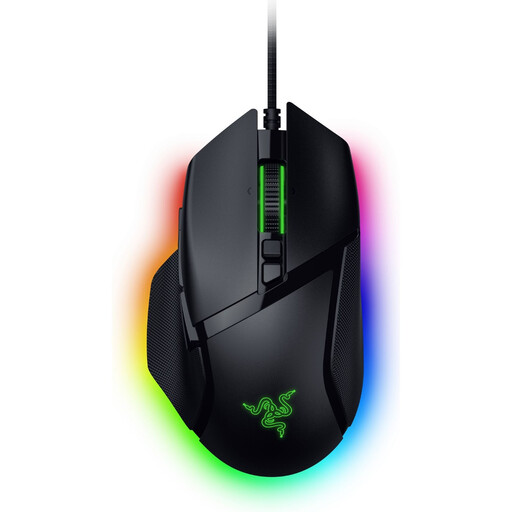 No image available
A wired option if you’re looking for programmable controls for support actions.
The Joybuy product listing states 35,000 DPI and 11 buttons.
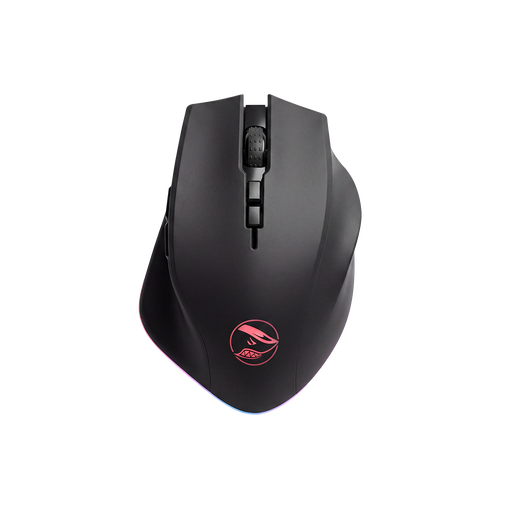 No image available
An option to consider if you want to use programmable buttons for shortcuts and support actions.
The Joybuy product listing states that it has a PAW3335 sensor, 16,000 DPI and 8 programmable buttons.
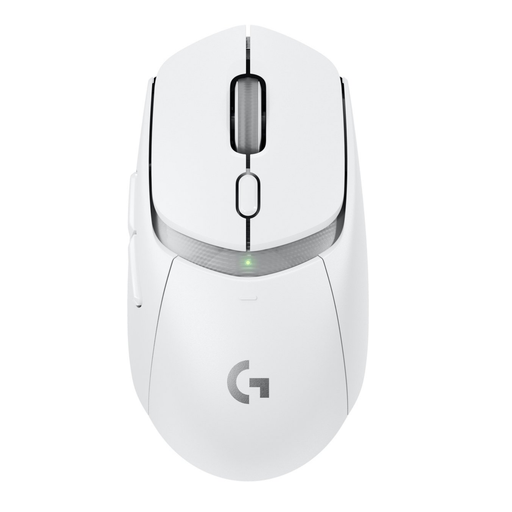 No image available
A wireless option if you don’t want a cable getting in the way while you practise.
 No image available
A wired option if you want to adjust sensitivity while aiming and are looking for assignable controls.
The Joybuy product listing states that it has USB Type-A, an optical sensor and 25,600 DPI. Logitech G lists a reversible or removable DPI shift button for the wired G502 X.
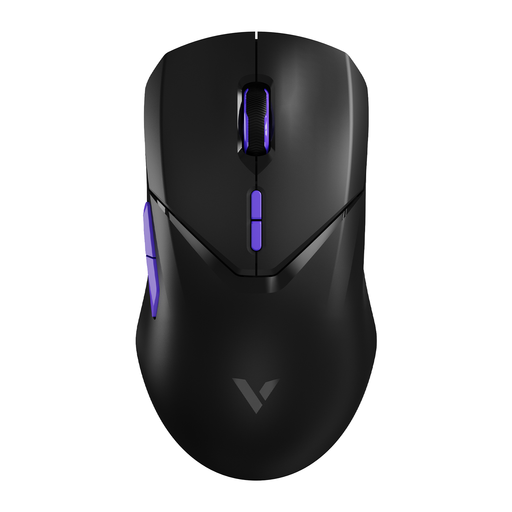 No image available
A wireless option if you want to assign multiple actions to mouse buttons.
The Joybuy product listing states that it has 26,000 DPI, a PAW 3398 sensor and 10 programmable buttons.
Choose based on the actions you actually want to perform with the mouse in your game. Make a list and check that you can distinguish the buttons you choose with your grip; having lots of buttons isn’t an advantage in itself.
Mouse lighting has not been shown to solve poor game visibility. Lenovo describes RGB mainly as a visual setting. Assess screen reflections and the visibility of the game interface separately; if the Windows pointer itself is difficult to see, you can change its size or colour in Windows. A game may use its own pointer.
Start by assigning the actions you use often, then check the settings in your game. Use a suitable surface and keep the sensor clean; available features and required software can vary by model.
For online purchases made by consumers, you’re generally entitled to a 14-day cooling-off period after delivery. ACM ConsuWijzer advises checking the applicable exceptions and returns policy; this is separate from your rights if a product is faulty or doesn’t meet the terms of the agreement.