
Player with few spare ports
You want to play campaigns without needing a separate place to charge your mouse. Compare the USB port or receiver required with the choice between a cable, a replaceable battery and recharging.


Choose a mouse with connections and power to suit your gaming setup: a wired USB mouse or a model with a replaceable battery won’t need a separate charging session, while a rechargeable mouse needs to be charged via USB from time to time. Then consider whether the scroll wheel is easy to reach, how the mouse fits your hand and whether you’ll really use extra programmable buttons. Having few power sockets doesn’t automatically mean that wireless is the best choice.
You want to play campaigns without needing a separate place to charge your mouse. Compare the USB port or receiver required with the choice between a cable, a replaceable battery and recharging.
You select armies, give orders and zoom in on the map. In the campaign controls described by Total War Academy, you use left and right clicks and the scroll wheel, among other things. Easy-to-reach basic controls may therefore matter more than lots of extra buttons.
You want to assign commands to mouse buttons and are looking for a layout that’s easy to reach with your thumb. The number of buttons isn’t enough on its own: their placement needs to suit your grip.
First decide whether you’d rather use a spare USB port, replace an AA battery or schedule time to recharge. Then assess the controls and fit based on what you actually use during your campaigns.
| What to consider | What to look for | Who should pay particular attention? |
|---|---|---|
| Power and connections | Check whether the model needs a USB port or receiver, then choose between a cable, a replaceable battery or recharging. | If I have few spare ports, I want to know whether a receiver or charging cable will take one up. Around 33% of consumers give port availability top priority. |
| Map controls | Check whether clicking, pressing the scroll wheel and scrolling are easy and comfortable to do. | If I often give orders and zoom in and out, I want to use the basic buttons without having to search for them. Around 27% of consumers prioritise map controls. |
| Programmable buttons | Decide which commands you actually want to assign, then check the layout and the settings required. | If I want to use my thumb for commands I give repeatedly, I’m looking for buttons I can reach comfortably. Around 20% of consumers give customisable buttons top priority. |
| Comfort in your hand | Consider handedness, grip and the position of the side buttons; weight alone won’t tell you whether a mouse feels comfortable. | If I play for long periods, I want the shape and buttons to suit my hand. Around 20% of consumers put fit and ease of reach first. |
Wireless models vary in how they connect and get their power. A receiver may use a USB port, while a rechargeable model needs to be charged from time to time.
For the exact version, check the connection options, whether a receiver is included and how the mouse is powered.
A receiver can take up a USB port; with battery power, you’ll need to replace the batteries, while a rechargeable model needs to be charged from time to time.
The standard buttons and scroll wheel may be all you need for campaign controls. Extra buttons are most useful if you want to customise them and can reach them easily.
First make a note of the commands you want to assign to the mouse, then consider the position of the buttons.
Setting them up takes time, and buttons that are hard to reach may go unused.
Connection options can vary between models and versions. This matters if you specifically want to use the mouse without a USB receiver.
Check the full model name and connection options for your chosen version with the manufacturer.
ACM ConsuWijzer distinguishes between a commercial warranty and your rights against the retailer. A manufacturer’s warranty doesn’t replace your statutory rights.
Check your statutory rights before considering additional warranty cover.
The G502 X and G305 offer two options for anyone who doesn’t want a separate charging station: a wired mouse or a model with an AA battery.
The Naga V2 HyperSpeed is worth considering if you want to play wirelessly and control lots of commands with your thumb.
The Aerox 9 Wireless is a rechargeable wireless option for anyone who wants to assign lots of commands to mouse buttons.
The Scimitar Elite Wireless is worth considering if you want lots of mouse buttons and can fit USB charging into your gaming setup.
This selection includes gaming mice for anyone choosing between AA power, a wired USB connection and wireless models with different connection or charging options. For each model, check which connection and settings suit your computer and how you use it.
 No image available
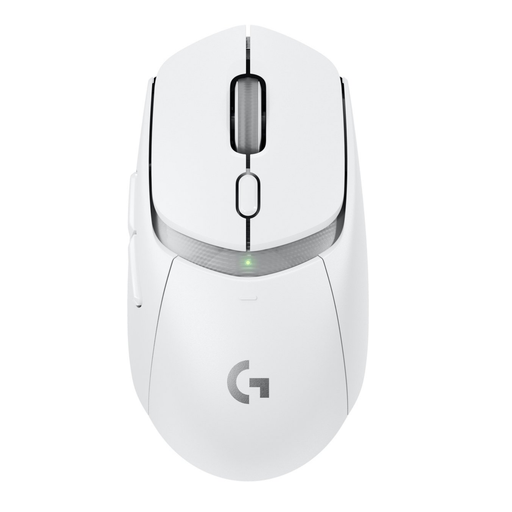
Suited to anyone who doesn’t want to schedule charging and wants to customise the buttons. This version uses an AA battery; check whether you want to use the LIGHTSPEED receiver or Bluetooth.
 No image available
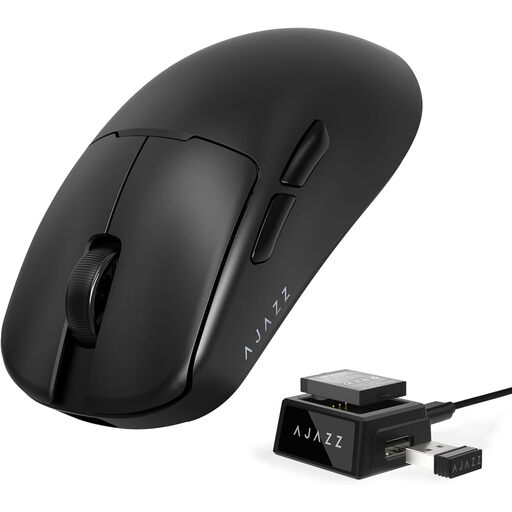
One to consider if you’re looking for replaceable power and a choice of connection options. Check the features of the exact version and which connection your computer supports.
 No image available
Suited to anyone who doesn’t want a mouse battery or charging and prefers a wired connection. The USB Type-A connection needs a spare port; Logitech lists a dual-mode scroll wheel for this model.
 No image available
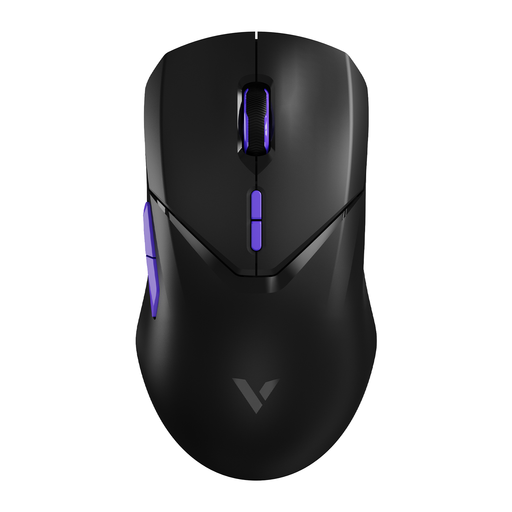
A possible choice if you want to customise several buttons and play wirelessly. The product title lists ten programmable buttons and 180 hours of battery life; check the usage conditions and charging method for your chosen version.
 No image available
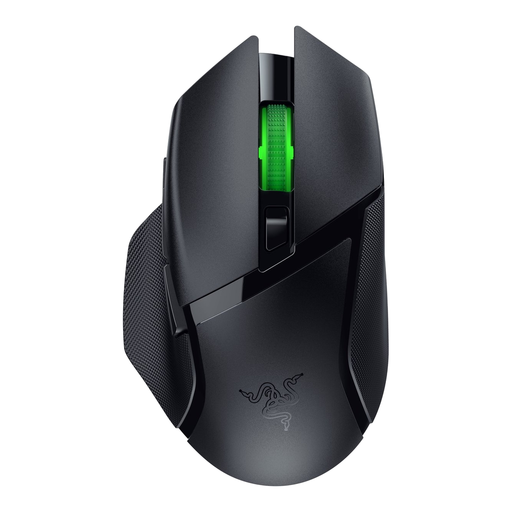
Suited to anyone who wants to play wirelessly and assign commands to mouse buttons. This version uses an AA battery; check whether you want to use the USB receiver or Bluetooth.
No, it depends on the connection. Razer lists both Bluetooth and a 2.4 GHz wireless connection for the Naga V2 HyperSpeed. If you don’t want to use a receiver, check whether your computer supports Bluetooth. Not every wireless model has Bluetooth.
According to Total War Academy, the campaign controls described use left-click to select armies and settlements, right-click to give orders and the scroll wheel to zoom in and out. Check the controls for your game and make sure the buttons are easy to reach.
Not always: according to Logitech, the Logitech G305 uses one replaceable AA battery, while a rechargeable mouse needs to be charged via USB. Corsair says you can use the Scimitar Elite Wireless in wired mode while it charges, but you’ll need a spare USB port.
In the Netherlands, ACM ConsuWijzer says you have statutory rights if a product doesn’t meet what you could reasonably expect from it. The retailer must then offer an appropriate solution at no cost, such as a repair or replacement; a manufacturer’s warranty doesn’t replace those rights.
Applicable European product rules apply to electrical and electronic equipment. Dutch government information refers to the Radio Equipment Directive for equipment with Bluetooth or a radio module. A CE mark is the manufacturer’s declaration that the product meets the applicable product legislation; if you have questions, check the documentation for the specific model.
The Dutch government says that used batteries must not go in general waste; you can take them to shops that sell batteries, among other places. A discarded electric mouse can go to a collection point. For private purchases, the take-back scheme also applies when you buy a similar new appliance.