
Player with lots of shortcuts
You want to assign several separate actions to your thumb. SteelSeries, Corsair and Razer describe models with extensive thumb buttons; the key thing is to check whether you can reach them comfortably with your hand.


First, decide which game commands you want to assign to your mouse, and whether you can reach those buttons comfortably with your grip. A mouse with an extensive thumb grid gives you more commands at your fingertips. A wired mouse doesn’t need battery management, while a wireless one gives you more room to move but requires you to keep an eye on its power supply. Check the software support and the exact model variant, too.
You want to assign several separate actions to your thumb. SteelSeries, Corsair and Razer describe models with extensive thumb buttons; the key thing is to check whether you can reach them comfortably with your hand.
You’re considering shape, grip, weight and accidental button presses, even if you also use the mouse for other computer tasks during the day. Lenovo Netherlands points out that shape affects grip, but the right fit is personal.
You’re weighing up a cable across your desk against the freedom of movement offered by a wireless mouse, as well as the need to manage its power supply. Logitech G describes both wired and wireless versions of the G502 X.
Choose this if: you want to assign a few frequently used commands and don’t want to manage a battery.
Bear in mind: the cable stays on your desk; extra buttons are only helpful if you can reach them without pressing the wrong one.
Choose this if: cable-free movement matters and you’re looking for a programmable layout.
Bear in mind: you’ll need to manage its power supply; the number of controls doesn’t tell you how comfortably you can reach them.
Choose this if: you want to control lots of separate game commands with your thumb.
Bear in mind: a larger grid takes some getting used to and requires you to set up your assignments; check that you can reach the buttons comfortably.
| What to consider | What should you check? | Who is this important for? |
|---|---|---|
| Commands within easy reach | Compare the layout of the thumb grid and test whether you can use your chosen actions without pressing the wrong button. | If I want to assign lots of individual game commands to my mouse, I need to be able to reach every button comfortably. Around 36% of consumers put the number of buttons and how easy they are to reach first. |
| Grip and control | Assess the shape with your own grip and look out for buttons you might press accidentally. | When I play for long sessions, I want a shape and button position that suit my hand. Around 29% of consumers prioritise grip and avoiding accidental presses. |
| Cable and power supply | Check the connection, the space available for a cable and, for wireless models, the power supply for the exact version. | If I have limited desk space, I want to weigh up whether a cable will get in my way and whether I’m happy to manage power for a wireless mouse. Around 21% of consumers start with this connection choice. |
| Button customisation | Check that the software supports your exact model, then test your preferred assignments and game profiles. | I want to set up and find my own assignments easily, without having more buttons than I need. Around 14% of consumers prioritise ease of customisation. |
A sensor’s maximum specification doesn’t tell you whether its shape, sensitivity settings or button layout will suit your game.
Start with the fit and the commands you want to control. Then set a sensitivity that works for you.
The wired G502 X, wireless G502 X LIGHTSPEED and G502 HERO are separate models. Corsair also describes an EU version of the wireless SCIMITAR.
Before ordering, check the full model name, version and connection on the product page.
ACM ConsuWijzer distinguishes between the statutory cooling-off period, the manufacturer’s warranty and your statutory guarantee rights. There is no fixed two-year end date for statutory guarantee rights under Dutch law.
Keep your proof of purchase and contact the seller if something goes wrong.
The G502 X is available as a wired model and as a separate LIGHTSPEED version; the G502 HERO is a different model. Compare the connection and button layout for each version.
According to its own product information, SteelSeries designed the Aerox 9 Wireless for players looking for a wireless mouse with plenty of controls.
The EU version of the SCIMITAR ELITE WIRELESS is worth considering if the position of an extensive thumb grid matters to you.
According to Razer, the Naga V2 HyperSpeed has a grid of 12 thumb buttons and offers a choice of 2.4GHz or Bluetooth.
These gaming mice are suited to ranked strategy games where extra controls, grip or a choice between wired and wireless may matter.
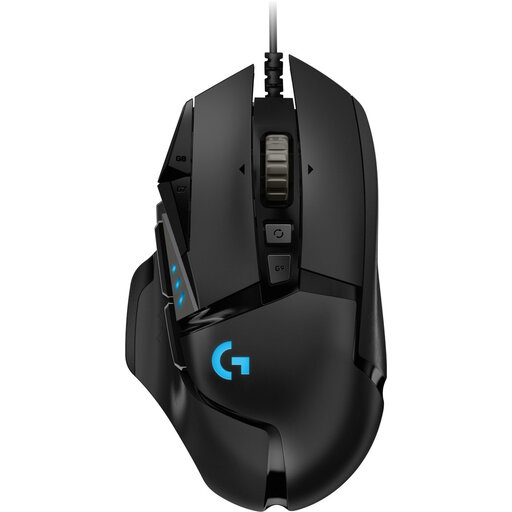 No image available
A wired option if you don’t want to manage a battery; check whether the button layout suits your game commands.
Wired; 25,600 DPI; right-handed.
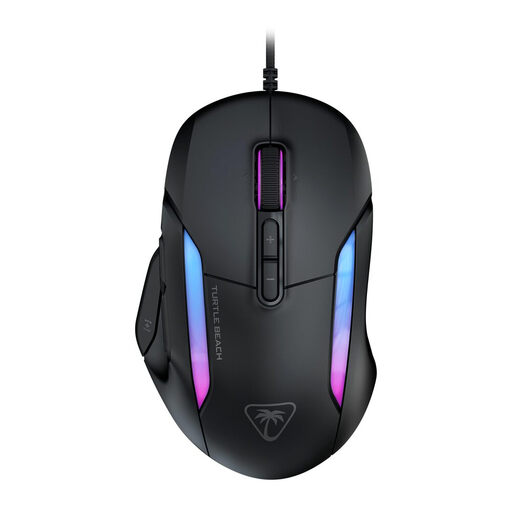 No image available
A wired option if you want to compare several controls; check whether the layout works with your grip.
Wired; 26,000 DPI; 23 buttons.
 No image available
A wired option if you don’t want to manage a battery; check that the USB Type-A connection is compatible with your computer.
USB Type-A; 25,600 DPI; right-handed.
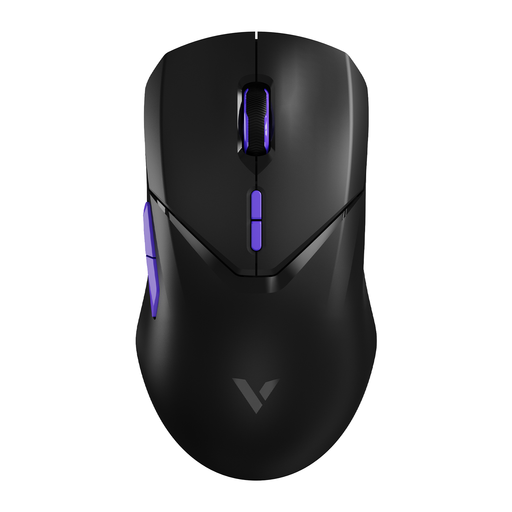 No image available
A wireless option if you want cable-free movement and programmable buttons.
Wireless; 26,000 DPI; 10 programmable buttons.
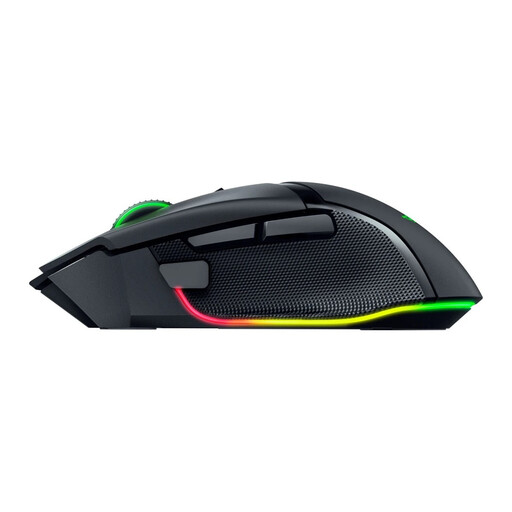 No image available
A wireless option if you want extra controls and an ergonomic design; decide for yourself whether the shape suits your hand.
Wireless; 35K version.
First, make a note of which separate commands you really want to assign to your mouse instead of using keyboard shortcuts. Then check how easy the buttons are to reach: a manufacturer may list lots of programmable controls, but that doesn’t mean every position will feel comfortable with your grip.
Check that the software supports your exact model, assign a few buttons first and test the game profile. For supported devices, Logitech says G HUB lets you reassign buttons, adjust DPI and set up profiles.
Keep the sensor area clean and use a suitable surface. For a wireless mouse, check how the exact version is powered; manufacturer battery life claims apply under specific usage conditions.
According to ACM ConsuWijzer, online consumer purchases usually come with a statutory cooling-off period of up to 14 days after delivery, although exceptions apply. Also check the seller’s returns information.
No. ACM ConsuWijzer says that the law doesn’t set a fixed period for statutory guarantee rights; what you can expect in terms of a product’s lifespan depends on factors including the product and the circumstances. If something goes wrong, contact the seller; the manufacturer’s warranty is separate.