Start with a mouse shape that feels comfortable in your hand and a sensitivity setting that lets you select units and small targets accurately. Wireless avoids having a cable crossing your limited desk space; wired means you don’t have to manage batteries, but you’ll need a practical route for the cable. Extra buttons are useful mainly if you want to assign in-game actions to them.
Who is this buying guide for?
Players with limited mouse space
If you want to avoid your mouse or cable bumping into your keyboard or other items, start by comparing the shape and connection type. Razer describes the Orochi V2 as compact; with a wired mouse, you’ll also need to consider the cable route.
Players who need to select targets accurately
If you often point to units or small targets, a cursor speed that feels comfortable is especially useful. Logitech G says the G203 has adjustable sensitivity, but a high maximum setting won’t automatically be right for you.
Players who assign actions to mouse buttons
If you want to control certain in-game actions with your thumb, check the button positions and the software needed to assign them. Razer and Trust list programmable functions for their respective models.
What should you look for when choosing?
Compact and wireless
Choose this if: you want to avoid a cable on your small desk and find a compact mouse comfortable to hold.
Bear in mind: hand fit and battery management; also check which type of connection you need.
Wired
Choose this if: you can route a cable along the edge of your desk and don’t want to manage a battery.
Bear in mind: the cable takes up space and can catch on things in a cramped setup.
| What to consider |
What should you look for? |
Who is it mainly for? |
| Space, shape and cable |
Measure the available mouse space, assess the grip and, for a wired mouse, plan the cable route. |
If I want to move my mouse freely on a small desk, I first check whether the shape fits and the cable stays out of the way; around 36% of consumers prioritise available mouse space. |
| Accurate selection |
Check whether the sensitivity is adjustable and try a setting in your own game. |
If you often point to units or small targets, you’ll want a cursor speed that feels easy to control; around 29% of consumers give selection control top priority. |
| Buttons for in-game actions |
Check the button positions, any required software and whether the game supports the actions you want to assign. |
If I want to control set actions with my thumb, I look for easy-to-reach buttons and compatible software; around 21% of consumers prioritise these shortcuts. |
| Maintenance and ease of use |
Check the power source, any receiver and software requirements; a wired mouse needs a clear cable route. |
If you want a mouse that needs little attention, weigh up battery management against having a cable on your desk; around 14% of consumers consider ease of use and maintenance most important. |
How to avoid common buying mistakes
-
Assuming the highest DPI setting is best for gaming
A mouse’s maximum stated sensitivity won’t tell you which cursor speed feels right for your hand and game.
Check whether you can adjust the sensitivity, then try the setting while selecting targets.
-
Comparing the weight without accounting for the battery
Razer lists the Orochi V2 as weighing less than 60 g without a battery, so it will weigh more when in use.
Compare mice on the same basis and check which battery the stated battery life applies to.
-
Forgetting that a wired mouse needs space for its cable
On a small desk, the cable can catch on your keyboard or other items and get in the way of your movement.
Plan the cable route before you choose; consider a wireless mouse if the cable would restrict your movement.
-
Not checking the details of the version you’re buying
Connection types, power sources and features can vary between versions.
Before buying, check the exact version and its connection and power information with the manufacturer and retailer.
Brands to consider
Logitech G
The G305 LIGHTSPEED is a wireless option, while the wired G203 LIGHTSYNC has six buttons.
- Logitech lists up to 250 hours of use from a single AA battery for the G305.
- For the G203, Logitech lists adjustable sensitivity from 200–8000 dpi.
- Advanced settings for the G203 require G HUB; specifications alone can’t tell you whether the shape will suit your hand.
Razer
The Orochi V2 is a compact wireless option for a desk with limited space.
- Razer specifies Bluetooth, 2.4 GHz, six programmable buttons and a weight of less than 60 g without a battery.
- Its weight in use is higher than the listed weight without a battery. Razer’s battery life figures were measured using an AA lithium battery.
SteelSeries
The wired Aerox 3 Onyx is an option if you’re looking for a lightweight mouse and can keep the cable out of the way.
- SteelSeries lists a weight of 59 g, 8500 CPI and a USB-C connection for this wired version.
- A low weight alone doesn’t prove that it’s an advantage for turn-based strategy games or that the mouse will suit your hand.
Trust
The wired GXT 109 Felox offers adjustable sensitivity and two side buttons.
- Trust specifies a sensitivity range of 200–6400 DPI, six buttons and a 1.5-metre cable.
- The cable needs to fit your desk setup; custom functions require software configuration.
Gaming mice at Joybuy
This selection includes wired and wireless gaming mice, including compact models and versions with adjustable features.
 No image available
HyperX Pulsefire Haste 2 wired, white
An option if you prefer a wired mouse and can keep the cable route clear on your desk.
The product name lists compatibility with PC, PS5, PS4, Xbox Series X|S and Xbox One.
Joybuy
 No image available
AJAZZ AJ200 AI MC wireless with charging dock
A wireless option if you want to keep cables off your limited desk space; the described fit is designed for medium to large hands.
The product name lists three connection modes: BT, 2.4G and USB-C, and a weight of 63 g.
Joybuy
 No image available
AJAZZ AJ159 APEX wireless
A wireless option if you don’t want a cable across your desk; the product name describes a symmetrical shape for small to medium-sized hands.
The product name lists Bluetooth, 2.4 GHz and wired USB-C connectivity.
Joybuy
 No image available
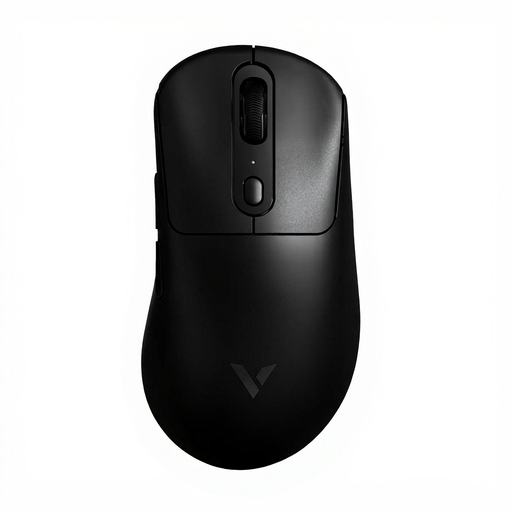
Rapoo VT3PRO MAX wireless
An option if you want to play wirelessly and adjust sensitivity separately for the X and Y axes.
The product name lists 59 g, independent 30K X/Y DPI, 1+8 programmable buttons and a stated battery life of 200H.
Joybuy
 No image available
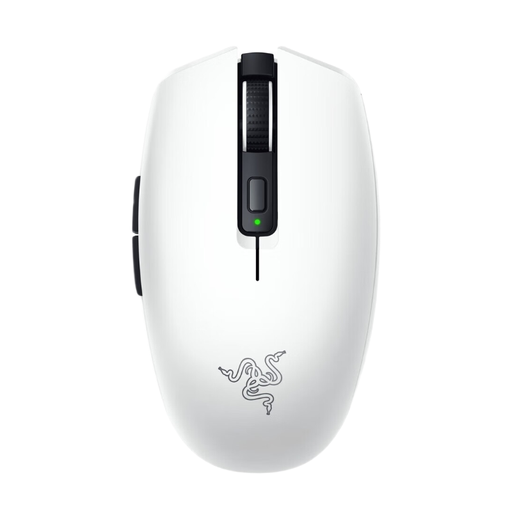
Razer Orochi V2 White Ed.
A compact wireless option if you have limited mouse space and want to assign functions to the buttons. The product information lists six programmable buttons.
According to the product information, it runs on an AA or AAA battery and isn’t rechargeable.
Joybuy
Frequently asked questions
Should I choose the highest possible DPI for turn-based strategy games?
No. Choose a cursor speed you can control comfortably. Logitech G and Trust list adjustable sensitivity for the G203 and GXT 109 respectively; the maximum value doesn’t prove that the highest setting will give you a better gaming experience.
How do I set up mouse buttons, and what can help during long sessions?
First check which actions your game lets you assign to a mouse button, then use the software the manufacturer recommends for custom functions. Arboportaal advises people who work at a screen for long periods to change posture, look away regularly and take micro-breaks.
What if a mouse I bought online doesn’t feel comfortable in my hand or is faulty?
In the Netherlands, online purchases from a business generally come with a 14-day cooling-off period, subject to exceptions set out by the Government of the Netherlands. If the mouse is faulty, contact the retailer; they must resolve the issue or involve the manufacturer. Before buying, also check the listed delivery costs and returns policy.


