
Strategy gamer who plays for long sessions
Primarily wants a grip and scroll control that suit their hand and make it easy to navigate maps and menus.


Start by choosing a mouse that feels comfortable in your hand and lets you scroll smoothly through maps and menus. Extra buttons are most useful when you want to assign game actions or headset functions to them. A wired mouse means no battery to manage, while a wireless model gives you more freedom of movement but requires you to keep an eye on its power and receiver. A headset won’t automatically make mouse clicks quieter, so check the click noise separately if that matters to you.
Primarily wants a grip and scroll control that suit their hand and make it easy to navigate maps and menus.
Wants to assign recurring game actions to easy-to-reach buttons and is happy to take the time to set them up.
Wants to mute audio or adjust the volume while playing, or takes mouse click noise and a wireless setup into account. Check that each device supports the function you want.
Start with the fit and the controls you use most often. Then consider whether extra buttons, a cable or a wireless connection will suit your setup.
| What to consider | What to look for | Who is this important for? |
|---|---|---|
| Grip and comfort | Check the hand orientation, dimensions and grip, and see whether you can reach the buttons without moving your hand. | For long gaming sessions, I want a mouse that suits my hand and grip; around 31% of consumers put comfort first. |
| Scroll control | Check whether the wheel scrolls in steps or smoothly, and which modes the exact model offers. | If I spend a lot of time navigating maps and menus, I want a wheel that feels comfortable to use; around 25% of consumers prioritise scroll control. |
| Easy-to-reach shortcuts | Decide which commands you really want to assign, then check the button placement, software and game support. | When I want to access recurring game actions more quickly, easy-to-reach buttons matter more than a large number of unused features; around 19% of consumers prioritise shortcuts. |
| Headset controls and click noise | Check whether mute or volume controls work with your software and audio setup; assess click noise separately. | If I want to control audio while playing or am concerned about click noise, I check these points separately; around 13% of consumers prioritise headset controls or sound. |
| Wireless freedom and power | Check the connection type, the USB port required, the power source and where any receiver needs to go. | If I want a desk without a mouse cable, I need to know how the wireless connection and power work; around 12% of consumers prioritise freedom of movement. |
Maximum sensor sensitivity alone doesn’t tell you whether the grip or controls will suit your game.
Start with the shape, scroll wheel and commands you want to use. Then see which sensitivity settings are available.
Programmable features may require software and support from the game. The HyperX Pulsefire Raid manual specifies NGENUITY for programmable functions.
Check the software for your computer and test the game and headset functions you want separately.
Installing software, assigning buttons and testing them all take time.
A wireless model may use a battery and USB receiver. According to its official manual, the Logitech G305 uses an AA battery and USB receiver.
Check the battery type, available USB port and where the receiver will go. Logitech recommends keeping the G305 receiver close to the mouse in a busy wireless environment.
The AA battery in the Logitech G305 will eventually need replacing.
A manufacturer’s warranty is not the same as your statutory right to a product that meets reasonable expectations.
Keep your proof of purchase and contact the retailer if there’s a fault. The Dutch government explains that the Netherlands has no fixed statutory warranty period.
The G502 HERO offers wired control and 11 programmable buttons. The G305 LIGHTSPEED is a wireless option with six programmable buttons.
According to Razer, the wired Basilisk V3 has 10+1 programmable buttons and a multi-mode wheel. The wireless Basilisk V3 X HyperSpeed has nine programmable controls.
The Aerox 9 Wireless is designed for players who want to assign lots of commands to buttons.
The SCIMITAR ELITE WIRELESS is aimed at players who want to use lots of thumb buttons.
The wired Pulsefire Raid is worth considering if you want to control audio functions as well as game actions using your mouse.
This selection of Joybuy products includes wired and wireless gaming mice with different grip, scroll and button options.
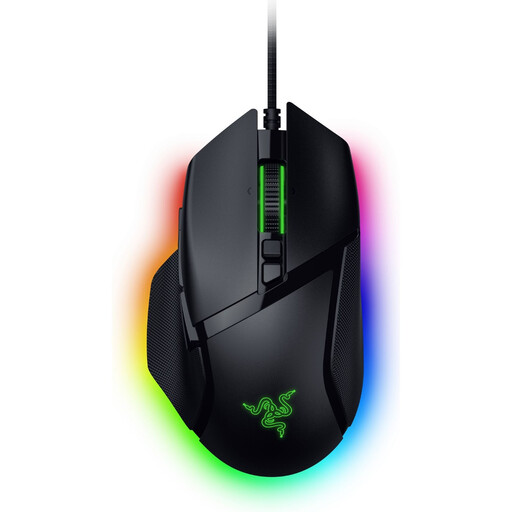 No image available
Suited to anyone looking for a wired mouse with multiple scroll modes and customisable controls.
Right-handed design; weight 101 g; three scroll modes; 35,000 DPI according to the product name.
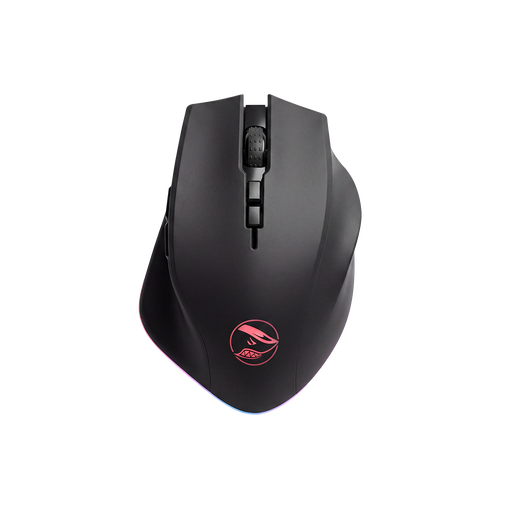 No image available
An option if you want eight programmable buttons and both wireless and wired connectivity.
The product information lists 2.4 GHz wireless and wired USB connectivity, a built-in battery and a PAW3335 sensor.
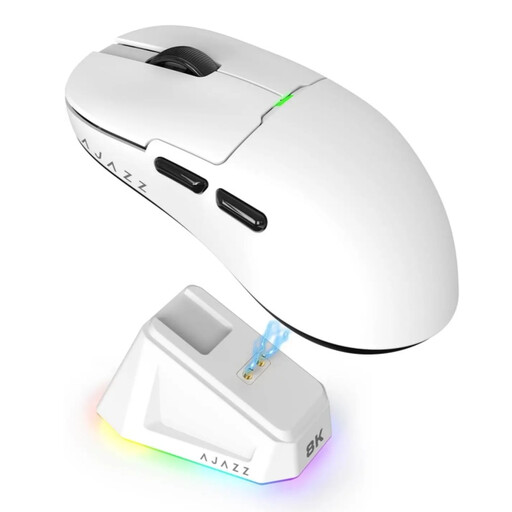 No image available
Worth considering if you want a choice of connection options and a rechargeable battery; the product information says it suits small to medium-sized hands.
The title lists 2.4G, USB-C and Bluetooth. The product information mentions a magnetic charging dock. The warning advises keeping it away from pacemakers and other medical implants.
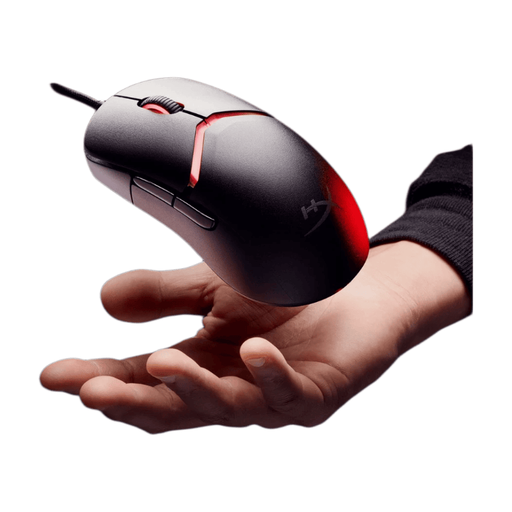 No image available
A wired option if you want to adjust the grip and change button assignments using software.
The product information lists interchangeable grip parts, control via HyperX NGENUITY and a weight of 69 g.
 No image available
Suited to anyone looking for a wired mouse with scroll control and programmable buttons.
The product information lists a USB Type-A connection, 13 programmable buttons and a design for right-handed use.
Not necessarily. Choose an adjustable cursor speed and the buttons you’ll actually use; Lenovo Netherlands explains that the usefulness of extra buttons varies from game to game.
You can with models that have a mute function, but check that it works with your software. The HyperX Pulsefire Raid manual shows a mute button and says programmable functions require NGENUITY.
Follow the manual for the exact model. Logitech recommends keeping the G305 receiver within 20 cm of the mouse in a busy wireless environment; this advice doesn’t automatically apply to other mice.
According to the Dutch government, online distance purchases from a business generally come with a 14-day cooling-off period. The rules and exceptions depend on the purchase; a purchase from a private seller does not fall under the stated definition of distance selling.
No. The Dutch government says there is no fixed statutory warranty period in the Netherlands: you’re entitled to a product that works properly for as long as you can reasonably expect it to. Contact the retailer if there’s a problem; a manufacturer’s warranty is additional.