What should you look for in a gaming mouse?
Start with the factor that matters most during your matches, then check the model’s features and practical requirements.
| Factor to consider |
What to check before buying |
Who it matters most to |
| Shape, weight and aiming |
Compare the shape, grip and stated weight of the exact model. |
When making quick aiming adjustments, I want a shape that feels comfortable in my hand; around 33% of shoppers prioritise aiming control. |
| Buttons for in-game actions |
Check which actions you want to assign and whether the buttons are easy to reach. |
If I want to control actions with my thumb while communicating with my squad, button placement is what matters most; around 27% of shoppers prioritise easy-to-reach in-game controls. |
| Room to move and connectivity |
Compare the cable or wireless connection, and check the power source and receiver. |
If a cable gets in the way of my mouse movements, I want more freedom to move without losing track of the power supply; around 20% of shoppers prioritise room to move and connectivity. |
| Power and peace of mind when buying |
Check the exact model, power source and seller’s terms. |
I want to know in advance what power source my chosen model needs and who to contact if something goes wrong with my purchase; around 20% of shoppers prioritise running costs and peace of mind when buying. |
Wireless gaming mice on Joybuy
This selection features wireless gaming mice for anyone looking to move freely without a cable. Compare the models by weight, button layout, connectivity and power source.
 No image available
AJAZZ AJ159 PRO Wireless Gaming Mouse, White
A good fit if you want to play wirelessly and are looking for a stated weight of 56 g.
The product title lists a PAW3395 sensor, up to 26,000 DPI and connectivity via 2.4G, USB-C or Bluetooth. The battery has a stated capacity of 400 mAh.
The product description warns that the magnetic charging dock must be kept at least 15 cm away from pacemakers and away from payment cards and ID badges. Don’t connect the USB-C cable while charging wirelessly.
Joybuy
 No image available
AJAZZ AJ200 AI MC Wireless Gaming Mouse
The stated ergonomic shape is designed for medium to large hands; check that it suits your grip.
The title lists a weight of 63 g, a PAW3311 sensor, 24,000 DPI and connectivity via Bluetooth, 2.4G or USB-C. A charging dock is also mentioned.
Joybuy
 No image available
AULA SC620 Wireless Gaming Mouse, White
The seven programmable buttons could be useful if you want to control several in-game actions with your mouse; check that they’re positioned comfortably for your thumb.
The title lists a weight of 67 g, a PAW3311 sensor, 12,000 DPI and connectivity via BT 5.0, 2.4G or USB-C. The battery has a stated capacity of 400 mAh.
Joybuy
 No image available
RAPOO VT9Pro 4K Wireless Gaming Mouse, BlackPurple
The ten programmable buttons could suit players who want to control several in-game actions with their mouse.
The title lists 26,000 DPI and ten programmable buttons; the product description gives a weight of 68 g, a PAW3398 sensor and a 4K polling option.
The product description warns that 4K polling increases CPU usage and recommends switching back to 1000 Hz if you experience frame drops.
Joybuy
 No image available
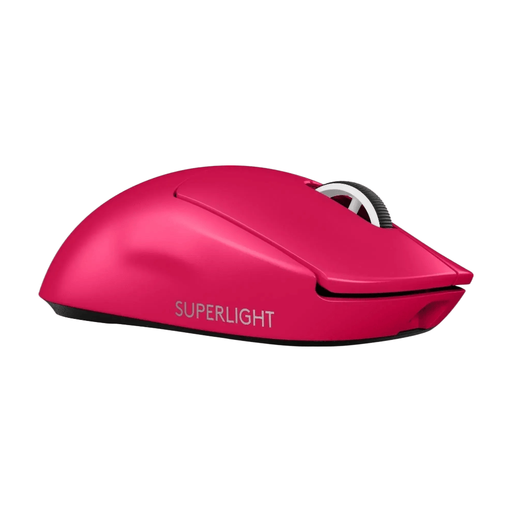
Logitech G PRO X SUPERLIGHT 2 LIGHTSPEED Gaming Mouse, Pink
A wireless model with a stated weight of 60 g according to Logitech; compare its shape and grip with your own aiming style.
The product description lists LIGHTSPEED wireless connectivity and USB-C charging.
Joybuy
Frequently asked questions
Should I choose a wireless mouse to go with my headset?
No, your headset alone doesn’t determine whether a mouse is right for you. Choose based on how much freedom to move and what kind of controls you want; if you’re considering a wireless mouse, check which receiver and connection mode the exact model uses.
How do I set up extra mouse buttons?
First decide which in-game actions you actually want to control with your mouse, then check the software for the exact model. Logitech recommends G HUB for advanced settings on the G203; SteelSeries lists programmable buttons for the Rival 5. Also check that the software supports your system.
What ongoing costs or support should I consider?
With the Logitech G305, you’ll need to factor in replacing the AA battery; power management for other models depends on the specific version. The Dutch government says that for a faulty product, the retailer is your point of contact for your statutory guarantee, not just the manufacturer.
What product regulations apply to a wireless mouse sold in the Netherlands?
The European Commission describes the Radio Equipment Directive as the framework for placing radio equipment on the EU market, with requirements covering areas such as safety, electromagnetic compatibility and spectrum use. A product listing or CE marking alone doesn’t confirm that a specific mouse meets all applicable requirements.
Can I return a gaming mouse bought online if I don’t like its shape?
For online consumer purchases, you generally have a statutory 14-day cooling-off period after delivery, subject to exceptions and conditions. ACM ConsuWijzer explains these rules; check the terms that apply to your purchase before using the mouse or opening the packaging any further.


