
Players who aim quickly
You often make large or rapid aiming adjustments and want a lightweight mouse with a shape that suits your grip. RTINGS highlights how hand size and grip affect your choice of FPS mouse.


Start with a shape that suits your hand and grip. RTINGS highlights how important this fit is when choosing an FPS mouse. Then decide what matters most to you: a lightweight mouse for quick aiming movements, extra buttons within easy reach for team actions, or a connection that suits longer matches. A higher stated DPI or RGB lighting doesn’t, on its own, mean better aiming performance.
You often make large or rapid aiming adjustments and want a lightweight mouse with a shape that suits your grip. RTINGS highlights how hand size and grip affect your choice of FPS mouse.
You play several matches back to back and want the shape, grip and connection to remain practical throughout. With wireless models, battery life in your chosen connection mode matters too.
You want to carry out important actions during a dark match using easy-to-reach buttons, without having to look at the mouse. Lighting may come down to personal preference, but it’s different from button control.
First, assess the shape using your own grip. Then consider which factor matters most for your matches: aiming movements, easy-to-reach controls or uninterrupted play.
| What to consider | What to look for | Who will this matter most to? |
|---|---|---|
| Aiming control | Compare the shape with your grip and hand size; also check the stated weight and, where possible, look for independent measurements of the exact model. | If I often switch targets quickly, I want a mouse that moves well with my grip. Around 33% of consumers prioritise aiming control. |
| Comfort during long matches | Check the shape, dimensions and button reach with your palm, claw or fingertip grip. | When playing several matches back to back, I don’t want to keep adjusting my grip to reach the buttons. Around 27% of consumers prioritise comfort and fit. |
| Team actions in the dark | Check the number and position of programmable buttons, and whether the settings you want work with your system. | During a dark match, I want to carry out team actions without taking my eyes off the game. Around 20% of consumers give easy-to-reach controls top priority. |
| Connection and play time | Check whether the model is wired or wireless, which connection modes are available and what battery life to expect in your chosen mode. | When playing long matches, I don’t want to be caught out by having to recharge, and the connection needs to suit my setup. Around 20% of consumers prioritise uninterrupted play. |
A DPI specification alone doesn’t tell you whether a mouse suits your hand, grip and preferred input settings.
Start by comparing shape and grip. For performance, look for independent measurements of the exact model rather than focusing only on its maximum DPI.
Adjustable lighting can make the mouse easier to see in your setup, but it hasn’t been shown to help you hit targets.
First check whether you can reach the buttons without looking. Choose lighting only if you want it.
Glorious lists different maximum battery life figures for the Model O 2 Wireless on 2.4 GHz and Bluetooth; these figures apply to different modes.
Compare the stated play time with the mode you use, and check that the software features you want are available for your operating system.
According to the Dutch government, statutory guarantee in the Netherlands doesn’t have a fixed two-year limit. What you could reasonably expect from the product is relevant.
Keep your proof of purchase and contact the seller if the product is faulty.
The Viper V3 Pro is a lightweight wireless FPS option. The Basilisk range has a different shape and isn’t a like-for-like alternative to the Viper.
The wired G502 X is worth considering if easy-to-reach controls and not having to worry about battery life matter more to you than a particularly low stated weight.
The Aerox 3 Wireless Onyx is an option to consider if you’re looking for a wireless mouse with adjustable lighting.
According to Glorious, the Model O 2 Wireless gives you the choice of a USB receiver, Bluetooth or wired use.
The SABRE v2 PRO Ultralight Wireless is worth a look if a low stated weight is a major factor for you.
This selection includes wireless and wired gaming mice for quick aiming movements, easy-to-reach team actions and long matches.
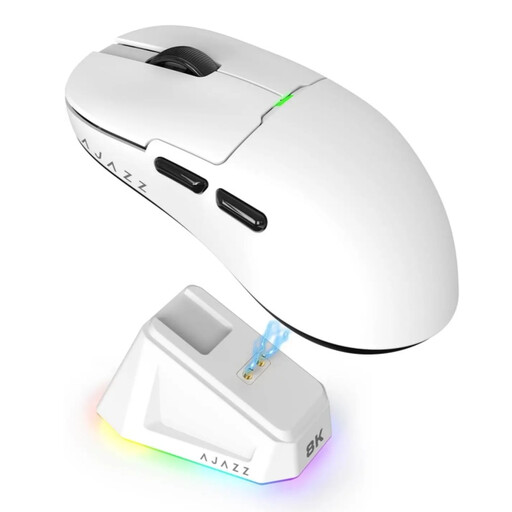 Image unavailable
The stated weight of 56 g and RGB lighting make this a good fit for anyone looking for a lightweight wireless mouse with lighting.
The product name lists a PAW3395 sensor, 26K DPI and support for 2.4G, USB-C and Bluetooth, as well as a 400 mAh battery and magnetic charging dock.
The product warning states that the magnetic dock must be kept at least 15 cm away from pacemakers and items such as payment cards.
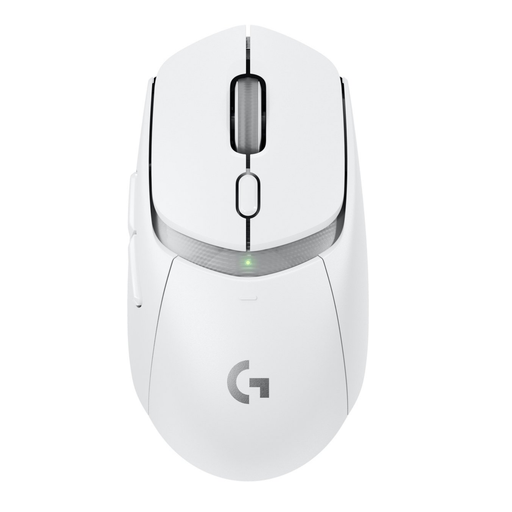 Image unavailable
The choice between LIGHTSPEED and Bluetooth, along with the programmable buttons, makes this a relevant option if you want to play wirelessly and customise your controls.
The product description lists six programmable buttons and more than 300 hours of use with the included AA battery.
The stated weight is 86 g with the included AA battery; 68 g applies only when using the optional POWERPLAY charging system.
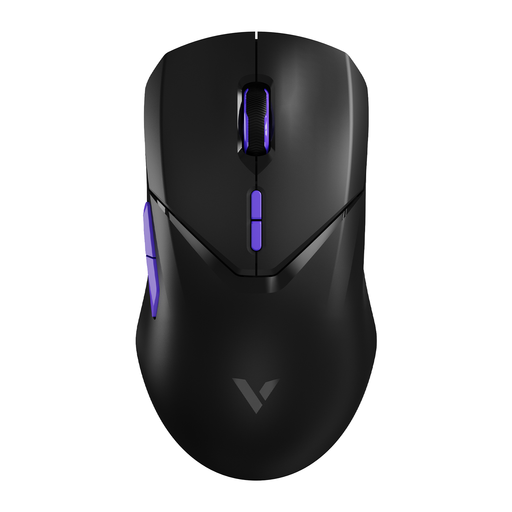 Image unavailable
The stated weight of 68 g and ten programmable buttons make this a good fit for anyone looking for a lightweight mouse with customisable team actions.
The product information lists a PAW 3398 sensor and up to 180 hours of battery life.
The warning states that 4000 Hz increases CPU usage; if you experience dropped frames, the product information recommends switching to 1000 Hz.
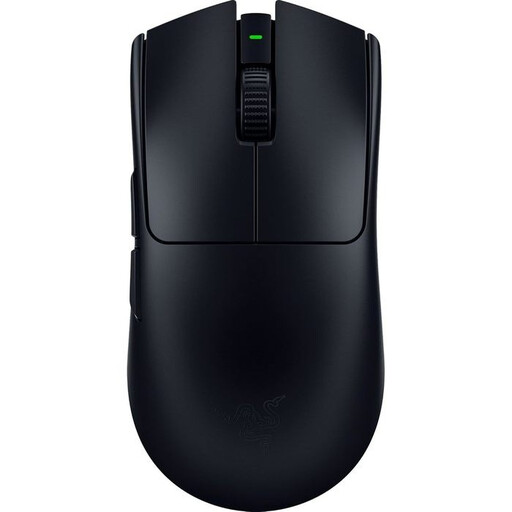 Image unavailable
This lightweight wireless option is worth considering if you make lots of quick aiming adjustments and the shape suits your grip.
Razer lists a weight of 54 g and a Focus Pro 35K sensor for the black version.
According to the product description, the black version doesn’t have lighting.
 Image unavailable
This wired mouse is suited to anyone who wants to customise several team actions and avoid worrying about battery life while playing.
The product description lists 13 programmable buttons, a scroll wheel and a USB Type-A cable connection.
The stated weight is 89 g; bear the cable and shape in mind too.
No. First check whether the shape and grip suit you; a maximum DPI specification alone doesn’t show how the exact model performs.
According to Glorious, you can use the mouse with the 2.4GHz USB receiver or via Bluetooth with a Bluetooth-compatible device. The manufacturer states that Windows is required for full customisation via Glorious CORE.
For a standard online consumer purchase, ACM ConsuWijzer states that you generally have a statutory cooling-off period of up to 14 days after delivery. Check the applicable exceptions and returns policy; this is separate from your rights if the product is faulty.
No. According to the Dutch government, there is no fixed statutory guarantee period in the Netherlands; what you could reasonably expect from the product also matters. Contact the seller if the product is faulty.