
Gamers with limited mouse space
If you have little room beside your keyboard, consider the mouse’s shape, grip and adjustable cursor speed. Coolblue Nederland and Razer discuss movement space and compact mouse shapes respectively.


Start by considering the space beside your keyboard and choosing a shape that feels comfortable in your hand. Then adjust the cursor sensitivity rather than focusing only on the maximum DPI. A wireless mouse keeps a cable off your desk, but you’ll need to manage its battery or recharge it; a wired mouse avoids that upkeep. Extra buttons are most useful when your game supports the shortcuts you want and you can reach them comfortably.
If you have little room beside your keyboard, consider the mouse’s shape, grip and adjustable cursor speed. Coolblue Nederland and Razer discuss movement space and compact mouse shapes respectively.
If a cable gets in the way on a cluttered desk, a wireless mouse could be the answer, but bear in mind that you’ll need to manage its battery or recharge it. Coolblue Nederland explains this trade-off, while Razer lists both connection options for the Orochi V2.
If you want to assign repeated actions to mouse buttons, compare the button layouts and check whether your game supports those assignments. Logitech G and SteelSeries list programmable buttons on specific models.
A good fit if: a cable gets in the way in your limited mouse space and you’re looking for a compact shape.
Trade-off: check the grip and how the mouse is powered.
A good fit if: you don’t want to manage a battery and the cable can run freely across your desk.
Trade-off: the cable can take up room to move; compare the shape and button layout too.
A good fit if: you want to assign recurring shortcuts supported by your game.
Trade-off: extra buttons are only helpful if you can reach and configure them comfortably.
| What to consider | What to look for | Who it matters most to |
|---|---|---|
| Fit and mouse space | Compare the shape with the space you have and the way you grip the mouse; choose adjustable sensitivity. Logitech G lists a range of 200 to 8000 dpi for the G203. | If I have little room beside my keyboard, I want to move the pointer smoothly with a mouse that feels comfortable in my hand. Around 36% of consumers prioritise fit and room to move. |
| Going cable-free | Check the connection and power source used by the version you’re considering. Razer says the Orochi V2 offers Bluetooth and 2.4 GHz; Logitech says the G305 uses one AA battery. | If a cable gets in the way on my crowded desk, I want to be able to play wirelessly. Around 29% of consumers prioritise going cable-free over other reasons to buy. |
| Easy-to-reach buttons | Check whether your game supports shortcuts and compare the button layout. Logitech lists six buttons for the G203; SteelSeries lists nine programmable buttons for the Rival 5. | If I want to carry out repeated actions more quickly, I want to assign buttons that are easy to reach. Around 21% of consumers prioritise control via mouse buttons. |
| Power and upkeep | Compare a wired connection with the battery or charging setup of the wireless version; check whether you’ll need replacement batteries or a charging cable. | If I’d rather not replace batteries or recharge a mouse, a wired connection may suit the way I use it better. Around 14% of consumers prioritise avoiding battery upkeep. |
A high maximum DPI on its own doesn’t tell you whether a mouse will be comfortable to use in a small space. For this choice, shape and a suitable sensitivity setting matter more.
Compare the shape and adjustability, then try the sensitivity in the space you actually have.
Razer lists the Orochi V2 at under 60 g, excluding the battery. So the weight of a wireless mouse may change once the battery is installed.
Compare weights on a like-for-like basis and check which battery or charging system the version you’re considering uses.
Depending on the model, replacing batteries may be part of using it.
According to SteelSeries, the Rival 5 has nine programmable buttons, but how useful they are depends on the shortcuts in your game and whether you can reach the buttons easily.
Check your game’s controls and compare the button positions with the way you hold the mouse.
ACM ConsuWijzer explains that the Netherlands does not have a fixed statutory two-year guarantee period. The expected lifespan under normal use is also taken into account.
Keep your proof of purchase and contact the seller if something goes wrong.
The G203 and G305 illustrate the choice between a wired mouse and a wireless model with a battery.
The compact Orochi V2 is an option to compare if you want to play wirelessly at a small desk.
The wired Aerox 3 and Rival 5 are different models: one offers a lightweight option, while the other focuses on extra buttons.
The Pulsefire Haste 2 Mini Wireless is a compact, rechargeable option to compare with models that use replaceable batteries.
This selection includes wired models for anyone who doesn’t want to manage a battery, as well as wireless models for those who want to avoid a cable on a small desk.
 No image available
A wired option if you’d rather not manage a battery or rechargeable battery.
The product information lists six programmable buttons, adjustable DPI and a flexible HyperFlex 2 cable.
The cable runs across your desk, so check that you have enough room to move.
 No image available
A wireless option to compare if you want to keep a cable off your desk.
The product information describes a symmetrical shape for small to medium-sized hands and lists 2.4 GHz, Bluetooth and USB-C as connection options.
The set name includes a magnetic charging base; check that the shape suits your hand.
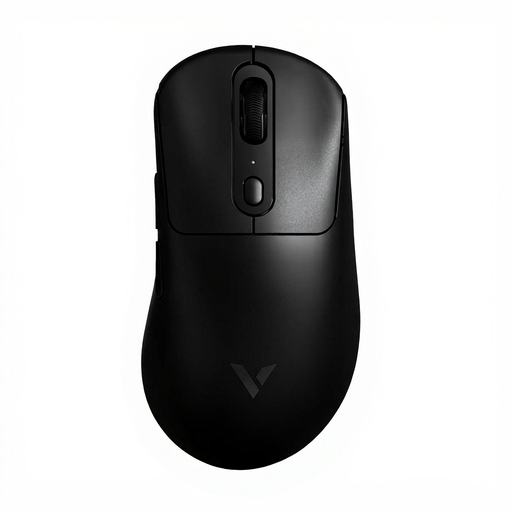 No image available
A wireless option to consider if you don’t want a cable running across your limited mouse space.
The product name lists a weight of 59 g and 1+8 programmable buttons.
Check that you can reach the extra buttons comfortably and that your game supports the assignments you want.
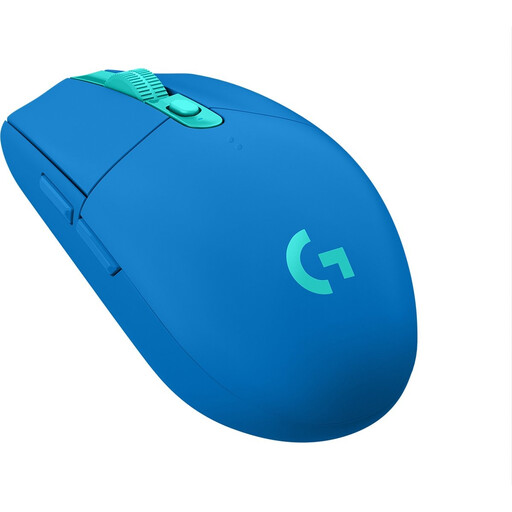 No image available
A wireless option if you want to keep a mouse cable off your desk.
The product information lists adjustable DPI and power from one AA battery.
Bear battery upkeep in mind and check that the connection works with your computer.
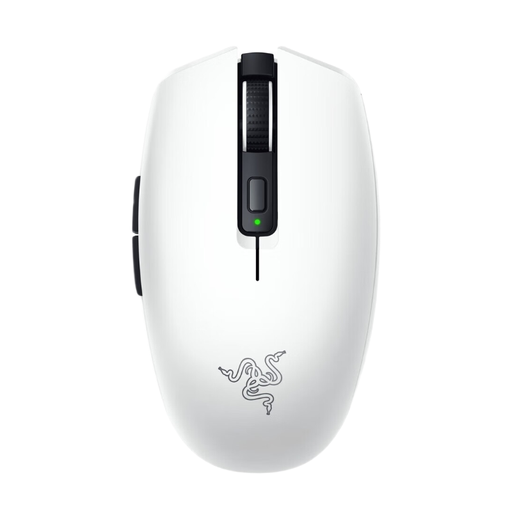 No image available
A compact wireless option to compare if you have limited mouse space.
The product information lists six programmable buttons, Bluetooth and Razer HyperSpeed Wireless.
According to the product information, the mouse uses one AA or AAA battery; check which battery the version you’re considering requires.
No, the maximum DPI is not a proven requirement for this type of game. First choose a shape that feels comfortable in your hand, then try a sensitivity setting that lets you move the pointer within the space available. Logitech lists settings from 200 to 8000 dpi for the G203.
Follow the instructions for the exact version and check in advance which connection and power source it uses. Razer lists Bluetooth and 2.4 GHz for the Orochi V2; Logitech lists an AA battery for the G305. Dispose of used loose batteries at a suitable collection point, as advised by the Dutch Government.
For a standard online consumer purchase in the Netherlands, you generally have a statutory cooling-off period of up to 14 days after delivery, according to ACM ConsuWijzer. Check the relevant exceptions and the terms for trying and returning the product. The cooling-off period for an online purchase is separate from your rights if the product is faulty.
No. ACM ConsuWijzer explains that there is no fixed statutory duration for the legal guarantee in the Netherlands: what matters is how long you can reasonably expect the product to last under normal use. Contact the seller if something goes wrong.