
Player with limited mouse space
You want to aim and reposition your mouse during arena matches without hitting other items or the edge of your desk. RTINGS.com and ASUS ROG offer useful guidance on assessing shape and available space.


Start by considering how much room you have to move the mouse, your grip and the actions you want to control with your thumb during arena matches. Choose a compact, straightforward mouse if being able to reposition it on your small desk is your priority; opt for extra side buttons if you can easily find and use them while playing. Compare wired and wireless models based on cable routing, receiver placement and charging. A higher DPI or polling rate alone won’t tell you whether a mouse suits your hand, as RTINGS.com also points out.
You want to aim and reposition your mouse during arena matches without hitting other items or the edge of your desk. RTINGS.com and ASUS ROG offer useful guidance on assessing shape and available space.
You want to assign in-game actions to easy-to-reach thumb buttons and check how many buttons you can use during play without making mistakes. The Razer Naga V3 Pro shows how different side-panel layouts can vary.
You’re looking for a shape that suits your hand and deciding between a cable on your desk and the receiver and charging requirements of a wireless mouse. RTINGS.com highlights the importance of hand size and grip, while manufacturers detail each model’s connectivity options.
Choose this if: you often need to lift and reposition your mouse on a small desk and don’t need many mouse buttons.
Consider: a compact shape can save space, but it won’t necessarily suit every hand or grip.
Choose this if: you want to control several abilities deliberately with your thumb.
Consider: check that you can tell the buttons apart with your grip; a more extensive panel won’t work for everyone.
Choose this if: you don’t want to charge your mouse and can route the cable around your play area.
Consider: the cable will still be part of your desk set-up; a high polling rate won’t fix awkward cable routing.
Choose this if: the cable is what restricts your movement and you have a suitable USB port available.
Consider: you’ll need to plan for charging and receiver placement; check which accessories are included with the version you’re buying.
| What to consider | What should you check? | Who is this most important for? |
|---|---|---|
| Room to move | Measure the clear space next to your keyboard and compare it with the mouse dimensions. Also think about where you can lift and put down the mouse. | If I often need to reposition my mouse during a match, I don’t want to hit the desk edge or other items. Around 29% of consumers prioritise room to move. |
| Fit and grip | Compare the mouse’s length, width, height and shape with your hand and current mouse; also pay attention to the position of the buttons. | I want to hold the mouse comfortably and reach the buttons with my usual grip. Around 23% of consumers prioritise fit. |
| Action buttons | Count the actions you actually want to assign and check whether you can reach the buttons without changing your grip. Also check which assignments your game allows. | If I want to control several abilities with my thumb, I need to be able to find the buttons reliably while playing. Around 18% of consumers prioritise control of in-game abilities. |
| Cable, receiver and charging | Check which USB ports are available and where a cable or receiver would go. Compare battery life claims only for the connection mode you use. | I want to know whether a cable will restrict my movement or whether I’d rather not manage a battery. Around 18% of consumers give connectivity the most weight. |
| Accessories and extra hardware | Check what’s included in the box and whether a particular feature requires separate hardware. ASUS says the ROG Polling Rate Booster is required for 8,000 Hz on the ROG Harpe Ace Mini. | I want to know in advance which accessories I’ll need for the features I actually plan to use. Around 12% of consumers prioritise these additional requirements. |
Fit, button reach and room to play still matter. ASUS says the ROG Polling Rate Booster is required for 8,000 Hz on the ROG Harpe Ace Mini.
First, choose a shape and layout that suit how you play. Then check which features are available with the accessories included in your version.
The PRO X SUPERLIGHT is not the PRO X SUPERLIGHT 2c; the names and stated weights differ.
Compare the full model name, version and specifications before matching a retailer listing with information about another model.
Lots of buttons are only useful if you can find the actions you want while playing without accidentally changing your grip.
Make a note of the actions you want to assign and check whether the buttons are within reach with the way you hold the mouse.
ACM ConsuWijzer distinguishes between the legal guarantee and any guarantee offered by the manufacturer or retailer.
Check what additional cover includes and report a fault to the retailer, who is responsible for providing an appropriate solution under your statutory rights.
The ROG Harpe Ace Mini is a compact model worth considering if you have limited space and often reposition your mouse.
The PRO X SUPERLIGHT 2c is a compact wireless option. Don’t confuse it with the PRO X SUPERLIGHT or PRO X SUPERLIGHT 2.
The wired DeathAdder V3 has an ergonomic shape worth considering, while the Naga V3 Pro is an option if you want plenty of customisable action buttons.
The Aerox 3 Wireless Gen 2 is worth considering if you want to compare wireless options and use Bluetooth as a separate connection mode.
The Model O 2 Wireless is worth comparing if you’re looking for a lightweight mouse with 2.4 GHz and Bluetooth connectivity.
These mice are selected to help you compare shapes, connectivity and button layouts for arena matches at a small desk.
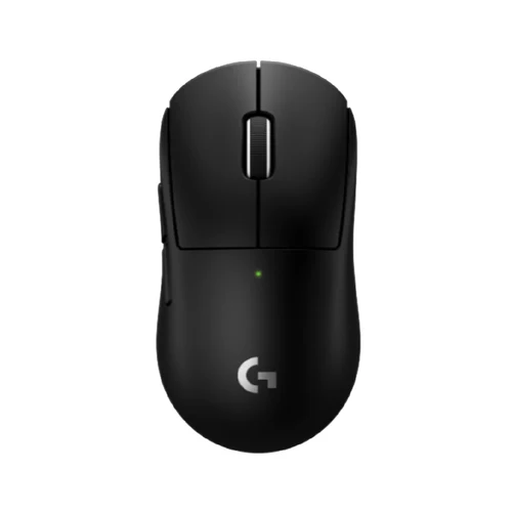 No image available
A compact wireless option to compare if you have limited space and want programmable thumb buttons.
The product description mentions LIGHTSPEED and an included receiver.
 No image available
An option to compare if you’re looking for different connectivity options and a lightweight model.
The product name lists a weight of 63 g and Bluetooth, 2.4 GHz and USB-C connectivity. The product description mentions a PAW3311 sensor.
 No image available
A wireless option to consider if you want to choose between LIGHTSPEED and Bluetooth and need extra buttons.
The product description lists up to six programmable buttons, an included USB receiver and a weight of 86 g with the included AA battery.
 No image available
A model to compare if you’re looking for a symmetrical shape for a small-to-medium hand and want to play without a fixed cable.
The product name lists a weight of 56 g. The product description mentions a PAW3950 sensor, 2.4GHz wireless, Bluetooth and a wired mode.
 No image available
A wired option to compare if you don’t want to manage a battery and are looking for several programmable buttons.
The product description lists 13 programmable buttons and a USB connection. The product name mentions an optical sensor and up to 25.600 DPI; the cable will still be part of your desk set-up.
First, check that you can move the mouse comfortably within the available space and put it back in position. Then adjust the sensitivity and buttons for your game; the highest available DPI or polling rate isn’t automatically the right setting. Some features require the manufacturer’s software and vary by model.
Check the battery charge, connection mode and receiver position. Glorious recommends keeping the receiver close for the Model O Wireless; follow the relevant manual for other models. If the mouse isn’t gliding smoothly, also check whether there’s still protective film on the mouse feet.
No. According to ACM ConsuWijzer, every gaming mouse isn’t automatically covered by exactly two years of legal guarantee. For normal use, the legal guarantee depends on what you could reasonably expect from the product. The retailer is responsible for providing an appropriate solution if the product is faulty; any guarantee offered by the manufacturer or retailer is separate from this.
For a standard online consumer purchase, ACM ConsuWijzer says you’ll generally have a statutory cooling-off period of up to 14 days after delivery. Conditions and exceptions apply to unboxing, trying out and returning the mouse, so check these before using it extensively.
According to the Dutch government, as a private consumer you can hand in an old, similar electrical appliance free of charge at the shop or online retailer where you buy a new one. A local council collection point is another option; the arrangements vary by council.