
Gamer with limited mouse space
You want a mouse that suits your hand and the space available for movement. Shape and grip matter more than extra features.


Start by considering the space available for your hand and mouse, the cursor control you want and how your computer connects. A wireless mouse keeps its cable off your small desk, but you’ll need to manage its battery; a wired mouse avoids that, but you’ll need to make sure the cable fits your setup. Only opt for extra buttons or a high maximum DPI if you need those features, and check the exact version and product markings.
You want a mouse that suits your hand and the space available for movement. Shape and grip matter more than extra features.
You want to adjust cursor sensitivity to suit your screen, surface and how you use the mouse.
You want to keep a mouse cable off your desk and weigh up wireless connectivity against battery management.
Choose a wireless mouse if a cable gets in the way of your limited movement space and your computer supports the required connection. A wired mouse may suit you better if you want to avoid managing a battery and can route the cable along your desk.
| What to consider | What should you check? | Who is this most important for? |
|---|---|---|
| Shape and movement space | Compare the dimensions and, for a mouse with a battery, its weight with the battery included. Check that the shape and grip suit your hand. | If space is limited, you’ll want a mouse that suits your hand and the room you have to move it. Around 40% of consumers in this scenario prioritise fit and space. |
| Cursor control | Check whether the sensitivity is adjustable and whether you can change it using a button, software or both. | If you want to tailor cursor movement to your screen and the small surface, adjustability matters more than a high maximum setting alone. Around 30% of consumers give cursor adjustment top priority. |
| Cable and connection | Check whether your computer supports Bluetooth or has a free USB port for a receiver; also check how the mouse is powered. | If a cable takes up space where you move your mouse, wireless may be a better fit for your desk, provided it works with your computer. Around 20% of consumers prioritise a cable-free setup. |
| Controls and maintenance | Check whether the basic controls work without configuration software and whether the chosen version requires battery replacement. | If you want to keep setup and maintenance to a minimum, simple controls and the power source are worth considering. Around 10% of consumers prioritise ease of use and low maintenance. |
Check that the exact version has the correct CE marking. Wireless radio equipment is also subject to applicable requirements, which the Dutch Digital Infrastructure Inspectorate explains.
Higher sensitivity moves the cursor further with the same hand movement, but the highest figure doesn’t tell you whether the setting will feel comfortable on your surface.
Compare the adjustable sensitivity and how you change it before treating a higher maximum as an advantage.
A stated weight without a battery isn’t the same as the weight during use. Razer lists the Orochi V2 as weighing under 60 g without a battery; Logitech gives the G305’s weight as 99 g with one AA battery.
Compare weights on the same basis and factor in the power source when making your choice.
Bluetooth and a USB receiver require different connection options on your computer.
Check how the exact version connects before placing your order.
Logitech describes the G305 as a compact wireless option with a USB receiver. The G203 LIGHTSYNC is wired and has adjustable sensitivity.
Razer positions the Orochi V2 as a compact wireless mouse with Bluetooth and a 2.4GHz connection.
The Aerox 3 2022 Edition is a wired option if you can route the cable and want to avoid managing a battery.
Cooler Master describes the MM712 as a lightweight mouse with wireless and wired connection options.
According to Trust, the wired GXT 922 Ybar has adjustable DPI and a standard button layout with side buttons.
These Joybuy products are wireless gaming mice for anyone who wants to keep a cable off a small desk. Check each model’s connection options and features to make sure they suit your computer and how you plan to use it.
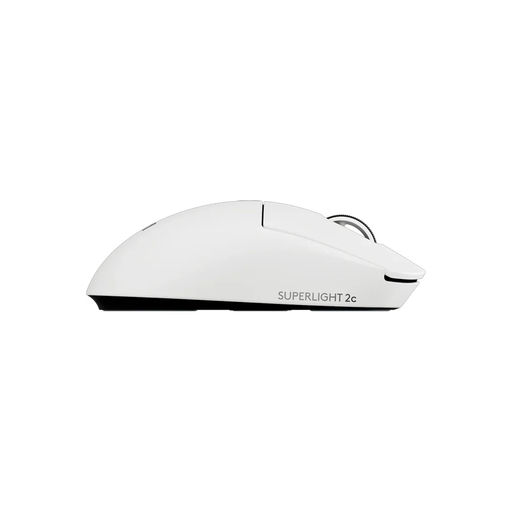 No image available
A wireless option if you’re looking for a compact mouse for limited movement space.
The product information describes a design for smaller hands and adjustable DPI.
 No image available
A wireless option if you want to adjust cursor sensitivity and avoid a cable.
The product name lists Bluetooth, 2,4G and USB-C, a PAW3311 sensor and a weight of 63 g. The product information describes a shape for medium to large hands.
 No image available
A wireless option with several listed connection methods; check which ones work with your computer.
The product name lists Bluetooth 5.0, 2,4G, USB-C, 12.000 DPI and a weight of 67 g.
 No image available
A wireless gaming mouse to consider if you want to keep a cable off your desk; check the connection options for the exact version.
 No image available
A wireless option if you want to compare different connection methods and a replaceable battery is important to you.
The product name lists Bluetooth, 2,4G and USB-C, a PAW3311 sensor, up to 24.000 DPI and support for battery replacement.
Not for this use alone. Set the cursor sensitivity to suit your screen, surface and available movement space; a higher maximum DPI isn’t automatically more useful.
It depends on the model: Razer says the Orochi V2 offers Bluetooth and 2.4 GHz, while the Logitech G305 uses a USB receiver. Check your computer’s connections and the instructions for the version you’ve chosen.
According to the Dutch Government, if a product is faulty, the seller—not the manufacturer—must offer a solution. The Netherlands doesn’t have one fixed statutory guarantee period for all products; what you can expect from a product depends on the product and the circumstances.
For many distance sales from a business, you have a 14-day cooling-off period. The Dutch Government distinguishes between purchases from a business and purchases from a private individual; check which situation applies to your purchase.
Check that the exact version has the correct CE marking. Wireless radio equipment is also subject to applicable requirements; the Dutch Digital Infrastructure Inspectorate gives Bluetooth as an example of frequency use that does not require a licence, notification or registration.