
Gamer with limited mouse space
You practise alongside a keyboard on a small desk and want to aim without constantly bumping into things. Compare the mouse’s shape and grip with the space you have to move it.


Start by considering how much room you have to move the mouse and which shape suits your grip. Then adjust the sensitivity and choose a connection that won’t get in your way. A wired mouse means no battery management, but you’ll need a clear route for the cable. A 2.4GHz wireless mouse frees up the cable space, but requires a USB receiver and power. Megekko Academy points out that a higher DPI isn’t automatically better: a high maximum figure alone doesn’t prove that your human reaction time will be faster.
You practise alongside a keyboard on a small desk and want to aim without constantly bumping into things. Compare the mouse’s shape and grip with the space you have to move it.
You want to use the same sensitivity and input mode during repeated exercises. Consider whether a freely moving cable or a wireless receiver is a better fit for your setup.
A cable takes up space on your desk, while a wireless mouse means keeping an eye on the USB receiver and power. Check what your chosen model needs before you buy.
Start with the fit and the space you have for hand movements. Then compare the settings, connection and power options that suit your practice routine.
| What to consider | What should you look for? | Who is this important for? |
|---|---|---|
| Shape, grip and space | Measure the clear space next to your keyboard and compare the mouse’s dimensions and shape with your usual grip. | If I have limited space, I want to move and reposition the mouse without hitting anything. Around 33% of consumers prioritise fit and room to move. |
| Adjustability | Check whether you can adjust the sensitivity and whether the mouse can save your preferred settings. | For repeated exercises, I want to use the same sensitivity and input mode each time. Around 27% of consumers prioritise settings they can reproduce consistently. |
| Wired or wireless | Check the cable route or, for wireless use, the USB port, connection mode and power required. | If a cable gets in the way on my small desk, I want to free up that space and can accommodate a receiver and power source. Around 20% of consumers prioritise a clear desk. |
| Weight and maintenance | Compare the weight during use, including any required battery, and check whether the mouse needs batteries or recharging. | I want to know how the mouse feels in use and what its power requirements mean for maintenance. Around 20% of consumers prioritise weight in use and maintenance. |
DPI describes how far the cursor moves in response to a hand movement; a stated maximum doesn’t prove that your human reaction time will improve. The polling rate can also vary between connection modes.
Set the sensitivity to suit the distance you can move the mouse, and compare settings in the mode you actually plan to use.
The weight without a battery isn’t the same as the weight of a wireless mouse in use.
Where possible, compare the weight in use, including the required power source.
Product listings may contain information that doesn’t match the specifications of the exact model. For example, Logitech specifies a 2.4GHz USB receiver for the G305, so don’t treat a Bluetooth listing as confirmation that the mouse has this feature.
Check the model and its key features with the manufacturer before making your choice.
The wired Cobra is worth considering if you’re looking for a compact mouse and can keep the cable out of the way.
The G305 is a 2.4GHz wireless mouse with a replaceable AA battery. The rechargeable PRO X SUPERLIGHT 2 is a separate product line.
The MM712 range is worth considering if you want the option of Bluetooth as well as 2.4GHz.
The Aerox 3 is available in wired and wireless versions, so you can compare the connection and stated weight of each variant.
The Pulsefire Haste 2 Core Wireless is worth considering if you’re looking at an AAA battery and want both 2.4GHz and Bluetooth.
The products below include wired and wireless options, with different shapes, connection modes and ways to adjust the sensitivity to suit your available space.
 No image available
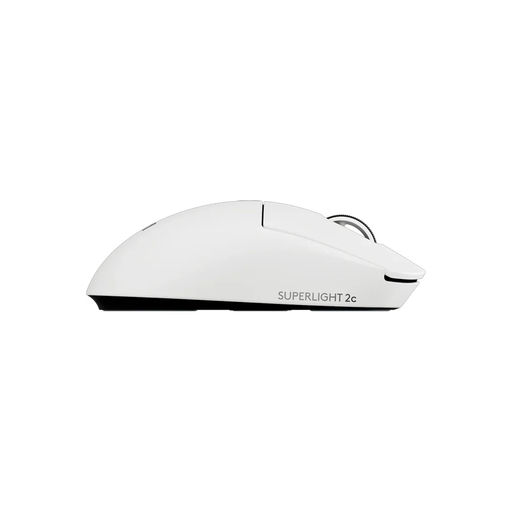
Worth considering if you’re looking for a compact wireless mouse with adjustable sensitivity.
The product information lists a LIGHTSPEED connection, adjustable DPI and USB-C charging with a USB-A to USB-C cable.
 No image available
An option if you’re looking for a symmetrical mouse for small or medium-sized hands, with several connection modes.
The product information lists a 2.4GHz mode, tri-mode connectivity, a magnetic charging dock and a polling rate of up to 8K in wireless mode.
 No image available
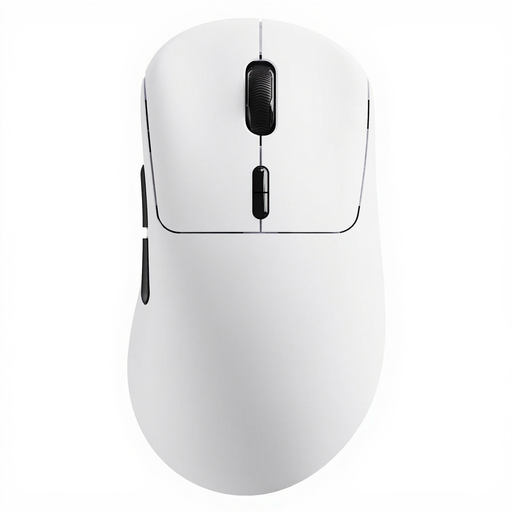
An option if you want to practise wirelessly and adjust horizontal and vertical sensitivity separately.
The product name lists a weight of 53 g and battery life of up to 750 hours; the description mentions adjustable X/Y DPI. Battery life is a product claim.
 No image available
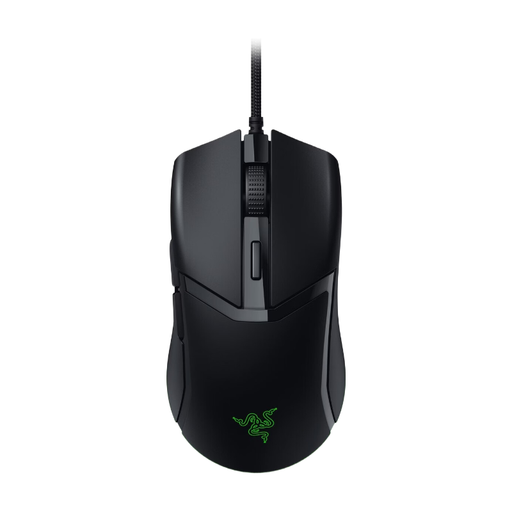
A wired option if you want to avoid battery management and can route the cable clear of your desk space.
Razer specifies a weight of 58 g for the Cobra. The product information lists an adjustable optical sensor; check the settings you want on the version you choose.
 No image available
An option if you want to go wireless and have the choice of Bluetooth as well as a 2.4GHz connection.
The product information lists a symmetrical shape, an 18,000 DPI sensor and six programmable buttons. According to the product description, it requires one AA or AAA battery to use.
No. DPI relates to how far the cursor moves in response to a hand movement, so set the sensitivity to suit your available space and exercise. A higher maximum DPI doesn’t prove that your human reactions will be faster.
It depends on the exact model. According to Logitech, the G305 uses a LIGHTSPEED USB receiver and one AA battery. A retailer listing that also mentions Bluetooth doesn’t confirm that this feature is available on the G305.
Keep your movement space clear and, with a wired mouse, route the cable so it doesn’t restrict your hand movements. For wireless use, check the battery or charge level and compare the weight including the required power source.
For a standard online consumer purchase in the Netherlands, you generally have up to 14 days after delivery to change your mind, subject to legal exceptions; ACM ConsuWijzer explains these rules. Your statutory guarantee is separate from any manufacturer’s warranty. Contact the retailer if the product is faulty.