
Player with limited mouse space
If your keyboard and screen already take up a lot of room, the mouse’s shape, available movement space and a practical cable route are all important considerations.


Start by checking how much room you have to move your mouse and choosing a shape that suits your hand. Then consider how many easy-to-reach buttons you need for your game controls. For Total War: Rome II, the game manual mentions using the scroll wheel and middle mouse button to control the camera, while extra programmable buttons are mainly useful if you want to assign your own commands. A wireless mouse keeps a cable off your desk, but you’ll need to think about power and the receiver; with a wired mouse, you’ll need a cable route that works for you.
If your keyboard and screen already take up a lot of room, the mouse’s shape, available movement space and a practical cable route are all important considerations.
If you want to control in-game actions with your thumb, consider the position and customisation of the buttons, not just how many there are.
Grip and arm support are worth considering if you use your mouse for long periods. A specification alone can’t tell you whether a mouse will be comfortable for your hand.
First, measure the area in which you can actually move the mouse, then check which buttons you need. Next, compare the grip, connection and power requirements of the specific model.
| What to consider | What should you look for? | Who is this important for? |
|---|---|---|
| Room to move | Measure the available space and compare it with the mouse’s dimensions and the route of any cable. | If your desk has little free space, you’ll want to avoid having your movements obstructed by other items or a cable. Around 36% of consumers say having room to move their mouse is their top priority. |
| Easy-to-reach game commands | Check the scroll wheel and middle click, and whether you can assign the actions you want to buttons that are easy to reach. | If you want to control frequently used actions without having to reach for the keyboard, consider the position and customisation of the buttons. Around 29% of consumers prioritise easy-to-reach game commands. |
| Grip and support | Compare the shape and dimensions with your hand and grip; also check whether you can rest your arm comfortably at your desk. | If you play for long periods, you’ll want a shape that suits your hand and enough room to support your arm. Around 21% of consumers put grip and posture first. |
| Power and connection | Check the power source, included receiver, required USB connection and supported connections for the exact model. | If you don’t want a cable across your desk but still want to know how to power and connect your mouse, compare the details of the specific model. Around 14% of consumers give power and connection top priority. |
Extra buttons are only useful if you want to use them in your game and can reach them with your grip. The Total War: Rome II manual also describes using the standard mouse buttons, wheel and keyboard.
Make a note of the actions you want to assign, then check that you can use the relevant buttons without changing your grip.
Setting up buttons takes time; features you don’t use won’t improve your controls in the game you play.
Power and supported connections can vary between models. Check the exact version before assuming it has a particular connection.
Compare the model name and product number with the manufacturer’s information, and check which connection method you need.
A smaller mouse won’t necessarily suit every hand or grip. The Dutch Arboportaal also highlights repetitive hand movements and an inadequately supported working posture when using a screen.
Consider both the shape of the mouse and the space available to support your arm at your desk.
The Government of the Netherlands distinguishes between an additional manufacturer’s warranty and your right to a product that meets the expectations you were entitled to have. If there’s a problem, the retailer is your point of contact.
Check what any additional warranty covers and keep the retailer’s details.
The models mentioned vary in shape, buttons and power source. Logitech says the G305 uses one AA battery and LIGHTSPEED; the G203 is wired and has six buttons. According to Logitech, the G705 is designed with smaller hands in mind and has a rechargeable battery.
SteelSeries describes the wired Aerox 3 (2022) as lightweight and lists nine programmable buttons for the Rival 5.
Razer lists wireless connectivity, eleven programmable buttons and a multi-mode scroll wheel for the Basilisk V3 Pro.
Corsair describes the SCIMITAR ELITE WIRELESS as having an adjustable panel with twelve side buttons and sixteen programmable buttons in total.
This selection features wireless gaming mice with different connections and button layouts. Compare these features with the space you have, your grip and the in-game actions you want to control.
 No image available
A wireless option if you want to keep a mouse cable off your desk and use programmable buttons.
The product title lists a PAW3335 sensor, 16.000 DPI, RGB lighting and 8 programmable buttons.
The product information lists wireless connectivity via 2,4 GHz and a rechargeable battery.
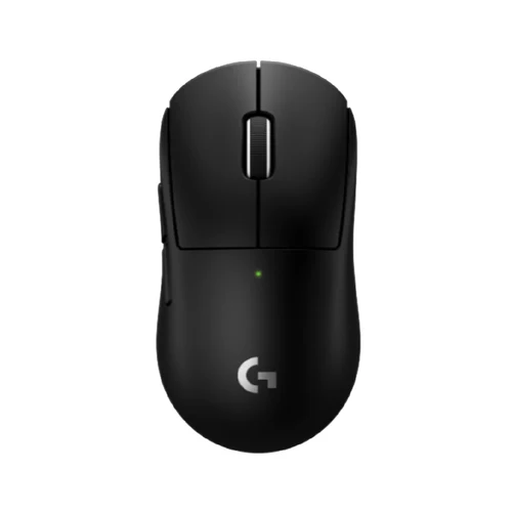 No image available
A wireless option if you want to keep a mouse cable off your desk and use programmable thumb buttons.
The product information lists LIGHTSPEED and programmable thumb buttons. Check that the shape and buttons suit your hand and grip.
 No image available
An option if you want to compare wireless and wired connections and customise the buttons.
The product title lists tri-mode BT/2.4G/USB-C, a PAW3311 sensor, 24.000 DPI, 8 programmable buttons and a weight of 63 g.
The title also mentions a charging dock; check which accessories are included with the version you choose.
 No image available
A wireless option if you want a choice of connections and to assign in-game controls to buttons.
The product title lists BT5.0/2.4G/USB-C, a PAW3311 sensor, 12.000 DPI, 7 programmable buttons and a 400 mAh battery.
The title also lists an 8KHz polling rate and a weight of 67 g.
 No image available
A wireless option if you’re looking for a symmetrical shape and want to compare the connection options of the exact model.
The product title lists a PAW3950 sensor, tri-mode connectivity, an 8K Hz polling rate and DPI of up to 42.000.
The product information describes the shape as symmetrical and designed for small to medium-sized hands; check that it suits your grip.
Not necessarily. The Total War: Rome II manual describes controls that include clicking, using the scroll wheel and pressing the middle mouse button; you can also use keys. A large thumb panel is mainly worth considering if you want to assign lots of relevant actions to easy-to-reach mouse buttons.
Check the power source and supported connections for the exact model. Logitech lists LIGHTSPEED and one AA battery for the G305; for the G705, the company lists LIGHTSPEED, Bluetooth and USB-C charging. Also check that you can use the required receiver and connection.
In the Netherlands, there’s no fixed statutory warranty period, but you’re entitled to a product that meets what you could reasonably expect. According to the Government of the Netherlands, the retailer is your point of contact if a product is faulty; the assessment depends on factors including the product, how it was used and what you could expect.
For online purchases from a business, you can usually change your mind within 14 days, according to the Government of the Netherlands. The retailer must tell you about this right. Check the applicable returns policy and any return postage costs beforehand.
Wireless radio equipment placed on the EU market is covered by the Radio Equipment Directive. According to the European Commission, CE marking is mandatory for products covered by harmonised EU rules that require it. Check the product information and marking for the specific version; CE marking doesn’t prove that a particular product listing has been independently checked.