
Players with limited mouse space
If your keyboard leaves little room, consider the mouse shape and its cable or receiver. A low weight alone doesn’t tell you whether you’ll be able to move the mouse comfortably.


Start by choosing a mouse shape that suits your hand and gives you room to move within the available space. A wireless mouse keeps a cable off your desk, but you’ll need to consider its connection and power requirements. If you often scroll through menus or want to assign commands to mouse buttons, consider extra controls, as long as the shape and any cable or receiver work with your setup.
If your keyboard leaves little room, consider the mouse shape and its cable or receiver. A low weight alone doesn’t tell you whether you’ll be able to move the mouse comfortably.
For extended use, grip, easy-to-reach buttons and the ability to change your posture all matter. A small or lightweight mouse won’t necessarily suit every hand.
If you often scroll through lists or want to assign commands to mouse buttons, scrolling behaviour and how easy the controls are to reach may matter more than choosing the smallest size.
First, measure the space next to your keyboard. Then decide what matters most: freedom from cables, a comfortable grip or extra controls.
| What to consider | What should you look for? | Who is this important for? |
|---|---|---|
| Space and cable | Measure the space next to your keyboard, consider the shape and check which connections are available. | If space is limited and I don’t want a cable beside my mouse, freedom of movement matters most to me; around 36% of consumers prioritise space and avoiding cable clutter. |
| Grip for long sessions | Consider your usual grip, how easily you can reach the scroll wheel and side buttons, and how much space the mouse takes up. | When I play for a long time, I want a shape that suits my hand and controls that are easy to reach; around 29% of consumers prioritise grip and comfort during long sessions. |
| Scrolling and buttons | Decide which actions you perform often and check that the buttons you want are easy to reach and suit your game. | If I often navigate menus or want to assign commands, I look for controls I’ll actually use; around 21% of consumers prioritise scrolling and easy-to-reach in-game commands. |
| Connection and power | Check the required USB connection, the items included and whether batteries are needed. | If I want a simple connection without having to manage extra batteries or look for additional parts, I focus on what my computer and setup need; around 14% of consumers prioritise simplicity. |
Logitech’s connection instructions state that the G305 connects using the supplied LIGHTSPEED USB receiver. Check the manufacturer’s instructions for how to connect this model.
Before buying, check that your computer has a suitable free USB port, and follow the manual for the exact version.
A stated weight or interchangeable back doesn’t prove that the shape will feel comfortable in your hand. Button reach and the space available on your desk matter too.
Assess the mouse based on your usual grip. For prolonged screen work, Arboportaal also recommends varying your activities, taking microbreaks and adjusting your workstation to suit you.
According to Logitech, the wired Logitech G502 X has a scroll wheel that switches between free and stepped scrolling. On a small desk, the cable can also take up space.
Consider whether you’ll use the extra scrolling options often, and check whether you can route the cable alongside your keyboard.
These examples cover specific product lines and models; they aren’t a general recommendation for every product from each brand.
The Orochi V2 is a compact wireless option, while the Cobra is a lightweight wired alternative.
The G305 uses a USB receiver, while the wired G502 X offers different scroll controls.
The M42V2 is a wired mouse with two interchangeable rear shells.
The Aerox 3 Wireless (2022) is a wireless option with two connection modes.
This selection focuses on wireless gaming mice for anyone looking to save desk space by avoiding cables and choose controls to suit their needs.
 No image available
Worth a look if you want to play wirelessly and programmable buttons matter to you.
The product title lists Bluetooth 5.0, 2.4 GHz and USB-C, a weight of 67 g, seven programmable buttons and a 400 mAh battery.
Also listed: a PixArt PAW3311 sensor, 12,000 DPI, 8 kHz and RGB lighting.
 No image available
A wireless gaming mouse to consider if you want to keep a mouse cable off your small desk.
The product information lists an AA battery, with POWERPLAY as an alternative; check which power option suits your setup.
 No image available
Worth a look if you’re after a wireless mouse with a symmetrical shape; check that the stated hand size suits you.
The product title lists a tri-mode connection, a symmetrical shape for small and medium hands, and a charging dock.
Also listed: a PAW3950 sensor, up to 42,000 DPI and an 8 kHz polling rate.
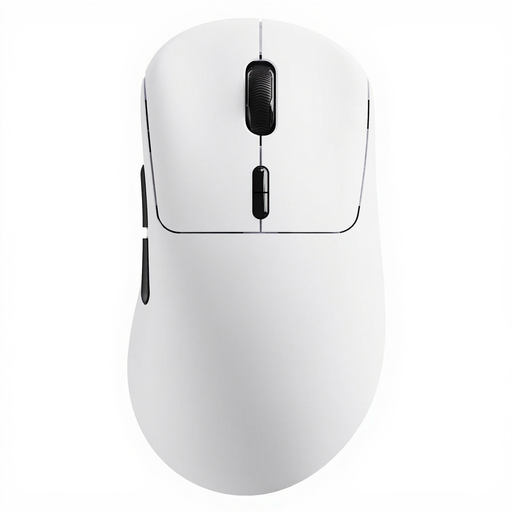 No image available
Consider this version if you want to play wirelessly and assign several commands to mouse buttons.
The product title lists a weight of 53 g, ten programmable buttons, macro support and an 8 kHz wireless polling rate.
The stated battery life is up to 750 hours; actual usage time can’t be determined from this maximum figure alone.
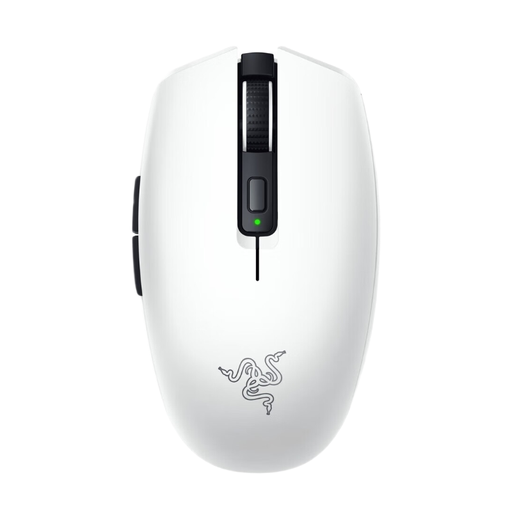 No image available
A compact wireless option to consider if you want to keep desk space free of cables; check that its connection options work with your computer.
Razer lists Bluetooth and a 2.4GHz mode for the Orochi V2, along with programmable buttons.
The product information lists AA or AAA power; check which battery size this version requires.
Not necessarily. First, work out which commands you use often and whether your game lets you assign them to mouse buttons. Razer lists six programmable buttons for the Orochi V2; Logitech describes programmable side scroll-wheel controls for the G502 X. How useful these are depends on your settings and how comfortably you can reach the controls.
It varies by model. Logitech’s instructions specify an AA battery and the supplied LIGHTSPEED USB receiver for the G305; Razer lists Bluetooth and a 2.4GHz mode for the Orochi V2. Before buying, check which connection is available and follow the manual for the exact version.
This hasn’t been demonstrated for any individual mouse. For screen work, Arboportaal recommends varying your activities, taking microbreaks and adjusting your workstation to suit you.
According to the Rijksoverheid, in many cases you have 14 days to change your mind when buying online from a business. You’re also entitled to a product that works properly; the Rijksoverheid states that there is no fixed statutory guarantee period in the Netherlands for all products. If there’s a fault, you can contact the seller.
The Rijksinspectie Digitale Infrastructuur states that electrical and electronic equipment must have the correct CE marking; radio equipment must also meet relevant requirements. Check the marking on the product you receive and follow the manual.