
Gamers with limited mouse space
If your keyboard and other items restrict your movement, compare the mouse dimensions first and think about where a cable or USB receiver will go. Logitech Support lists the G305 as measuring 116,6 × 62,15 × 38,2 mm.


Start by checking the space beside your keyboard and choosing a mouse shape that suits your hand. Then look for adjustable cursor sensitivity, and only choose extra buttons if your game supports them. A wireless mouse keeps its cable off your desk, while a wired one means you won’t need to manage a battery.
If your keyboard and other items restrict your movement, compare the mouse dimensions first and think about where a cable or USB receiver will go. Logitech Support lists the G305 as measuring 116,6 × 62,15 × 38,2 mm.
If you spend a lot of time placing and adjusting things, look for a shape and grip that feel comfortable. Arboportaal explains that screen-based work can involve repetitive hand movements and static strain; a product specification doesn’t prove that a mouse will prevent discomfort.
If you want to customise recurring in-game actions or cursor settings, check that your game and computer support the controls. Logitech and Razer describe customisable functions for specific models; available features vary by model.
Measure the available space first, then assess the fit and consider which controls and connection you actually need.
| What to consider | What should you check? | Who is this important for? |
|---|---|---|
| Room to move | Measure the clear space beside your keyboard and compare it with the mouse dimensions. For a wired mouse, check where the cable will run too. | If I want to move the mouse on a small desk without hitting anything, I’ll start by checking the available space; around 36% of consumers make space their top priority. |
| Comfort in your hand | Consider the shape, grip and weight, including the battery. If possible, try out everyday clicking and placing movements. | For long sessions, I want a shape that feels comfortable in my hand, not just a low stated weight; around 29% of consumers put fit and comfort first. |
| Cursor and actions | Check which sensitivity settings you can adjust and whether your preferred button assignments work in your game. | If I often place or adjust objects, I want good control over my cursor and recurring actions; around 21% of consumers start with customisable controls. |
| Connection and maintenance | Check the available ports, Bluetooth support, battery type and whether a mouse cable can move freely. | If I mainly want a simple connection and minimal battery maintenance, I’ll weigh up the cable, receiver and battery; around 14% of consumers make this their first consideration. |
A high maximum dpi rating doesn’t tell you which cursor setting will feel comfortable on your screen or within the space available for your mouse.
Check the adjustable range and try a sensitivity that suits the movements you can make on your desk. Logitech lists an adjustable range of 200–8.000 dpi for the G203.
A stated weight may or may not include the battery. Logitech lists the G305 at both 75 g without and 99 g with an AA battery; Razer lists the Orochi V2 at less than 60 g, excluding the battery. SteelSeries also lists different weights for the wired and wireless Aerox 3.
Always compare like-for-like weights and check whether you’re looking at the wired or wireless version.
A programmable button is only useful if you can assign the action you want to it. Logitech says that advanced settings for the G305 require G HUB.
Check your game settings and the software required before choosing a mouse with extra buttons.
The G305 is a wireless option to consider for a compact workspace, while the wired G203 is worth a look if you want adjustable sensitivity.
The Orochi V2 offers a compact wireless option; according to Razer, the Basilisk V3 Pro also has an adjustable scroll wheel.
The Aerox 3 is available in wired and wireless versions, which is worth considering if a cable would get in the way on your desk.
The KATAR PRO XT is a compact, symmetrical wired option to compare if you don’t want to manage a battery.
This selection from Joybuy focuses on wireless gaming mice for cursor control in a compact workspace.
 No image available
The listed Bluetooth, 2,4G and USB-C connections are worth considering if you want a wireless setup with a choice of connection options.
The product name lists a tri-mode connection, a 24.000 DPI PAW3311 sensor and a weight of 63 g.
 No image available
A wireless gaming mouse is worth considering if you don’t want a mouse cable running across your small desk.
The product name describes it as wireless. The product information gives a weight of 68 g with the optional POWERPLAY system and 86 g with the included AA battery.
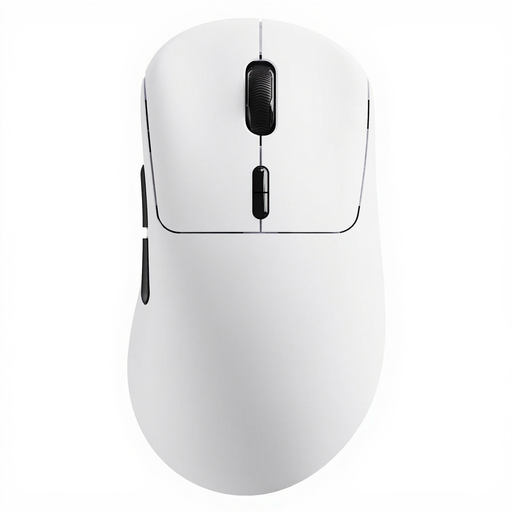 No image available
The wireless version could suit you if you want to keep a cable off your desk and need extra buttons for recurring actions.
The product name lists a weight of 53 g and ten programmable buttons.
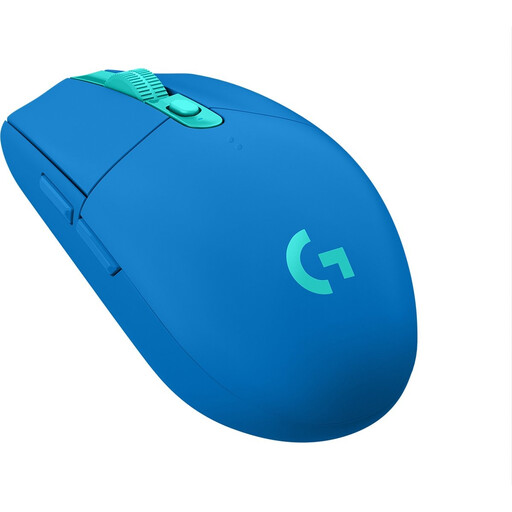 No image available
The listed dimensions could be useful if you have limited space beside your keyboard and are considering a wireless mouse.
The product information lists a USB receiver and an AA battery, so make sure you have a free USB port and remember that the battery will need replacing.
 No image available
Bluetooth and HyperSpeed are listed for wireless gaming without a mouse cable running across your desk.
The product information lists a symmetrical shape, dimensions of 108 × 60 × 38 mm and six programmable buttons. It uses AA or AAA batteries, so remember to factor in replacements.
Choose a sensitivity that lets you move the cursor around within the available mouse space without needing to correct it constantly. The Logitech G203 has adjustable dpi, according to Logitech; whether extra buttons help depends on your game settings.
It depends on the model: according to Logitech, the G305 uses a USB receiver and one AA battery, while Razer says the Orochi V2 supports Bluetooth and a 2,4GHz connection. Check your computer’s available ports and connections before choosing.
If the model uses a replaceable battery, you’ll need to replace it from time to time. Battery life depends on the connection and conditions of use, so compare stated maximums only with the manufacturer’s relevant mode and conditions.
According to ACM ConsuWijzer, for a standard online purchase you generally have up to 14 days after delivery to change your mind, subject to legal exceptions. If a product doesn’t do what you could reasonably expect during normal use, the seller is responsible for offering an appropriate solution under the legal guarantee; a manufacturer’s warranty doesn’t replace this right.