What should you consider when choosing?
Start by checking how you control your games. Then measure the space available for your mouse, and only after that consider fit and maintenance.
| What to consider |
What should you check? |
Who should prioritise this? |
| Game controls |
Check which control methods are available for each game and which actions you actually perform with a mouse. |
If I play my platform games with a keyboard or controller, I want to know first whether a mouse would add anything. Around 33% of consumers put controls first. |
| Desk space available |
Measure the available width and depth next to your keyboard, and allow for the route of any cable. |
When mouse space is tight, I want to know whether the mouse and its connection will fit. Around 27% of consumers put desk space first. |
| Fit and grip |
Compare the shape and button layout. Only compare weights if the exact versions and weighing methods match. |
If I play with a mouse for a long time, I want a shape that feels comfortable in my hand and suits my grip. Around 20% of consumers make fit their first choice criterion. |
| Maintenance after purchase |
Check whether the model uses a replaceable battery or a rechargeable one, and see what any extra cover includes. |
If I don’t want to replace or recharge a battery, I want to know the power source in advance and weigh up any extra cover. Around 20% of consumers prioritise maintenance and costs after purchase. |
Wireless gaming mice for a small desk
This selection features wireless gaming mice for players who use mouse controls and want to keep a cable off a limited mouse area.
 No image available
AJAZZ AJ200 AI MC Wireless Gaming Mouse
An option if you use mouse controls and don’t want a mouse cable across your work surface.
- Three modes: Bluetooth, 2.4 GHz and USB-C
- PAW3311 sensor and 24,000 DPI
- Charging dock included
View at Joybuy
 No image available
AULA SC620 Wireless Gaming Mouse — White
A wireless option if you want to save space otherwise taken up by a cable and need programmable mouse buttons.
- Bluetooth 5.0, 2.4 GHz and USB-C
- PixArt PAW3311 sensor and 12,000 DPI
- Seven programmable buttons
- 400 mAh battery and 8 kHz
View at Joybuy
 No image available
Logitech G G309 LIGHTSPEED Wireless Gaming Mouse
A wireless option if you use mouse controls and don’t want a cable across your small desk.
View at Joybuy
 No image available
AJAZZ AJ159 V2 MC Wireless Gaming Mouse
A wireless model to consider if replacing batteries is a factor in your choice.
- PAW3311 sensor and 24,000 DPI
- Three connection modes
- Replaceable battery
- 1 kHz polling rate
View at Joybuy
 No image available
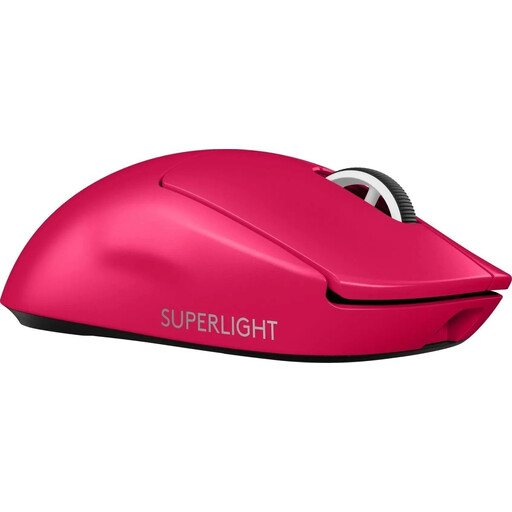
Logitech G PRO X SUPERLIGHT 2 LIGHTSPEED Gaming Mouse — Pink
A wireless option if you use mouse controls and want to keep a cable off the mouse area.
- LIGHTSPEED version
- Colour: Pink
View at Joybuy
Frequently asked questions
Do you need a gaming mouse for every platform game?
No, it depends on the controls you use in the game. Celeste and Hollow Knight both list full controller support on Steam; check your own game’s control settings before comparing mouse specifications.
What should you check when connecting a wireless mouse?
Check which connection mode the exact model uses and whether your computer supports that connection or has the required USB port. According to Razer, the Orochi V2 supports Bluetooth and 2.4 GHz; Logitech lists an AA battery for the G305.
Does a two-year manufacturer’s guarantee cover everything in the Netherlands?
No, the statutory guarantee applies alongside any manufacturer’s or seller’s guarantee. ACM ConsuWijzer says there is no fixed period for the statutory guarantee; what you can expect depends, among other things, on the product and normal use. If a product is faulty, the seller is your point of contact.
How long do you have to cancel an online purchase?
For an online purchase from a professional seller, you generally have a 14-day cooling-off period from the delivery date. The European Union’s Your Europe website also explains the applicable exceptions; check whether any apply to your purchase.
Where can you take an old mouse or used batteries?
According to the Dutch Government, you can hand in an old electrical device when buying a new, similar device, or take it to a collection point. Removable used batteries should go to a battery collection point, not in general waste.


