
Setting up in a tight space
You work between your keyboard and other things, and want to move your mouse without a cable trailing across your workspace. First, measure the space you have and check which connections are available.


On a small desk, a wireless mouse is useful if a cable limits your movement. Choose a wired mouse if you’d rather not replace or recharge a battery and don’t mind having a cable. With either option, consider how it fits your hand and whether you can adjust the sensitivity: a high maximum DPI alone doesn’t guarantee more precise positioning.
You work between your keyboard and other things, and want to move your mouse without a cable trailing across your workspace. First, measure the space you have and check which connections are available.
You often select and move objects, and want to adjust cursor movement to suit your preferences. Megekko Academy explains that a higher DPI moves the cursor further with the same hand movement; the maximum value alone doesn’t tell you which setting will feel right.
You want a shape and grip that stay comfortable during longer sessions. A small or lightweight mouse won’t automatically suit every hand, so consider its shape and how easy the buttons are to reach, too.
On a small desk, available movement space, cursor control, how the mouse fits your hand and its power source all matter. The right choice depends on which of these is most important for the way you set things up.
A good choice if: a cable gets in the way on your desk and you can use a USB receiver. Logitech says the G305 connects via a 2.4GHz receiver; the Razer Orochi V2 also offers Bluetooth.
The trade-off: you’ll need to replace the battery, and should only compare weights on a like-for-like basis. Logitech gives the G305’s weight as 99 g including an AA battery; Razer lists the Orochi V2 at under 60 g without a battery.
A good choice if: you don’t want a replaceable battery and find a smaller mouse comfortable to hold. HyperX lists Bluetooth, 2.4 GHz and use via the cable while charging for the Pulsefire Haste 2 Mini Wireless.
The trade-off: you’ll need to charge the mouse and decide for yourself whether its shape suits your hand.
A good choice if: you don’t want to manage a battery and don’t mind having a cable on your desk. Logitech says the G203 LIGHTSYNC has adjustable sensitivity; SteelSeries lists the Aerox 3 (2022) Snow as weighing 59 g.
The trade-off: the cable stays on your work surface. RTINGS notes that the cable on the Aerox 3 (2022) it tested is moderately flexible and that the lift-off distance is high; this assessment doesn’t automatically apply to other models.
| What to consider | What to look for when buying | Who might prioritise this? |
|---|---|---|
| Movement space on a small desk | Measure the clear space for your mouse and check its dimensions and connection; choose wireless if a cable would get in the way. | If you work between your keyboard and other things, you’ll want to move your mouse freely. Around 36% of consumers give movement space top priority. |
| Control when selecting and positioning | Check whether the sensitivity is adjustable and try a setting while selecting and moving objects. | If you often make small cursor movements, you’ll want to adjust the sensitivity to suit your screen and how you use the mouse. Around 29% of consumers put this control first. |
| Comfort during longer sessions | Compare the shape and dimensions, and check whether your usual grip feels comfortable and any side buttons are easy to reach. | If you spend a long time setting things up, you’ll want a mouse that suits your hand and grip. Around 21% of consumers rank this fit above other considerations. |
| Power and running costs | Check whether the mouse uses AA or AAA batteries, is rechargeable or is wired, and whether you can use it while it charges. | If you want to minimise battery changes or charging breaks, the power system matters. Around 14% of consumers give power and running costs top priority. |
A higher DPI moves the cursor further with the same hand movement; the maximum value doesn’t tell you whether that setting will feel right on your screen or with the way you use the mouse.
Choose a mouse with adjustable sensitivity and try a setting while selecting and moving objects.
The figures may be based on different things: Logitech lists the G305 at 99 g with an AA battery, while Razer gives the Orochi V2’s weight as under 60 g without a battery.
Check whether the battery is included in the weight for each model, and only compare figures on the same basis.
Logitech says the G305 uses a 2.4GHz connection with a USB receiver, so wireless doesn’t automatically mean Bluetooth.
Check how the exact model connects and make sure your computer has the required USB port.
The models mentioned offer both wireless and wired options for a small workspace.
Razer describes the Orochi V2 as a compact wireless mouse with Bluetooth and a 2.4GHz dongle.
The Aerox 3 (2022) Snow is a wired option.
HyperX says the Pulsefire Haste 2 Mini Wireless is for anyone looking for a small, rechargeable mouse with several connection options.
Trust says the GXT 926 Redex II can be used with a 2.4GHz receiver or its charging cable.
This Joybuy selection focuses on wireless gaming mice for anyone who wants to keep a mouse cable off a small desk. Check each model’s connection, fit and controls to make sure they suit your needs.
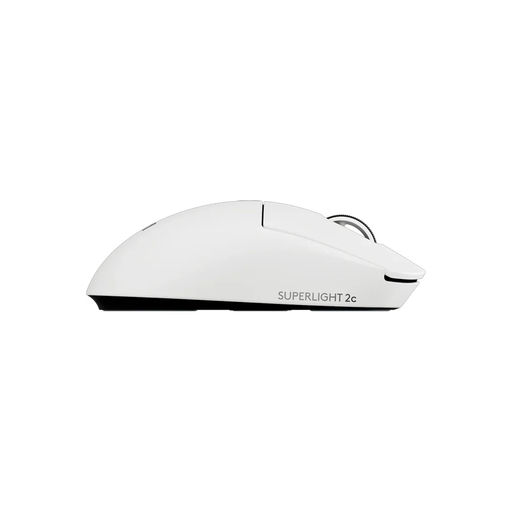 No image available
A wireless option for anyone who wants to keep a cable off their desk; check for yourself whether the shape suits your hand.
 No image available
A good fit if you’re looking for a wireless mouse and want to choose how it connects to your device.
The product name lists Bluetooth, 2.4 GHz and USB-C; check which connection and port are right for your computer.
 No image available
A wireless option with several listed connection methods; check which ones work with your device.
The product name lists Bluetooth 5.0, 2.4 GHz and USB-C, 12,000 DPI, seven programmable buttons, a weight of 67 g and a 400 mAh battery.
 No image available
A wireless gaming mouse for anyone who doesn’t want a cable across their desk; before buying, check that its shape and connection suit the way you’ll use it.
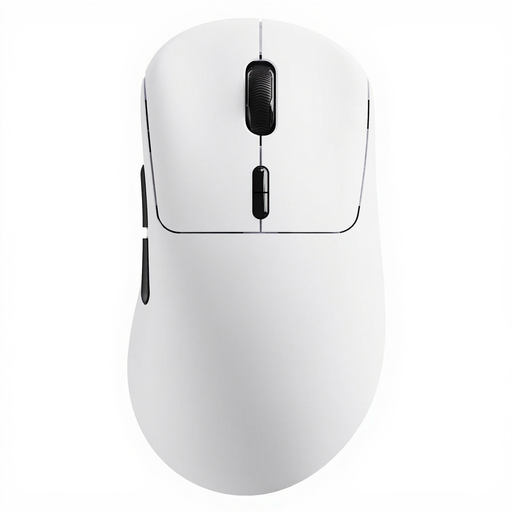 No image available
A good fit if you want to go wireless and programmable buttons matter to you; check that the controls suit the way you use the mouse.
The product name lists a weight of 53 g, up to 750 hours of battery life, ten programmable buttons and a True 8K wireless polling rate.
No. A higher DPI moves the cursor further with the same hand movement; adjustable sensitivity helps you choose a setting that suits your screen and the way you use the mouse. Megekko Academy explains the difference in cursor movement.
Use the LIGHTSPEED USB receiver and an AA battery. According to Logitech’s technical specifications, the G305 uses a 2.4GHz connection and requires a USB port; Logitech doesn’t list a Bluetooth mode.
HyperX says you can use the Pulsefire Haste 2 Mini Wireless with the cable supplied while it charges. Check this separately for other models.
It depends in part on the power source: the Logitech G305 uses a replaceable AA battery, while the HyperX Pulsefire Haste 2 Mini Wireless is rechargeable. Which option suits you best depends on how you use the mouse and whether you’d rather replace batteries or recharge it.
According to ACM ConsuWijzer, for a standard online purchase, the statutory cooling-off period ends 14 days after delivery, with some exceptions. This is separate from your statutory guarantee: if a product breaks down too soon during normal use, the seller must resolve the issue free of charge through repair, replacement or a refund, according to ACM ConsuWijzer.