
Theme park builder with limited mouse space
Your keyboard and other items leave you with little room. Measure the space you actually have and check where a cable would run before choosing a model.


Start by looking at the space next to your keyboard and choosing a shape that feels comfortable in your hand. Then decide whether you’d prefer a cable you can route neatly or a wireless mouse, taking its power and connection requirements into account. For precise placement and camera control, an easy-to-reach scroll wheel, useful buttons and adjustable sensitivity matter more than a high maximum DPI alone. Controls vary by game: Planet Coaster 2 documents both mouse and keyboard controls.
Your keyboard and other items leave you with little room. Measure the space you actually have and check where a cable would run before choosing a model.
You select and position small items, switching between building, menus and the camera. Planet Coaster 2 includes mouse controls, so look for a comfortable scroll wheel, easy-to-reach buttons and adjustable sensitivity.
You build for extended periods and want a mouse that suits your hand and grip. Arboportaal recommends maintaining a relaxed working posture; a suitable mouse doesn’t replace changing activities or taking breaks.
| What to consider | What to look for | Who is this important for? |
|---|---|---|
| Space and cable freedom | Measure the space next to your keyboard and check whether the cable route gets in the way of your mouse movements. | If I want enough room to move on a small desk, that matters more to me than extra features. Around 33% of consumers put space and cable freedom first. |
| Control when placing items and navigating | Check that the scroll wheel and buttons are easy to reach, and adjust the sensitivity to suit your game and available space. | If I place lots of objects and switch between menus and the camera, I want controls that are easy to use. Around 27% of consumers prioritise placement control and navigation. |
| Hand comfort | Assess the shape and button placement with your own hand, and check whether you can keep your arm close to your body. | For longer sessions, I want a mouse that suits my hand and grip, not just one described as small or lightweight. Around 20% of consumers put hand comfort first. |
| Power and connection | Check whether the model needs a battery, charging or a cable, and whether your computer supports the connection it uses. | If I want to spend as little time as possible thinking about power or connections, the type of connection is the deciding factor. Around 20% of consumers put ease of powering their mouse first. |
An adjustable sensor range doesn’t tell you how much control you’ll have in a particular game or on your desk.
Compare the adjustment options and try different sensitivity settings when selecting and placing items. Also consider the fit and how easy the controls are to reach.
A mouse powered by AA batteries needs different upkeep from a rechargeable model. A USB receiver also needs a compatible port.
Before you buy, check how the mouse is powered, what’s included and which connections are available on your computer.
Razer describes the Orochi V2 as designed for right-handed use, while a retailer’s description says it’s suitable for either hand. The stated battery life also varies. For the Trust GXT 922 Ybar, Joybuy’s description of the recycled material differs from the information given by Trust itself.
Check the full model name and specifications against the manufacturer’s documentation before basing your choice on details like these.
The G305 LIGHTSPEED is a wireless option for anyone who’d rather not have a mouse cable and is happy to use an AA battery.
According to Razer, the Orochi V2 lets you choose between Bluetooth and a wireless USB connection.
According to the manufacturer, the HyperX Pulsefire Haste 2 Mini Wireless is designed for smaller hands or anyone looking for a smaller mouse.
The wired GXT 922 Ybar and rechargeable wireless GXT 929 Helox offer different options for connection and power.
The Aerox 3 Wireless is an alternative if you want the choice of Bluetooth or 2.4 GHz.
This selection includes wired and wireless gaming mice to suit different preferences for desk space, sensitivity and controls.
 Image unavailable
The choice of wireless or wired use could suit you if you sometimes want to clear a mouse cable from your desk and at other times prefer a wired connection.
The product description lists 2.4 GHz wireless, wired USB use, adjustable DPI up to 16,000 and eight programmable buttons.
 Image unavailable
A wired connection could suit you if you can keep the cable route clear on your desk and don’t want to manage a mouse battery.
The product description lists a flexible HyperFlex 2 cable, adjustable DPI and six programmable buttons. Bear in mind the space the cable takes up.
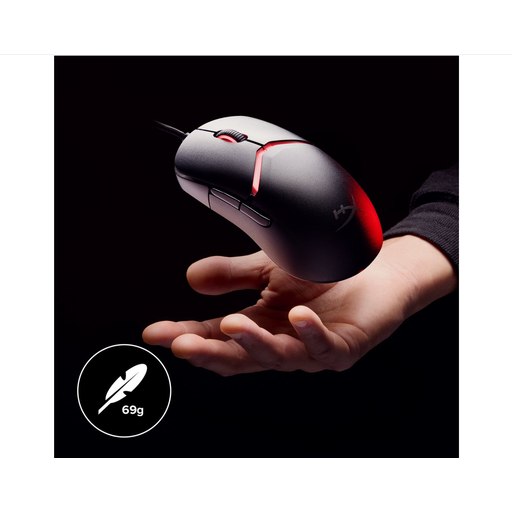 Image unavailable
This wired model could suit you if you can route the cable neatly and the stated sensitivity and customisable grip components meet your needs.
The title lists 26,000 DPI; the product description mentions interchangeable grip components and a flexible HyperFlex 2 USB cable. Check that the cable route leaves you enough room on your desk.
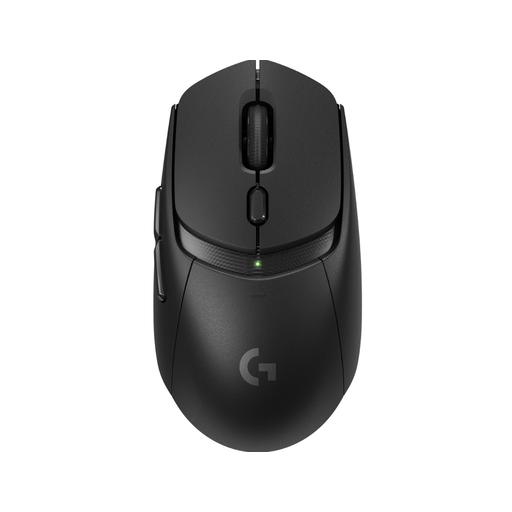 Image unavailable
Wireless use could suit you if you don’t want a mouse cable running across your desk while you build.
The product description lists LIGHTSPEED, Bluetooth and up to six programmable buttons. Check which connection mode works with your computer.
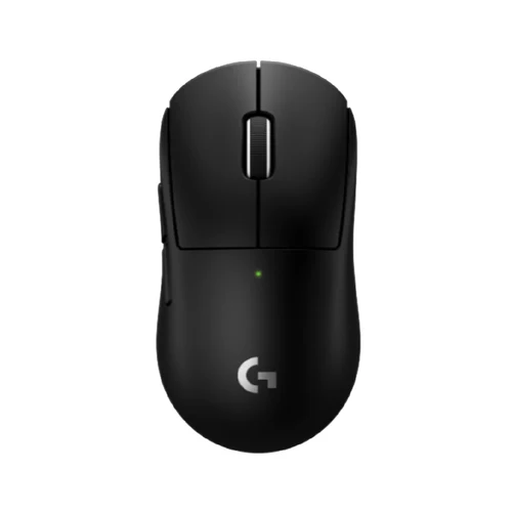 Image unavailable
The product description mentions a compact design, making this a possible option if you’re looking for a smaller mouse. Try it with your own hand to see if it fits.
The description lists a wireless LIGHTSPEED connection, adjustable DPI, a scroll wheel and programmable buttons.
No, extra buttons aren’t essential for everyone. First, check the controls for your game and see whether selecting, scrolling and moving the camera feel comfortable. Planet Coaster 2 also documents keyboard shortcuts; extra buttons are most useful if you can assign them a function you need.
Check the connection mode, whether you have a spare USB port if you’re using a receiver, and the battery or charging requirements. Razer lists Bluetooth and a wireless USB receiver for the Orochi V2; Logitech lists one AA battery for the G305.
Position the mouse so you can keep your elbow close to your body, release the mouse from time to time, and vary your posture and activities. This workplace advice from Arboportaal doesn’t guarantee that a particular mouse model will be comfortable for everyone.
For many eligible online purchases from a business, you have a 14-day cooling-off period, according to the Dutch government. You’re also entitled to a product that works as it should; the Netherlands doesn’t have a fixed statutory guarantee period, and the retailer is your point of contact if there’s a fault. Check which terms apply to your purchase.
According to the Dutch Authority for Digital Infrastructure, electrical and electronic devices must carry the correct CE marking. Wireless radio equipment must also meet the applicable radio equipment requirements. A product description alone doesn’t prove that an individual item meets the requirements; check the marking and follow the instructions.