Start by checking the clear space next to your keyboard. You need to be able to aim at your usual sensitivity, then lift and reposition the mouse. Next, choose a shape that suits your hand and decide whether avoiding a cable is worth having to charge the mouse or replace its batteries. A wired mouse avoids those maintenance tasks, but you’ll need a clear route for the cable.
Who is this buying guide for?
Players with limited mouse space
If your mouse nearly hits the keyboard or edge of the desk when you aim, check the space available for movement and whether you can lift and reposition the mouse. MediaMarkt Netherlands lists room to move and sensitivity as factors to consider when choosing a gaming mouse.
Players who want to avoid cable clutter
On a small desk, a cable can get in the way of your mouse movements. So consider whether you’d rather plug in a receiver, charge the mouse or use a replaceable battery.
Players who enjoy longer sessions
For longer co-operative sessions, grip, easy-to-reach buttons and maintenance all matter. The right shape and the value of extra controls depend on your hand and the commands you use in your game.
What should you look for?
Start by checking the clear space you have to move the mouse, then decide whether a wired or wireless connection would work best. Next, consider the grip and buttons you’ll actually use in your shooter.
| What to consider |
What should you check? |
Who will this matter most to? |
| Clear space for aiming |
Measure the space next to your keyboard and try aiming, lifting and repositioning the mouse at a sensitivity you can control. |
If my mouse hits the keyboard, I want to know whether I can aim and reposition it with control within the space available. Around 28% of consumers put having room to move their mouse first. |
| Moving without a cable |
Check whether the exact model uses a USB receiver and how it’s powered; a wired mouse needs a clear route for its cable. |
I want to move my mouse without a cable crossing its path, while keeping charging or replacing a battery in mind. Around 22% of consumers make moving without a cable their top priority. |
| Grip during longer sessions |
Compare the shape and dimensions, and see whether a palm, claw or fingertip grip feels comfortable for your hand. |
For longer sessions, I want a shape that feels comfortable to hold, with buttons I can reach easily. Around 22% of consumers put grip first. |
| Buttons for team commands |
Decide which commands you want to assign to the mouse, then check the number and placement of its programmable buttons. |
If I use team commands often in my shooter, I want to activate them without changing my grip. Around 17% of consumers put easy-to-reach commands first. |
| Power and maintenance |
Check whether the mouse is wired, rechargeable or battery-powered, and what’s included in the box. |
I want to know whether I’ll need to charge the mouse or replace its batteries, or whether I’d rather use a cable. Around 11% of consumers put power and ongoing use first. |
Common mistakes
-
Assuming a smaller mouse needs less room to move
The size of the mouse doesn’t determine how much space you need to aim.
Measure the clear space next to your keyboard, then try aiming, lifting and repositioning the mouse before choosing based on the word ‘mini’.
-
Overlooking the model generation or connection type
Models with similar family names can differ in generation and connection type.
Check the full model name and connection type on the specific product listing, then compare them with the manufacturer’s information.
-
Ignoring how the mouse is powered
A mouse that uses AA batteries will need replacements; a rechargeable model will need charging. With a wired mouse, the cable mustn’t get in the way of your movements.
Consider the power type and what’s included in the box, as well as the grip and space available.
Brands to consider
Logitech G
The G305 LIGHTSPEED is a wireless option powered by an AA battery, while the G203 LIGHTSYNC is a wired alternative. The PRO X SUPERLIGHT 2c is designed for anyone looking for a compact, lightweight wireless shape.
- Logitech G says the G305 uses one AA battery and offers up to 250 hours of use. For the PRO X SUPERLIGHT 2c, Logitech G lists a weight of 51 grams and up to 95 hours of use.
- According to Logitech, the G305 uses a proprietary LIGHTSPEED receiver. The stated battery life isn’t a guarantee of how long it will last for you, or that the shape will suit you.
Razer
The Viper V3 Pro is a wireless esports mouse with programmable controls.
- Razer lists a weight of 54 grams and eight programmable controls for the black version.
- These specifications don’t show that the shape or controls will suit every hand or co-operative shooter.
SteelSeries
The Aerox 3 Wireless Gen 2 is a wireless option with adjustable lift-off settings.
- SteelSeries lists a TrueMove 26K sensor for the Wireless Gen 2.
- The Gen 2 differs from the Gen 1 in its sensor and maximum polling rate. Check the generation and connection variant; don’t assume these specifications apply to an older or wired Aerox 3 without checking.
Glorious
According to Glorious, the Model O 2 Mini Wireless combines a small, symmetrical shape with wireless and wired connection options.
- Glorious lists a weight of 57 grams and connection via 2.4 GHz, Bluetooth 5.2 LE or cable; a 2.4 GHz receiver is included.
- The stated battery life varies depending on the connection type. Also consider whether the shape suits your hand.
Endgame Gear
The OP1 8k v2 is a compact wired option for anyone who can route the cable out of the way.
- Endgame Gear specifies dimensions of approximately 118,2 × 60,5 × 37,2 mm and a weight of 49,5 grams.
- The stated 8.000 Hz is an available polling rate setting; that doesn’t prove it will make a noticeable difference on every PC or in every game.
Gaming mice on Joybuy
This selection includes wired and wireless gaming mice for anyone with a small desk who wants to consider cable routing, grip or easy-to-reach buttons.
 No image available
Shark Velocity M71 Wireless Gaming Mouse, PAW3335, 16.000 DPI, 8 buttons, black
A wireless option if you don’t want a mouse cable crossing your path.
The product name lists a PAW3335 sensor, adjustable sensitivity up to 16.000 DPI and 8 programmable buttons.
Joybuy
 No image available
HyperX Pulsefire Haste 2 Wired Gaming Mouse, white
A wired option if you can route the cable out of the way and don’t want to manage a wireless mouse’s power.
The product name lists a wired connection and a white finish.
Joybuy
 No image available
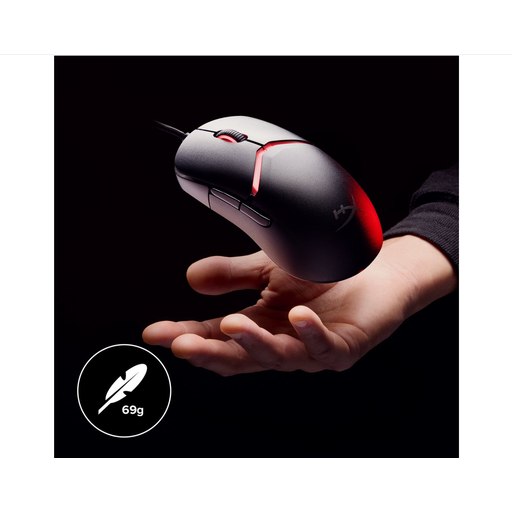
HyperX Pulsefire Saga wired gaming mouse, 26.000 DPI, black
A wired option if you can route the cable out of the way and the stated interchangeable grip parts suit your preferences.
The product name lists a wired mouse, RGB lighting and 26.000 DPI.
Joybuy
 No image available
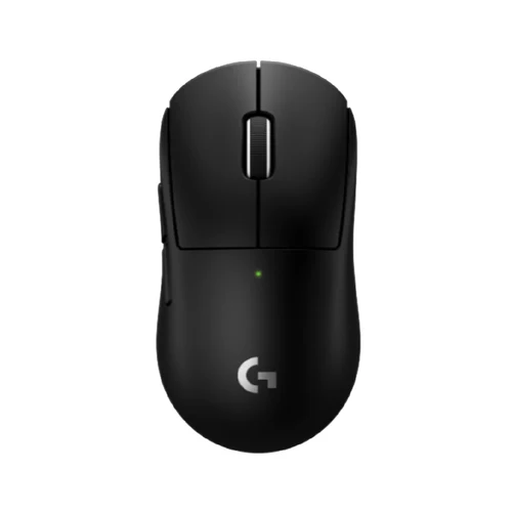
Logitech G PRO X SUPERLIGHT 2c Wireless Gaming Mouse
A compact wireless model to consider if you want to avoid cable clutter; check that the shape suits your hand and grip.
The product name lists a wireless connection.
Joybuy
 No image available
AJAZZ AJ200 AI MC Wireless Gaming Mouse, 24.000 DPI, PAW3311, tri-mode
An option to consider if you want to choose between wired and wireless use; check which connection type you need for your PC.
The product name lists Bluetooth, 2,4G and USB-C, and a weight of 63 g.
The described ergonomic shape is designed for medium to large hands.
Joybuy
Frequently asked questions
Should I choose the highest possible DPI for a small desk?
No. Try an adjustable sensitivity that lets you aim within the space available and reposition the mouse with control. The maximum DPI doesn’t tell you which setting will feel comfortable for you.
How do I connect a Logitech G305?
Insert one AA battery and plug the included LIGHTSPEED receiver into a USB port. Logitech describes this as the connection method for the G305; don’t treat a Bluetooth mention in a product listing as confirmation that it has this feature.
Does the legal guarantee on a gaming mouse in the Netherlands always end after two years?
No. According to ACM ConsuWijzer, there’s no fixed term for the Dutch legal guarantee: what matters is the reasonable lifespan you could expect and normal use. If a product is faulty, the retailer is your point of contact; this is separate from any manufacturer’s warranty.
What should I do with an old mouse and used AA batteries in the Netherlands?
The Dutch government says you can return an old, similar appliance to the retailer when you buy a new one. Used batteries mustn’t go in the bin and can be taken to shops that sell batteries, among other places.


