
Builder with limited mouse space
You’re building or controlling a spaceship in a game and want a mouse that fits your hand without a cable getting in the way of your limited range of movement.


For controlling and selecting things in a game, start with a mouse that fits your hand and works within your limited range of movement. Choose a wireless model if a cable gets in the way across your desk. Extra programmable buttons are most useful if you can assign them in your game or design software and reach them comfortably with your thumb. For modelling in supported 3D software, a SpaceMouse can complement navigation, but it won’t replace a standard mouse.
You’re building or controlling a spaceship in a game and want a mouse that fits your hand without a cable getting in the way of your limited range of movement.
You regularly use assignable commands and want to find out whether extra thumb buttons would be useful in your game or application.
You navigate a ship model in supported 3D software and are considering a separate 3D controller to use alongside a standard mouse.
| What to consider | What to look for | Who is this important to? |
|---|---|---|
| Fit and range of movement | Check the size and shape of the mouse, as well as your grip. Consider how much room you need to move it and where the cable or receiver will go. | When I’m controlling a spaceship at a small desk, I want to move the mouse freely without its shape feeling uncomfortable. Around 36% of consumers prioritise a comfortable fit and enough room to move. |
| Assignable commands | Decide which commands you actually want to assign. Check the button layout and whether the software supports your game or application. | When I regularly carry out building or editing actions, I want them within easy reach rather than having to keep going to the keyboard. Around 29% of consumers prioritise access to custom commands. |
| 3D model navigation | Check whether your specific 3D application is supported and whether there’s room for a controller alongside your standard mouse. | When I’m modelling a ship in 3D software, I want to navigate the model without treating the standard mouse as something to replace. Around 21% of consumers prioritise navigation in 3D software. |
| Connectivity and maintenance | Check the connection you need, where the cable will go, the battery type and which wireless connection mode you want to use. | If I want to avoid cable clutter or changing batteries, I want to know in advance what connection or power supply the mouse needs. Around 14% of consumers prioritise convenient connectivity and easy maintenance. |
A maximum DPI figure on its own doesn’t tell you whether the shape, settings or commands will suit the way you work.
Start by comparing the shape, the room you have to move the mouse and the settings you actually want to use. Then consider DPI as just one product specification.
3Dconnexion describes using a SpaceMouse alongside a standard mouse, and only with supported applications.
Check whether your design software is supported and whether you have room for both devices. Support for Blender doesn’t automatically mean support in a game.
The wireless Aerox 3 specifications don’t automatically apply to the wired Aerox 3. Razer also lists the Orochi V2’s weight without a battery.
Compare the exact model version, connection mode and basis for the measurements. For wireless models, also check the conditions behind the stated battery life and weight.
These brands offer models suited to different types of gaming and 3D modelling. The specifications and features below apply to the named models or product ranges, not automatically to the entire brand.
The models mentioned range from compact wireless mice to wired versions with extra buttons.
The Orochi V2 is a compact wireless option, while the Naga V2 HyperSpeed offers more programmable controls.
The Aerox 3 Wireless is the wireless version; a wired Aerox 3 is also available.
The Pulsefire Haste 2 is a wired gaming mouse with a six-button layout.
The SpaceMouse is a separate 3D controller for workflows in supported design software, not a gaming mouse.
These Joybuy products are gaming mice for a small desk, including wireless models and options with programmable buttons. For 3D navigation in design software, a SpaceMouse is a separate option.
 No image available
The wireless version could suit you if you don’t want a mouse cable running across your desk and are looking for programmable buttons.
The product information lists 2.4 GHz, a USB connection, eight programmable buttons and a PAW3335 sensor.
Battery life is stated as up to 50 hours; the model has a rechargeable battery.
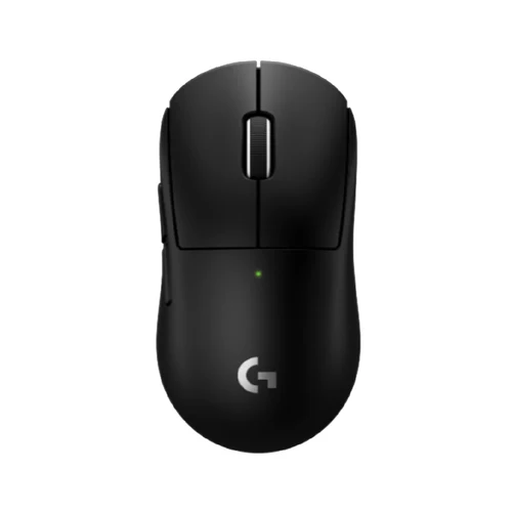 No image available
This compact wireless version is an option if you want to keep a cable off your desk. Check that its shape suits your hand and grip.
The product information lists a wireless LIGHTSPEED connection and five programmable buttons.
 No image available
This model could suit you if you’re looking for a wireless mouse with programmable buttons. Remember to allow room for the charging dock, too.
The product name lists Bluetooth, 2.4 GHz and USB-C, seven programmable buttons and a weight of 63 g.
 No image available
Its wireless connections and programmable buttons could be useful if you want to keep your desk clear of cables and assign your own actions.
The product name lists Bluetooth, 2.4 GHz and USB-C, a weight of 67 g and seven programmable buttons.
 No image available
This wireless model is an option if you want to keep a mouse cable off your desk and assign a few actions.
The product information lists LIGHTSPEED and Bluetooth, up to six programmable buttons and the use of an AA battery.
According to the product information, using the POWERPLAY charging system requires an optional accessory.
No. 3Dconnexion describes using the SpaceMouse for 3D navigation alongside a standard mouse for other tasks. Check that your design application is supported; support for Blender doesn’t mean an unlisted game is supported.
According to 3Dconnexion’s support information, you’ll find the settings under Blender Preferences, Input and NDOF. The steps for navigation modes differ between Blender 4.5 and older versions, so follow the instructions for the version you have installed.
With the Logitech G305, you’ll need to keep an AA battery in mind. Logitech quotes battery life of up to 250 hours, not a guaranteed usage time. A wired mouse doesn’t need battery management, but it does need a suitable connection and room for its cable.
For online consumer purchases, ACM ConsuWijzer says there is generally a statutory 14-day cooling-off period after delivery, although exceptions apply. Check the information from the seller you bought it from.
According to the Netherlands Authority for Consumers and Markets, the seller is responsible for the statutory guarantee if a product is faulty. A suitable solution may be repair, replacement and, in some cases, a refund. A manufacturer’s guarantee is not the same as your statutory rights.