Start with a shape and grip that suit your hand, and the room you have to move the mouse on your desk; a high maximum DPI won’t make up for getting those choices wrong. Choose a wired mouse if you can route the cable away from your movement area, or go wireless if a cable gets in your way and you’re happy to factor in a receiver and power supply. This is buying advice, not proof that any particular model will improve your gaming performance.
Who is this advice for?
Player with limited mouse space
You want to practise moving around maps without the mouse hitting your keyboard or the edge of your desk. RTINGS highlights that a mouse should suit your hand and preferred grip, so be sure to consider the room you have to move it around, too.
Player looking to avoid cables
You find that a cable gets in the way of your movement and want to weigh up whether a wireless receiver and replacing or recharging the battery would suit you better. Logitech G and SteelSeries describe different wireless models and power options.
Player who wants to customise the controls
You want to be able to repeat a sensitivity setting and reach the buttons easily, without assuming that a higher maximum DPI means better control. Check the settings available on the exact model and its control layout.
What should you look for?
First, decide whether the mouse shape suits your hand and the space available. Then choose wired or wireless based on how you’ll route the cable and manage the power supply.
| Consideration |
What to look for when buying |
Who is this most relevant to? |
| Shape, grip and movement space |
Check the dimensions, your usual grip and the space next to your keyboard; try the shape if possible. |
If I want to practise moving around maps at a small desk, my hand needs to sit comfortably on the mouse. Around 36% of consumers prioritise fit and space. |
| Cable-free movement |
Check the connection type, whether you need a receiver and whether you have a spare USB port for it. |
If a cable gets in the way of my limited movement space, I want to know how the mouse connects wirelessly and gets its power. Around 29% of consumers put cable space first. |
| Consistent sensitivity and controls |
Check whether the sensitivity is adjustable and whether the buttons and profiles you want suit the way you play. |
If I want to return to my chosen setting while exploring a map, easy-to-reach buttons and adjustable sensitivity matter more than a high maximum DPI alone. This is the main consideration for around 21% of consumers. |
| Power and aftercare |
Check the power source for the exact version and who the seller is; treat your statutory rights separately from any extra cover. |
If I want to avoid unexpected interruptions or uncertainty if something goes wrong, I’ll check whether the battery is replaceable or rechargeable, as well as who the seller is. Around 14% of consumers mainly consider power and aftercare. |
Common pitfalls
-
Assuming similar model names mean it’s the same mouse
The wired Razer Cobra, Cobra HyperSpeed, Logitech PRO X SUPERLIGHT 2 and 2c are different versions. Features of one version don’t automatically apply to another.
Compare the full model name and the specifications of the exact version you plan to buy.
A different shape, connection or power source from the one you had in mind could make the mouse less suitable for your desk and how you use it.
-
Relying on a single specification table when the details conflict
A Joybuy listing for the wired Razer Cobra gives both 58 g and 83.5 g, and also lists an AA battery for a wired mouse. These details therefore don’t clearly confirm the weight of this version.
Don’t let conflicting details decide your choice; check the exact version against the manufacturer’s information.
-
Confusing extra cover with your statutory rights
Additional cover offered for purchase is different from your statutory rights. According to ACM ConsuWijzer, your statutory guarantee applies alongside any seller or manufacturer’s guarantee.
Check what extra cover includes before paying for it. The seller is your point of contact when you want to exercise your statutory rights.
Optional additional cover may cost extra.
Brands to compare
Razer
The Cobra range includes wired and wireless versions; assess the specific model for cable space, grip and controls.
- Razer gives the wired Cobra’s weight as 58 g and says the Cobra HyperSpeed has nine customisable controls. These are features of different models.
- A Joybuy listing for the wired Cobra contains conflicting weight information. Check the exact version before relying on its stated weight.
Logitech G
The G305 and PRO X SUPERLIGHT 2c differ in several ways, including their size and power source.
- According to Logitech G, the G305 uses one AA battery and has a stated battery life of up to 250 hours. For the PRO X SUPERLIGHT 2c, the brand gives a weight of 51 g and battery life of up to 95 hours.
- These are manufacturer figures for separate models, not a direct real-world comparison. Check which version and power option you’re choosing.
SteelSeries
The Aerox 3 Wireless (2022) is worth comparing if you want both 2.4 GHz and Bluetooth.
- SteelSeries lists both a 2.4 GHz connection and Bluetooth for the Aerox 3 Wireless (2022).
- Check the generation and whether you’re looking at the wired or wireless version; SteelSeries gives different weights for the Aerox 3 Wired and Aerox 3 Wireless.
Glorious
The Model O Eternal is a wired option if you don’t want to manage a wireless power supply.
- Glorious identifies the Model O Eternal as a wired mouse.
- Its shape won’t automatically suit every hand or small workspace; consider how it fits your grip and movement space.
CHERRY XTRFY
The MZ1 Wireless is worth a look if a fingertip grip is important to you.
- CHERRY says the MZ1 Wireless has a modular shell in two sizes and a 2.4 GHz connection.
- The stated shape doesn’t prove that the mouse will suit your hand; check how it feels with your own grip.
Joybuy products
These Joybuy products are wireless gaming mice for cable-free movement, with models that differ in connectivity, power and customisable controls.
 No image available
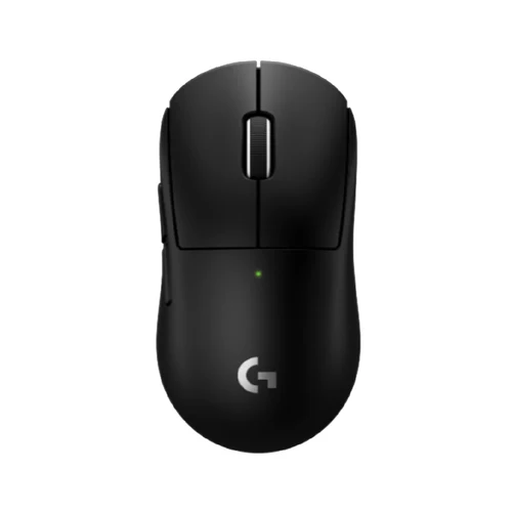
Logitech G PRO X SUPERLIGHT 2c Wireless Gaming Mouse Black
A compact version to consider if you’re looking for a smaller mouse to suit your hand size or grip.
LIGHTSPEED wireless; adjustable DPI, programmable buttons and a wireless receiver are listed. Logitech G gives this model a weight of 51 g and battery life of up to 95 hours.
Joybuy
 No image available
AJAZZ AJ200 AI MC Wireless Gaming Mouse with Charging Dock
Worth a look if you want to play wirelessly and customisable controls are important to you.
The product name lists a PAW3311 sensor, up to 24,000 DPI and a charging dock. Bluetooth, 2.4 GHz and USB-C are listed as connection options; adjustable DPI, customisable buttons and macros are also mentioned.
Joybuy
 No image available
AULA SC620 Wireless Gaming Mouse White
Its wireless connection options and programmable buttons may be useful if you want to tailor the controls to your game.
The product name lists Bluetooth 5.0, 2.4 GHz and USB-C, a PixArt PAW3311 sensor, 12,000 DPI, 7 programmable buttons, a weight of 67 g and a 400 mAh battery.
Joybuy
 No image available
Logitech G G309 LIGHTSPEED Wireless Gaming Mouse
A model to consider if you want wireless movement and the option to customise settings or buttons for your game.
LIGHTSPEED and Bluetooth are listed as connection options. The product information lists an included LIGHTSPEED receiver, an AA battery, adjustable DPI and up to six programmable buttons.
Joybuy
 No image available
AJAZZ AJ159 APEX Wireless Gaming Mouse with Magnetic Charging Base Set
The product description says it has a symmetrical shape for small to medium-sized hands; check for yourself whether it suits your grip.
The product name lists a PAW3950 sensor, up to 42,000 DPI and a magnetic charging base. 2.4 GHz, Bluetooth and USB-C are listed as connection options; customisable buttons and macros are also mentioned.
Joybuy
Frequently asked questions
Should I choose the highest DPI when learning a multiplayer map?
No. Start with a shape and grip that suit you, then adjust the sensitivity to the space you have to move the mouse. A stated maximum DPI doesn’t prove that the highest setting will give you more control.
How can I use a wireless mouse without unnecessary interruptions?
Check the power source and follow the instructions for the exact version. According to Logitech G, the G305 uses one AA battery; the PRO X SUPERLIGHT 2c is rechargeable. Also check whether you have a spare USB port if the model needs a receiver.
What can I do if I don’t like the shape after buying online?
For a standard online purchase by a Dutch consumer, ACM ConsuWijzer says you generally have a statutory cooling-off period of up to 14 days after the product is delivered. Check the information that applies to your purchase; the cooling-off period is different from your statutory rights if the product is faulty.
In the Netherlands, am I automatically entitled to only two years of statutory cover for a gaming mouse?
No. According to ACM ConsuWijzer, your statutory guarantee depends on what you could reasonably expect from the product with normal use; there is no fixed statutory period of two years. Contact the seller if a product develops a fault sooner than expected.


