
Gamers with limited mouse space
If your keyboard leaves little room to spare, a mouse cable can restrict your movement. Compare the dimensions and shape with your grip; RTINGS highlights the Logitech G305’s weight as something to consider.


Start by looking at the space available beside your keyboard and how the mouse feels in your hand. A compact wireless mouse keeps cables out of the way, but finding the right shape matters more than a high DPI figure. If you often use extra mouse buttons, check that they’re easy to reach. A mouse with more controls can take up more space, and isn’t automatically the most comfortable choice for a small desk.
If your keyboard leaves little room to spare, a mouse cable can restrict your movement. Compare the dimensions and shape with your grip; RTINGS highlights the Logitech G305’s weight as something to consider.
Extra buttons or a versatile scroll wheel can be useful if you want to control actions while exploring without using your keyboard. Logitech G lists programmable buttons for the G502 HERO; check that they’re within easy reach.
If you want to avoid managing a battery, check that a wired mouse can move freely on your desk. The SteelSeries Aerox 3 Wired is a wired model; SteelSeries lists its weight as 59 g and its connection as USB-C.
First, work out how much space you have and which grip feels comfortable. Then decide whether you’d rather play without a cable, have extra controls or spend as little time as possible managing the power supply.
| What to consider | What to look for | Who is this important for? |
|---|---|---|
| Room to move | Measure the clear space beside your keyboard and check the dimensions of the exact model. | If I don’t want to pull a cable across my small desk while playing, freedom of movement comes first. Around 36% of consumers put having room to move their mouse at the top of the list. |
| Shape and grip | Compare the shape with your hand and usual grip. Also check whether you can reach the side buttons without moving your hand. | If I’m going to hold the mouse for long periods, I want its shape to suit my hand and grip. For around 29% of consumers, fit is the top priority. |
| Extra controls | Check how many actions you actually want to assign and whether the features you need are available on your system. | If I often use custom actions in exploration games, easy-to-reach buttons matter more than a large number of unused features. Around 21% of consumers prioritise extra controls. |
| Power and connection | Check whether the mouse uses a replaceable battery or a rechargeable battery, and whether a cable can lie clear of your workspace. | If I want to spend as little time as possible charging or changing batteries, the power type needs to suit my desk. For around 14% of consumers, easy maintenance is the most important factor. |
One specification on its own won’t tell you whether the mouse feels comfortable in your hand or leaves enough room for you to move it.
First check the available space, the shape and how easy the buttons are to reach. Then compare specifications for the same model.
Wireless models may use a replaceable battery or a rechargeable one. The power type determines whether you’ll need to change batteries or charge the mouse.
Check the power source for the exact model and see which connection or charging accessories are included.
The battery life listed for the Razer Orochi V2 on Joybuy differs from the figure given by Razer. Specifications from different listings can therefore lead you to expect different things.
If details don’t match, compare the exact model and check important features with the manufacturer.
The G305 LIGHTSPEED is a wireless option with an AA battery, while the G502 range offers models with more controls.
The compact Orochi V2 offers wireless connection options, while the wired Basilisk V3 has more programmable controls.
According to HyperX, the Pulsefire Haste 2 Mini Wireless combines a compact shape with 2.4GHz and Bluetooth.
The Aerox 3 Wired is a wired option if its cable can move freely on your small desk.
This Joybuy selection features wireless gaming mice for anyone who wants to keep their desk clear of cables, with some models offering extra programmable controls.
 No image available
A wireless option if you want to keep a mouse cable out of your limited gaming space.
Supports 2,4G, USB-C and Bluetooth.
PAW3395 sensor, 26K DPI, 400 mAh battery and a stated weight of 56 g.
The magnetic charging dock contains magnets; according to the safety information, keep it at least 15 cm away from pacemakers.
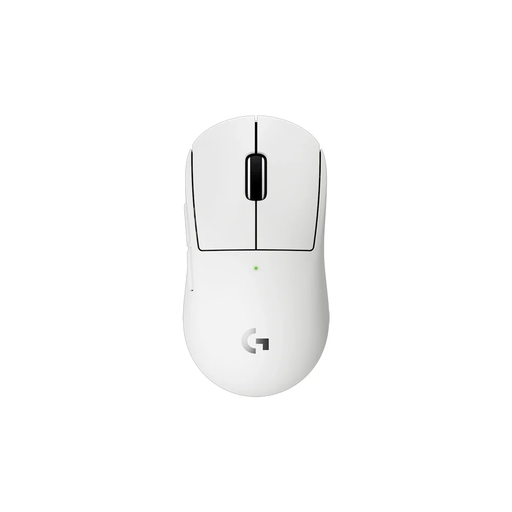 No image available
A wireless model that keeps a mouse cable off your desk. Check whether its shape suits your hand and grip.
 No image available
A wireless option if you want to keep a mouse cable out of your gaming space; compare the connection options with your equipment.
Supports Bluetooth, 2,4G and USB-C; stated weight: 63 g.
The product name lists a PAW3311 sensor and 24.000 DPI.
 No image available
A wireless option with extra controls if you want to perform actions using mouse buttons.
Supports BT5.0, 2,4G and USB-C; seven programmable buttons and a fire button.
Stated weight: 67 g; 400 mAh battery.
 No image available
The product name describes a symmetrical shape for small and medium-sized hands; check whether it suits your grip.
Supports 2,4G, Bluetooth and USB-C.
The product name lists a PAW3950 sensor and up to 42.000 DPI.
If your mouse supports both and input response while playing is important, a suitable USB receiver is the better choice. RTINGS recommends a receiver rather than Bluetooth for wireless gaming; check which connections are supported by the specific mouse and your computer.
First decide which actions you use most often, then check whether the software for your chosen mouse supports assigning them. Razer lists programmable buttons for the Basilisk V3; available features vary by model and software.
It depends on the model: the Logitech G305 uses an AA battery, the Razer Orochi V2 takes an AA or AAA battery, and the HyperX Pulsefire Haste 2 Mini can be charged and used with a wired connection while charging. Check the power source for the exact model before you buy.
When you buy as a consumer, the product must be fit for purpose; the Rijksoverheid states that the Netherlands has no fixed statutory warranty period. For online purchases from a business, you’re also usually entitled to a 14-day cooling-off period. Check which terms and exceptions apply to your purchase.