
Player with limited mouse space
You share a small desk with a keyboard or other items and want to know whether the mouse’s shape, cable and required movement space will fit.


Start by checking how much free space you have on your desk and choosing a mouse shape that suits your hand. A wireless mouse keeps a cable off your desk, but you’ll need to consider its power supply and connection; a wired mouse avoids battery management, but its cable needs room to move freely. Extra buttons are most useful when you can assign them to actions you perform repeatedly in-game.
You share a small desk with a keyboard or other items and want to know whether the mouse’s shape, cable and required movement space will fit.
You use the same in-game actions repeatedly and want to weigh up whether easy-to-reach, programmable buttons offer anything over a basic mouse.
You’re looking for a shape and grip that suit your hand. Lenovo Netherlands highlights the relationship between mouse shape and grip; specifications alone can’t tell you how a mouse will feel in your hand.
A good fit if: a cable gets in the way when you have limited room to move. Logitech describes the G305 as using a LIGHTSPEED USB receiver; Razer lists two wireless modes for the Orochi V2.
Bear in mind: the power supply and the connection or connection mode your computer requires.
A good fit if: you have a permanent setup, don’t want to manage a battery or receiver, and can keep the cable clear.
Bear in mind: on a small desk, a cable can rub against other items or get caught on them.
A good fit if: you often use the same actions and can assign them to mouse buttons. Razer lists eleven programmable buttons for the Basilisk V3.
Bear in mind: according to Razer, the Basilisk V3 is 130 mm long and weighs 101 g without its cable, so check that it will fit on your desk.
| What to consider | What should you check? | Who is this important for? |
|---|---|---|
| Movement space and cable | Measure the clear space next to your keyboard and check where a cable or USB receiver would go. | If my mouse cable keeps getting caught on things, I want to make sure I have enough room to move first. Around 36% of consumers prioritise movement space and cable routing. |
| In-game controls | Make a note of the actions you repeat and check whether you can assign them to buttons in the game and its software. | If I perform the same actions often, I want to control them without taking unnecessary detours. Around 29% of consumers prioritise easy access to in-game controls. |
| Shape and grip | Compare the dimensions and button reach with your current mouse; try the shape for yourself if you can. | For longer gaming sessions, I want a mouse that suits my hand and grip, even if a smaller model takes up less space. Around 21% of consumers prioritise fit. |
| Power and connection | Check whether it needs a battery or USB receiver and whether your computer has the required connection. | If I want to keep power and connections as simple as possible, ease of use matters more than extra features. Around 14% of consumers prioritise simple management. |
Logitech describes the G305 as connecting through the included LIGHTSPEED USB receiver. Don’t rely on a general description of a product as wireless.
Check the connection mode for the exact model in the manufacturer’s documentation and make sure you have a suitable USB port.
If your computer doesn’t have a suitable USB port, you may need an additional adapter.
A mouse’s adjustable sensitivity doesn’t tell you how much desk space its body takes up or how its buttons feel.
First work out how much space you have, which shape you prefer and how you want to use it; then compare the adjustment options.
SteelSeries lists wired and wireless Aerox models with different specifications. Features of one version don’t necessarily apply to another.
Check the full model name and version before comparing features.
A wireless version also means considering battery or charging management.
The G203 and G305 give you a wired and a wireless option to compare.
The Orochi V2 is a portable wireless option, while the Basilisk V3 is designed for more extensive control.
The Aerox range includes both wired and wireless models.
The KATAR PRO XT is a wired option with a symmetrical shape.
These models offer wired and wireless options for playing political simulations at a small desk.
 No image available
A wired option if the cable can run freely across your desk.
The product name lists compatibility with PC, PS5, PS4, Xbox Series X|S and Xbox One.
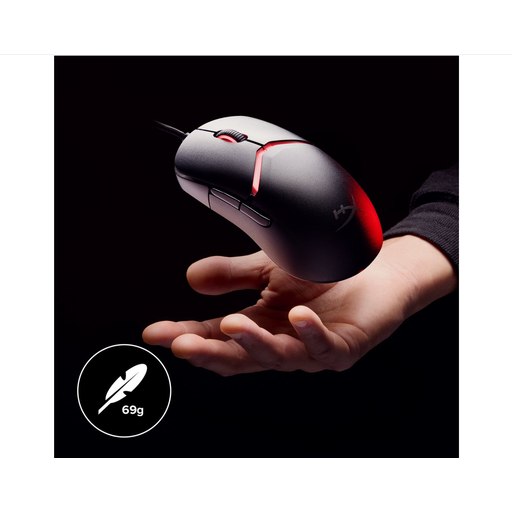 No image available
A wired option if you don’t need a wireless connection and can keep the cable clear.
The product name lists 26,000 DPI; that figure alone says nothing about fit or how much desk space you’ll need.
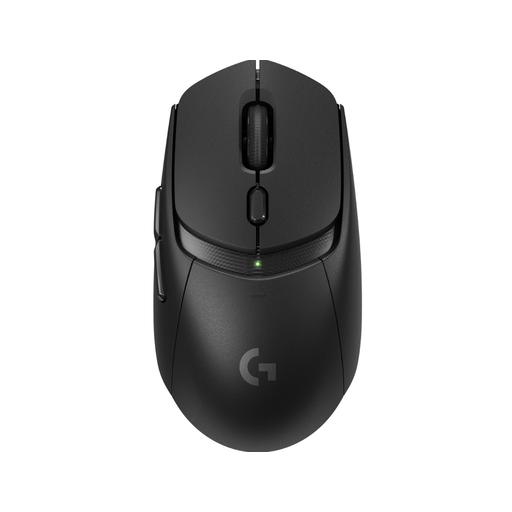 No image available
A wireless option if you want to keep a mouse cable off your small desk.
Before choosing, check which power supply and connection mode this version uses.
 No image available
A wireless option if you want to avoid a mouse cable; the product name also mentions a charging dock.
The listed connection options are BT/2.4G/USB-C. The product name lists a weight of 63 g and a shape for medium to large hands.
 No image available
A wireless option if you want to avoid a mouse cable and are looking for programmable buttons.
The product name lists seven programmable buttons, BT5.0/2.4G/USB-C, a weight of 67 g and a 400 mAh battery. Bear in mind that it needs charging.
Only if you repeatedly use commands that you can assign to easy-to-reach mouse buttons. Compare your shortcuts with the button layout and check whether you can configure the actions you need in the game and its software.
Logitech describes the G305 as using an AA battery and the included LIGHTSPEED USB receiver. Before buying, check that you have a suitable free USB port.
According to ACM ConsuWijzer, if a product doesn’t do what you could reasonably expect during normal use, you can contact the seller. The seller must resolve the problem free of charge under the applicable terms; there isn’t one fixed statutory guarantee period for every mouse.
The Dutch government states that used household batteries shouldn’t go in general waste and can be handed in at collection points. You can take a discarded electrical device to a municipal collection point, among other places. When buying a similar new device, the described one-for-one take-back scheme also applies to products used by private households.