
Player with limited mouse space
Your keyboard or other items restrict the space beside your hand. Consider how much room you need to move and whether a cable will get in the way; a smaller mouse is not automatically more comfortable.


Choose a mouse that fits your hand and leaves you enough room on your desk to move the cursor and lift the mouse. Going wireless avoids a mouse cable while you play, but means managing the battery or recharging it. With a wired mouse, make sure the cable can move freely. For spotting clues and navigating menus, focus on comfortable clicking and scrolling, plus adjustable sensitivity, rather than just the maximum DPI.
Your keyboard or other items restrict the space beside your hand. Consider how much room you need to move and whether a cable will get in the way; a smaller mouse is not automatically more comfortable.
You care about how the mouse feels in your hand, and how clicking and scrolling feel during longer, more relaxed gaming sessions. A compact or lightweight model may be an option, but it won’t necessarily offer the right ergonomics for you.
You want to avoid cable clutter and decide whether you would rather replace a battery or recharge your mouse. Stated battery life varies by model and depends on how it is used.
Start with the available space and fit, then compare the controls and how the mouse is powered.
| What to consider | What should you check? | Who is this important for? |
|---|---|---|
| Movement space and cable | Measure the free space beside your keyboard and check whether a wired mouse can move freely with the cable routed out of the way. | If there’s little space beside your keyboard, you’ll want enough room to move without the cable catching. Around 36% of consumers put movement space and cable clutter first. |
| Fit | Compare its shape with your current mouse and consider your hand and grip preferences. | During longer gaming sessions, you’ll want your hand and fingers to rest comfortably on the mouse. Compact doesn’t necessarily mean the shape will suit you. Around 29% of consumers focus most on fit. |
| Controls and cursor control | Check the position of the buttons and scroll wheel, and whether the sensitivity can be adjusted. | If you want to click clues precisely and navigate menus, the cursor needs to feel easy to control within the space available. Around 21% of consumers prioritise clicking, scrolling and cursor control. |
| Power and maintenance | Check whether the mouse is wired, rechargeable or powered by a replaceable battery. | If you don’t want to replace batteries or plan charging times, weigh that up against having a cable with a wired mouse. Around 14% of consumers base their choice mainly on power and maintenance. |
Razer lists the Orochi V2 as weighing under 60 g without a battery. The weight while you play therefore includes the battery.
Compare the weight of the version with the battery you’ll actually use, and check which battery type it needs.
With a model that has a replaceable battery, you’ll need to factor in replacing it.
The wired Aerox 3 (2022) is not the same version as the Aerox 3 Wireless (2022). For the wired Aerox 3 (2022) it tested, RTINGS notes, among other things, a somewhat stiff cable and a high lift-off distance. These findings do not automatically apply to other variants.
Check the full model and variant name before comparing features or test results.
According to the Government of the Netherlands, there is no fixed statutory warranty period in the Netherlands. A manufacturer’s warranty does not replace your legal rights.
Keep your proof of purchase and contact the retailer if there’s a problem with a product.
The G705 is a compact, contoured wireless mouse, while the G203 LIGHTSYNC is a wired alternative.
The Orochi V2 is a compact wireless mouse with Bluetooth and a 2.4GHz connection.
The wired Aerox 3 (2022) is worth comparing if you can route the cable out of the way; note that this is not the wireless version.
The Pulsefire Haste 2 Mini Wireless is a compact, rechargeable option to compare for fit and wireless control.
The MM712 is a lightweight wireless model to compare if you don’t want to use a cable while playing.
These Joybuy products are suited to compact or wireless control on a small desk, with a wired option also included.
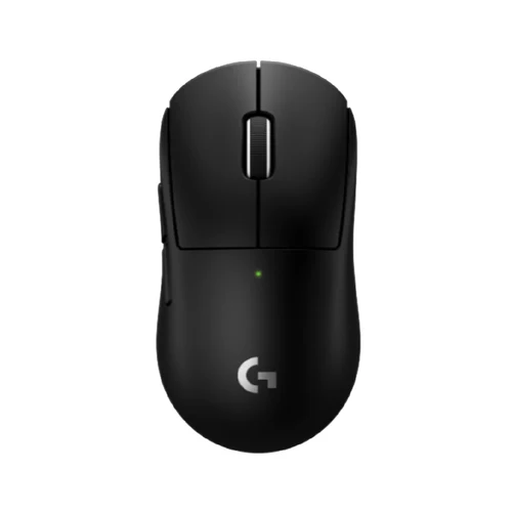 No image available
A compact wireless gaming mouse to consider if you don’t want a cable taking up your limited mouse space.
The product description mentions LIGHTSPEED and a rechargeable battery. Its compact design is recommended for smaller hands or certain grips.
 No image available
An option to compare if you’re looking for a compact wireless mouse for small to medium-sized hands.
The product title mentions a magnetic charging dock and a tri-mode design. The description mentions a symmetrical shape for small to medium-sized hands.
The product title lists a sensor resolution of up to 42,000 DPI.
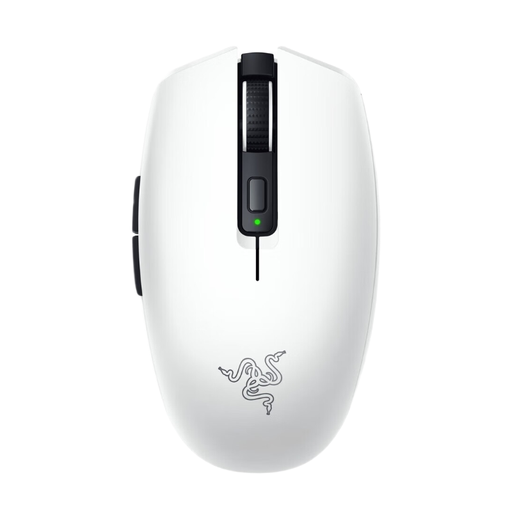 No image available
This compact wireless mouse may suit you if you want to avoid a cable and are looking for programmable controls.
The product description mentions Bluetooth, a USB dongle and six programmable buttons. The mouse runs on an AA or AAA battery, so bear battery management in mind.
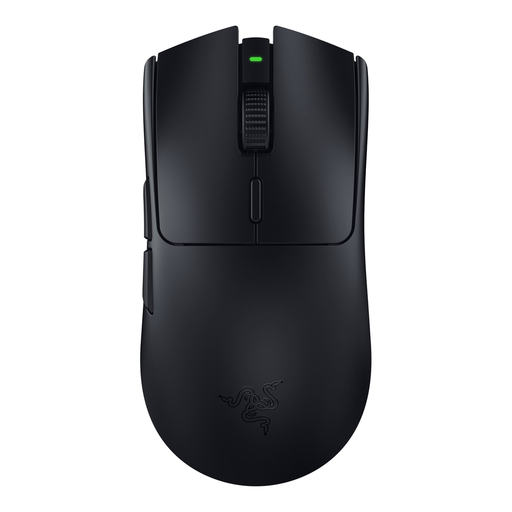 No image available
A wireless option to consider if you want to avoid cable clutter.
The product description mentions Razer HyperSpeed, six programmable buttons and power from a single AA battery.
 No image available
A wired option if you don’t want to manage a mouse battery and have room to route the cable out of the way.
The product description mentions a flexible HyperFlex 2 cable, PTFE feet, six programmable buttons and adjustable DPI.
No, maximum DPI on its own is not a deciding factor. Check that you can set the sensitivity comfortably for the space available and click clues accurately. Logitech lists adjustable sensitivity for the G203.
Check which connections are supported by both your mouse model and your computer. Razer lists Bluetooth and a 2.4GHz receiver connection for the Orochi V2; the wired Logitech G203 doesn’t use a wireless connection.
It depends on the model. HyperX says the Pulsefire Haste 2 Mini Wireless can be used via its cable while charging; check this separately for other models.
No. According to the Government of the Netherlands, there is no fixed statutory warranty period in the Netherlands; what you can expect from a product also depends on the circumstances. If a product is faulty, contact the retailer. A manufacturer’s warranty is in addition to your legal rights.
Radio equipment placed on the EU market is covered by the Radio Equipment Directive, which sets requirements for areas including safety, electromagnetic compatibility and the use of the radio spectrum. According to the European Commission, the CE marking indicates that the manufacturer declares the product complies with the applicable EU product rules; the marking is not, in itself, an independent performance test. Check the product and conformity information for the specific model.