
Builder with limited mouse space
If your keyboard and other items leave you with little room, first check whether the mouse and its cable route or wireless connection will work with your desk setup.


Start by considering how much room you have to move the mouse beside your keyboard, which shape feels comfortable in your hand, and how you want to manage a cable or power supply. A wireless mouse could suit you if a cable gets in the way on your desk; a wired one could work if you’d rather not manage a battery and can route the cable neatly. Extra buttons are most useful if you want to assign them actions you repeat and can reach them comfortably.
If your keyboard and other items leave you with little room, first check whether the mouse and its cable route or wireless connection will work with your desk setup.
If you use your mouse for long stretches, consider its shape and whether your desk setup feels comfortable for your hand. An ergonomic shape is no personal guarantee of comfort.
If you want to assign actions you repeat to mouse buttons, compare where the buttons are, how easy they are to reach, and what software you need.
First, measure how much space you have beside your keyboard. Then decide whether a cable, power supply or extra controls matter most for the way you play.
| What to consider | What to look for when buying | Who is this important for? |
|---|---|---|
| Room to move on a small desk | Measure the available space and check the dimensions of the exact mouse model, along with its cable route or the receiver it needs. | On a crowded desk, I want to move my mouse freely without a cable getting in the way. Around 36% of consumers prioritise freedom of movement on a small desk. |
| Hand comfort during longer sessions | Compare the shape and dimensions, and check whether you can reach the buttons comfortably with your hand and grip. | During long building sessions, I want a mouse shape that feels comfortable for the way I hold it. Around 29% of consumers prioritise hand comfort. |
| Controls for repeated actions | Decide which actions you want to assign, then check the number and position of the programmable buttons and any software requirements. | If I often perform the same actions, I only want to assign them to mouse buttons if I can reach them easily. Around 21% of consumers prioritise extra controls. |
| Power and aftercare | Check whether the mouse uses batteries, a rechargeable battery or a cable, and what is included with that version. Read the terms of any paid warranty service alongside your statutory rights. | I want to know in advance whether I’ll need to replace a battery or route a cable, and what aftercare I might need. Around 14% of consumers prioritise predictable maintenance. |
The SteelSeries Aerox 3 Snow reviewed here is wired. Features of the Aerox 3 Wireless do not automatically apply to this version.
Before buying, check the full model name and connection type of the specific mouse.
Extra buttons are only useful if you need them and can reach them without an uncomfortable grip.
First make a note of the actions you want to assign, then compare the button layout and how easy the buttons are to reach.
According to the Dutch government, there is no fixed statutory warranty period in the Netherlands. You’re entitled to a product that works properly for as long as you can reasonably expect it to; the seller is your point of contact if a product is faulty.
Before paying for extra cover, compare it with the statutory rights you already have.
The G305 is a wireless option powered by an AA battery; the G203 is a simpler wired option.
The wired Aerox 3 (2022) and the Rival 5 offer different trade-offs in weight and controls.
The Basilisk V3 Pro is a wireless model with customisable controls; the Basilisk V3 X HyperSpeed is a separate model.
The wired HARPOON RGB PRO is an example of a mouse with programmable buttons.
This selection includes wired and wireless gaming mice, including models with programmable buttons. Compare the cable route, controls you want and exact version with your desk setup and hand.
 Image unavailable
A wireless option if you want to avoid routing a cable across your desk; check that the controls suit your hand.
Wireless; eight programmable buttons; PAW3335 sensor; 16,000 DPI; RGB lighting.
 Image unavailable
A wired option if you can route the cable neatly on your small desk.
Wired version; white.
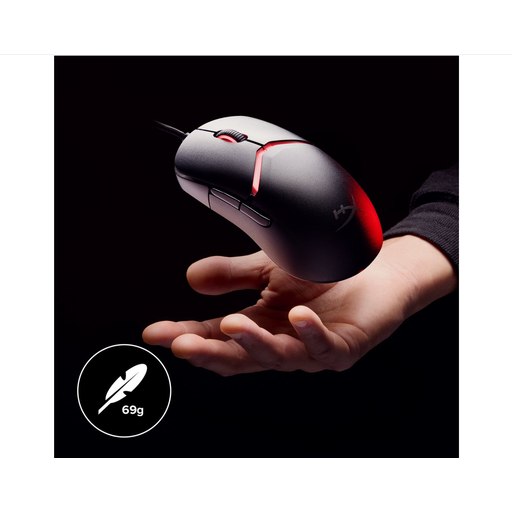 Image unavailable
A wired option to consider if you can route a cable and the mouse shape suits your grip.
Wired version; RGB lighting; 26,000 DPI; black.
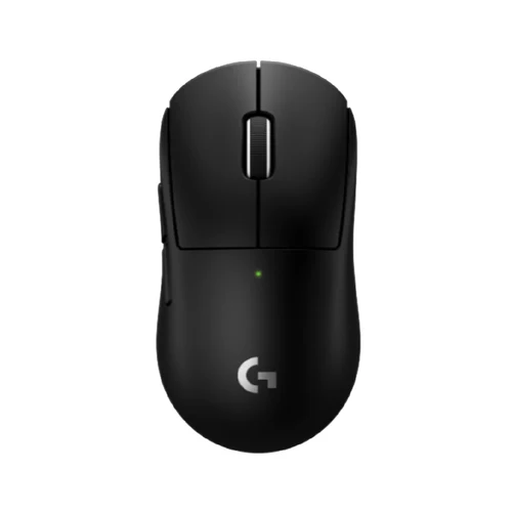 Image unavailable
A wireless option if a cable gets in the way on your desk; also consider the shape and how easy the buttons are to reach.
Wireless version; black.
 Image unavailable
A wireless option if you want to compare mice with extra buttons; check that you can reach them comfortably.
Bluetooth, 2.4G and USB-C; seven programmable buttons; white.
No, not for this type of use. First decide which actions you really want to assign to the mouse, then compare a simple layout with models that have more programmable buttons.
It depends on how you can route a cable and how you want to manage the power supply. A wireless mouse avoids having a cable across your desk, but you’ll need to consider the receiver and power supply. A wired mouse could work if you can route its cable neatly and don’t want to manage a battery.
Check that your computer has the right connection for the cable or receiver supplied with the version you’ve chosen. According to Logitech G, advanced settings for the G203 require G HUB software; check separately which software features are available for other models.
As well as considering the mouse shape, keep a relaxed posture and change position regularly. Arboportaal recommends a relaxed posture with neutral joint angles as a starting point; this doesn’t prove that a particular mouse model will prevent discomfort.
The applicable EU product rules apply to the exact version; CE marking is required when the relevant harmonised rules say it is. EU radio equipment rules are also relevant to wireless mice. The European Commission explains that CE marking is a declaration of conformity by the manufacturer, not an independent EU quality mark.