Start by considering your available mouse space and grip: a compact mouse on its own won’t solve the problem of a surface that’s too small. Next, choose between the freedom of wireless play without a cable across your playing area and wired play without the need to charge. Set the sensitivity to suit your available space and aiming control, rather than choosing the highest DPI, as Megekko Academy also advises. For competitive gaming, RTINGS recommends using a dedicated USB receiver instead of Bluetooth.
Who is this choice relevant to?
Precision player with limited mouse space
You play tactical games and often need to lift and reposition your mouse. Choose a shape, grip and adjustable sensitivity to suit the space next to your keyboard. RTINGS highlights the importance of mouse shape for FPS games, while Megekko Academy notes that a higher DPI isn’t automatically better.
Player with a cable across the playing area
On a small desk, a cable can get in the way of your movement. Compare the freedom of a wireless connection with the need to charge the mouse and find space for a USB receiver. RTINGS recommends using a dedicated USB receiver instead of Bluetooth for gaming.
Claw- or fingertip-grip player
You’re mainly looking for a shape that suits your hand size and grip. According to the manufacturer, Endgame Gear’s OP1 series is designed for small to medium-sized hands and claw or fingertip grips; that doesn’t automatically mean the shape will suit your hand.
What should you look for when buying?
First, work out how much room you have to aim and reposition your mouse. Then compare the connection and how well the mouse fits your hand and grip.
| What to consider |
What should you check? |
Who should prioritise this? |
| Room to move and aiming control |
Measure the available space next to your keyboard. Check whether you can adjust the sensitivity and lift and reposition the mouse without hitting anything. |
If I have little room to aim, I want to be able to lift and reposition the mouse without losing control. Around 36% of consumers in this situation put room to move and aiming control at the top of their buying priorities. |
| Freedom from cables |
Check whether the mouse uses a USB receiver for gaming, what’s included and where you can plug in the receiver. |
I don’t want a cable crossing my path, and I need to be able to fit the receiver into my setup. Around 29% of consumers prioritise being able to move without a cable. |
| Hand size, grip and shape |
Compare the dimensions and shape with your current mouse; try out the grip if possible. |
If I use a claw or fingertip grip, I’m looking for a shape that suits both my grip and hand size. Around 21% of consumers put fit and grip first. |
| Connection and maintenance |
Check the connection your computer uses, how to route the cable or charge the mouse, and what’s in the box. |
I want to know in advance whether I’ll need to route a cable or charge and connect a wireless mouse. Around 14% of consumers put straightforward connection and maintenance at the top of their list. |
Common buying mistakes
-
Looking only at the maximum DPI or polling rate
A higher DPI makes the cursor move further for the same physical mouse movement, but that alone doesn’t tell you whether you’ll be able to aim accurately. The space you have to move, the shape of the mouse and the sensitivity setting all play a part.
Measure your playing area and check whether you can adjust the sensitivity. Choose a setting that lets you make comfortable adjustments within that space.
-
Treating wired and wireless versions as the same product
Weight and connectivity can vary between versions. SteelSeries Support lists the wired Aerox 3 at 57 g and the wireless version at 66 g. SteelSeries describes the Aerox 3 Wireless as offering both 2.4 GHz and Bluetooth 5.0.
Before comparing models, check the full model name and version, the connection options and what’s included.
-
Assuming a product page confirms every specification
The Joybuy product page for the wired Razer Cobra lists both 58 g and 83.5 g, and mentions an AA battery. Razer lists the Cobra at 58 g. So the information doesn’t give a clear picture of the version being sold.
Check the model number and specifications with the manufacturer before comparing this Cobra with another mouse or placing an order.
Brands to compare
Logitech G
The compact PRO X SUPERLIGHT 2c is worth comparing if you’re looking for a smaller mouse and don’t want a cable across your playing area.
- Logitech G lists the weight of this model as 51 g and battery life as up to 95 hours; these are manufacturer figures.
- Check how it fits your hand and remember that it needs charging. The PRO X SUPERLIGHT without ‘2c’ is a different model.
Razer
The wired Cobra is worth comparing if you don’t want to charge your mouse and can route the cable away from your movement area.
- Razer lists the Cobra’s weight as 58 g and says it has a Speedflex cable.
- On a small desk, a cable can still rub against the edge or other items. Treat product specifications as manufacturer information, not as an independent performance test.
Endgame Gear
According to Endgame Gear, the OP1 series is designed for small to medium-sized hands and claw or fingertip grips.
- Endgame Gear lists the dimensions of the wired OP1 8k v2 as approximately 118.2 × 60.5 × 37.2 mm.
- The wired OP1 8k v2 needs a cable route, and its narrow shape must suit your grip. Check wireless OP1 versions separately.
SteelSeries
The Aerox 3 is an example of a mouse where you should compare the wired and wireless versions separately.
- SteelSeries Support lists the Aerox 3 Wired at 57 g and the Aerox 3 Wireless at 66 g.
- SteelSeries describes the Aerox 3 Wireless as offering both 2.4 GHz and Bluetooth 5.0. Check the model year and exact version before relying on the specifications.
Gaming mice at Joybuy
This selection includes wired and wireless gaming mice to compare for cable space, grip and use on a small desk.
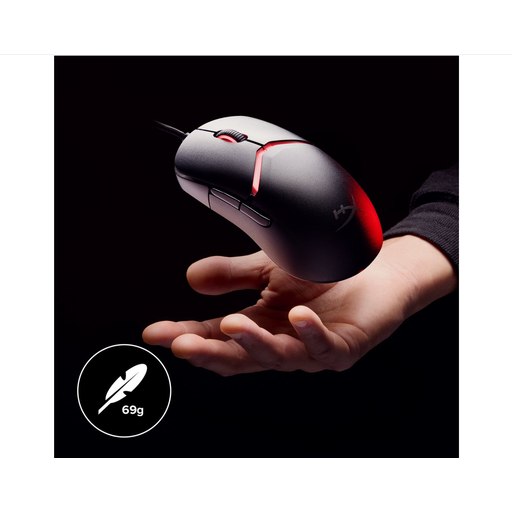 Image unavailable
HyperX Pulsefire Saga — wired gaming mouse, black
The wired connection is a good fit if you can route the cable away from your aiming area.
69 g; adjustable DPI; HyperX 26K sensor; flexible HyperFlex 2 cable; interchangeable grip components with 16 grip combinations.
View at Joybuy
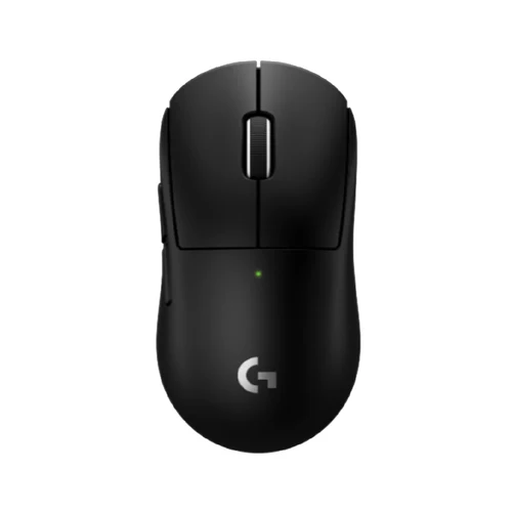 Image unavailable
Logitech G PRO X SUPERLIGHT 2c Wireless Gaming Mouse Black
This compact wireless version is worth considering if you want to avoid cable clutter and have space for the receiver.
Logitech G lists the weight of this model as 51 g and battery life as up to 95 hours; these are manufacturer figures. The mouse has a rechargeable battery.
View at Joybuy
 Image unavailable
AJAZZ AJ159 APEX Wireless Gaming Mouse with magnetic charging dock
The wireless connection and symmetrical shape make this worth comparing if you’re looking for a mouse for small to medium-sized hands.
PAW3950 sensor; tri-mode connection; 2.4 GHz; magnetic charging dock; up to 42,000 DPI.
View at Joybuy
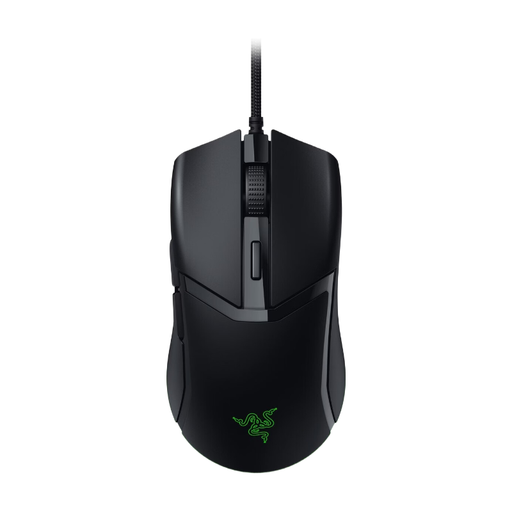 Image unavailable
Razer Cobra Wired Gaming Mouse (Black)
This wired mouse is worth considering if you don’t want to charge it and can route the cable away from your movement area.
The specifications for this version are inconsistent: Razer lists it at 58 g, while the Joybuy product page also mentions 83.5 g and an AA battery. Check the specifications and version carefully.
View at Joybuy
 Image unavailable
Viper V3 Pro - Black wireless gaming mouse
The wireless connection makes this mouse worth comparing if you don’t want a cable across your playing area.
Optical sensor; 8K HyperPolling.
View at Joybuy
Frequently asked questions
Is the highest DPI the best setting for tactical games on a small desk?
No. At a higher DPI, the cursor moves further for the same physical mouse movement. Choose an adjustable sensitivity that lets you make comfortable adjustments within your available space.
How should I connect a wireless mouse for competitive gaming?
Check whether the exact model comes with a dedicated USB receiver and whether your computer has a suitable spare port. RTINGS recommends using a dedicated receiver instead of Bluetooth for gaming because of its connection performance.
What should I do if my mouse breaks?
Contact the seller if there’s a fault. According to the Dutch government, there’s no fixed statutory warranty period in the Netherlands; what you can expect from a product depends on the product and the circumstances. A manufacturer’s warranty is in addition to your statutory rights.
Do I have a cooling-off period when buying online in the Netherlands?
According to the Dutch government, online purchases from a business generally come with a 14-day cooling-off period. An online purchase from a private individual isn’t covered by the same distance-selling rules, so check who the seller is.
Where can I recycle my old mouse?
Milieu Centraal lists mice as small electrical appliances that can be taken to designated collection points. If possible, remove any removable battery and recycle it separately; don’t put the mouse in your general waste.


