
Player with limited mouse space
If your keyboard and other belongings leave little room to move, a setup without a mouse cable may appeal. RTINGS.com and Logitech G discuss the trade-offs around mouse space and wireless use.


For a small desk, choose a wireless mouse if a cable restricts your movement, or one with thumb buttons if you want quick access to lots of in-game actions. A wired model may suit you if extra buttons matter more than being cable-free. Then compare the button layout with your hand and grip, and check whether you can configure the buttons using the software and game you play.
If your keyboard and other belongings leave little room to move, a setup without a mouse cable may appeal. RTINGS.com and Logitech G discuss the trade-offs around mouse space and wireless use.
If you want to control lots of actions directly from your mouse in a role-playing game, compare thumb grids and how easy the buttons are to reach. SteelSeries, Corsair and Razer describe different button layouts for their models.
If you want to keep a comfortable grip while clicking repeatedly, the mouse shape and button positions matter more than the total number of buttons alone. RTINGS.com and Corsair outline things to consider about shape and adjustable button positions.
First, decide how many actions you want to perform directly from your mouse. Then check that the button layout, connection and shape suit your desk and grip.
| What to consider | What should you look for? | Who is this important for? |
|---|---|---|
| Room to move and the cable | Check how much free space you have next to your keyboard and whether a cable can lie there without getting in the way. For a wireless model, check the type of power source and receiver it uses. | If I have little room next to my keyboard, I want to move my mouse without a cable or other items getting in the way. Around 31% of consumers give room to move top priority when making this choice. |
| Number of actions and how easy they are to reach | Count the commands you want to assign, then check where the side buttons are and how to configure them using the accompanying software. | If I use lots of abilities in a role-playing game, I want to control important actions with my thumb. Around 31% of consumers prioritise quick access to in-game actions when making this choice. |
| Fit and grip | Compare the shape and button positions with your hand and grip. Check whether you can reach the buttons you use most without moving your hand into an uncomfortable position. | When clicking repeatedly, I don’t want to keep changing my grip to reach the side buttons. Fit comes first for around 23% of consumers. |
| Simplicity and power | Choose a button layout that suits the commands you use, and check whether the model is wired, uses a replaceable battery or needs recharging. | If I only want to move a few commands to my mouse, I don’t want a complicated layout or unnecessary power management. Simplicity and power are the main priority for around 15% of consumers. |
The total number of programmable buttons doesn’t tell you how many are on the side. Logitech lists eleven programmable buttons in total for the G502 HERO, while SteelSeries lists a 12-button side panel for the Aerox 9.
Compare the layout and accessibility of the side buttons, not just the total listed on the product page.
A wireless connection doesn’t automatically mean the mouse takes up little space. RTINGS.com describes specialist MMO mice as generally larger and designed for a palm grip.
Check the dimensions and see whether the shape and thumb reach suit your hand and available space.
A cable needs a clear route across or along your desk. Depending on the model, a wireless mouse needs charging or a battery.
Choose based on the space available for a cable, and check how the wireless model is powered.
These examples highlight differences between specific product ranges. They’re not an overall assessment of the brands or an indication that every model is available.
The Aerox 9 Wireless is a wireless MMO/MOBA mouse with an extensive thumb panel.
The Naga V3 Pro is designed for players who want to switch between different thumb panel layouts.
The SCIMITAR ELITE WIRELESS SE has an adjustable panel with side buttons.
The wireless G305 and wired G502 HERO offer different button layouts and connection types.
This selection includes wireless gaming mice with different numbers of customisable buttons, for anyone who wants to keep desk space free of cables. Check each model’s button layout, connection and fit.
 No image available
Suited to anyone looking for a wireless mouse with multiple connection options and customisable commands.
The product listing specifies tri-mode BT/2.4G/USB-C, 24,000 DPI, a PAW3311 sensor and a weight of 63 g.
 No image available
Suited to anyone who wants to play wirelessly and assign different game commands directly to the mouse buttons.
The product listing specifies seven programmable buttons, BT5.0/2.4G/USB-C, a PAW3311 sensor, 12,000 DPI and a weight of 67 g.
 No image available
Suited to anyone who wants to assign a few commands to a wireless mouse and avoid having a cable across their desk.
The product listing specifies six programmable buttons and LIGHTSPEED and Bluetooth connectivity.
 No image available
Suited to anyone looking for a wireless mouse that the product listing describes as having a symmetrical shape for small and medium-sized hands.
The product listing specifies tri-mode, a PAW3950 sensor and 42,000 DPI.
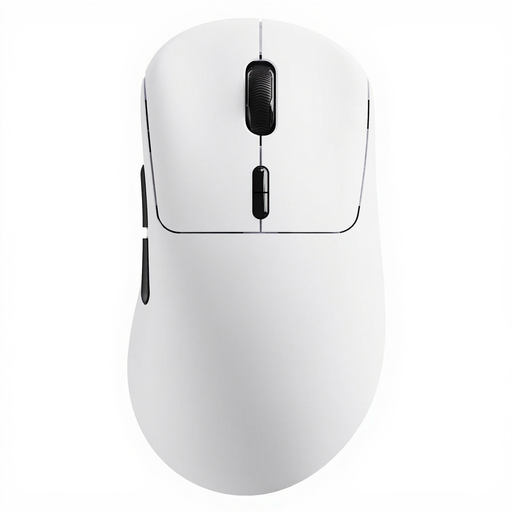 No image available
Suited to anyone who wants quick access to several commands without a mouse cable.
The product listing specifies ten programmable buttons, a weight of 53 g and battery life of up to 750 hours.
No, it depends on how many actions you want to move to your mouse. A simpler layout may be enough if you only want to assign a few commands. Also check that you can reach the buttons you choose while maintaining your grip.
Settings vary by model. Logitech recommends G HUB for programming the G502 HERO; Corsair explains how to connect the USB receiver and use iCUE with the SCIMITAR ELITE WIRELESS SE. Check the manual and software for your specific model.
Check whether a wireless mouse uses a replaceable battery or needs recharging; the Logitech G305 uses one AA battery. According to the Dutch government, there is no fixed general statutory warranty period in the Netherlands. However, the seller must offer a solution if a product is faulty.
For eligible distance purchases from a business, the Dutch government says you generally have 14 days to change your mind. Conditions and exceptions may apply, so check what applies to your purchase.