
Players practising push-to-talk
You want to use a voice command without having to hunt for an awkward key while playing. Discord Support notes that keybinds are available in the desktop app, but not in the browser or mobile versions.


Start by choosing a mouse whose shape and movement space suit your small desk. Then decide how many extra buttons you need for push-to-talk or ping. A wireless mouse keeps its cable off your work surface, while a wired one doesn’t need a battery. Check that you can use your preferred controls with your usual grip and set them up in your voice app.
You want to use a voice command without having to hunt for an awkward key while playing. Discord Support notes that keybinds are available in the desktop app, but not in the browser or mobile versions.
You want enough room to aim, so consider the mouse shape, your grip and where a cable or wireless receiver will sit.
You want enough control for team commands without features you don’t need, and would like to know in advance whether a model needs a battery or configuration software.
First decide whether you need extra controls, more freedom of movement, a comfortable grip or easy maintenance. Then check the button layout, connection and software required for the specific mouse.
| What to consider | What should you check? | Who is this important for? |
|---|---|---|
| Team commands | Check that you can reach a button with your usual grip and that your voice app supports the assignment you want. | I want to use push-to-talk or ping while aiming, without changing my grip. For around 36% of consumers, an accessible team voice command is their top purchasing priority. |
| Freedom of movement | See whether you can route the cable neatly or have space for a wireless receiver. | At my small desk, I want to move the mouse freely without the connection getting in the way. For around 29% of consumers, having room to move the mouse on the desk comes first. |
| Grip and button reach | Compare the shape and button positions with your hand and usual grip. | I want to press a voice command without changing my hand position. For around 21% of consumers, grip and button reach are the top priority. |
| Simplicity and maintenance | Check whether you need to install extra software and whether the model uses a battery. | I want to get started quickly, preferably without extra configuration or battery management. For around 14% of consumers, ease of use and maintenance come first. |
A programmable button is only useful if you can reach it comfortably and set up the function you want in your voice app.
Try push-to-talk and, if you like, ping using your usual grip while running the app and game you plan to use.
Going wireless keeps a mouse cable off your work surface, but you may need to manage a battery and find a place for the receiver. A model that uses an AA battery will need a replacement when it runs out.
Check the power source, wireless connection and receiver requirements for the exact version.
The Dutch Government explains that there is no fixed statutory guarantee period for all products in the Netherlands, and that the retailer is your point of contact if something goes wrong.
Keep your proof of purchase and contact the retailer if there’s a fault.
The G203 is wired and has six buttons, while the G305 is wireless and runs on one AA battery. They offer different options for a small desk.
The wired Basilisk V3 and wireless Basilisk V3 X HyperSpeed offer options if you want to customise extra controls.
The Rival 5 has programmable buttons, while Aerox models vary in features such as weight and button layout.
The Model O 2 Wireless is worth considering if you’re looking for a wireless mouse with a relatively simple button layout.
This selection includes wired and wireless gaming mice with controls you can set up for team commands. Check each model to see whether you can reach the buttons and what software or connection it requires.
 No image available
A wired option if you want to set up extra buttons for team commands and can route the cable around your desk.
The product description lists 11 programmable buttons and a USB connection. Logitech Gaming Software is mentioned for programming.
 No image available
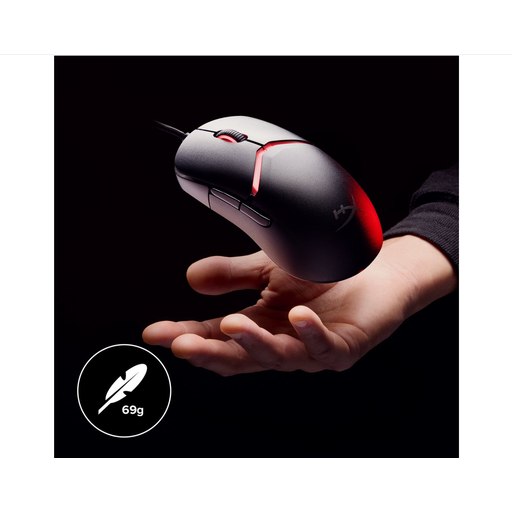
A wired option if you want to customise button assignments and can position the cable on your small desk.
The product description mentions a flexible HyperFlex 2 USB cable and customisable button assignments through HyperX NGENUITY.
 No image available
A wireless option if you want to keep cable space clear and customise button functions for team commands.
The product name lists Bluetooth, 2.4G and USB-C connection options, a weight of 63 g and a charging dock. The description mentions driver software for button customisation and macros.
 No image available
A wireless option if you want programmable controls alongside several connection options.
The product name lists Bluetooth 5.0, 2.4G and USB-C, seven programmable buttons and a 400 mAh battery.
 No image available
A wireless option if you want to keep cable space clear and set up a limited number of extra commands.
The product description lists LIGHTSPEED and Bluetooth connections, power from one AA battery and up to six programmable buttons. Logitech software is mentioned for programming.
Not automatically. You’ll need to check whether the button sends an input that you can assign in your voice app. Discord Support notes that keybinds are available in the desktop app, but not in the browser or mobile versions. Test the setting while your game is running.
Choose between voice activation and push-to-talk in your voice app. Discord Support describes voice activation as switching on when you speak, and push-to-talk as speaking while holding down a key. Then check that your team can hear you at the right time.
For an eligible online distance purchase from a business, you generally have a 14-day cooling-off period. You’re also entitled to a product that works as it should; if there’s a fault, the retailer is your point of contact. The Dutch Government notes that there is no fixed statutory guarantee period for all products in the Netherlands.
According to Business.gov.nl, relevant European requirements apply to electronic equipment. If the device has Bluetooth or a radio-frequency module, the Radio Equipment Directive is also relevant. Check the product and conformity information for the specific model.