
Player with limited mouse space
Your keyboard or other belongings leave little room for the mouse and its cable. Pay attention to the shape and dimensions, as well as where the cable or receiver will sit.


Start by checking the space beside your keyboard and finding a mouse shape that suits your hand. Then decide between wired and wireless. A wireless mouse keeps a cable off your desk, but needs a battery or charging; a wired mouse avoids battery changes, but its cable needs to fit your limited workspace.
Your keyboard or other belongings leave little room for the mouse and its cable. Pay attention to the shape and dimensions, as well as where the cable or receiver will sit.
You want to point, scroll and click with control. Check whether you can adjust the sensitivity and whether the buttons are easy to reach with your grip.
Consider the mouse shape, your grip and the distance from your keyboard. A short or lightweight mouse won’t automatically feel comfortable in every hand.
First, measure the available space and consider the shape of the mouse. Then decide whether a cable, battery or USB receiver will suit your desk and connection.
| What to consider | What to look for when buying | Who should pay particular attention? |
|---|---|---|
| Space and freedom of movement | Measure the free space beside your keyboard and compare the mouse’s length and width. Also consider where the cable or receiver will go. | If I have little room beside my keyboard, I want to know whether the mouse and my movements will fit. Around 36% of consumers say space is their top buying priority. |
| Precise pointing and clicking | Check whether the sensitivity can be adjusted and whether the scroll wheel and any extra buttons are easy to reach with your grip. | When I want to point at small targets in a puzzle game, I look for a setting that feels comfortable, not necessarily the highest maximum DPI. Around 29% of consumers prioritise controls. |
| Comfort during longer play sessions | Compare the shape and dimensions with your hand and usual grip. Also check whether you can keep the mouse close to your body. | If I play for longer, I want a shape that suits my hand and feels comfortable to use close to the keyboard. Around 21% of consumers give fit top priority. |
| Batteries, connection and use | Check the connection type, the required battery type and what’s included with the exact version. A USB receiver needs a free USB port. | If you’d rather avoid changing batteries or using up a USB port, pay extra attention to the connection and power supply. Around 14% of consumers prioritise ease of use and maintenance. |
Maximum DPI alone doesn’t tell you whether the pointer speed will feel right for your game and hand.
Check whether you can adjust the sensitivity, and consider the shape and how easy the buttons are to reach.
According to Cooler Master, the MM720 is 105.42 mm long and 76.52 mm wide. So a short mouse can still take up a lot of space across your desk.
Compare both its length and width with the free space beside your keyboard.
Logitech’s setup instructions describe a connection via the included LIGHTSPEED USB receiver.
If Bluetooth is essential for you, check the exact version and ask the seller to confirm its connection options.
Razer’s stated battery life for the Orochi V2 depends on the connection mode and the battery used.
Compare the battery and connection conditions, and treat stated usage times as manufacturer figures, not guaranteed play time.
Razer describes the Orochi V2 as a compact wireless mouse with Bluetooth and a USB receiver.
The G305 is a wireless option that, according to Logitech’s setup instructions, connects via a LIGHTSPEED USB receiver.
Corsair describes the wired KATAR PRO XT as a compact, symmetrical mouse.
According to Cooler Master, the MM720 is a wired mouse measuring 105.42 × 76.52 × 37.35 mm.
According to SteelSeries, the Aerox 3 Wireless (2022) offers both 2.4 GHz and Bluetooth 5.0.
This selection includes wired and wireless gaming mice with different connection types and control options. Check the dimensions of the exact model and consider the cable, battery or charging requirements for your desk.
 Image unavailable
A wired option to compare if you want adjustable sensitivity and buttons; bear in mind the cable when using a small desk.
The product information lists 26,000 DPI, adjustable DPI, six programmable buttons, dimensions of 124.3 × 66.8 mm and a HyperFlex 2 cable.
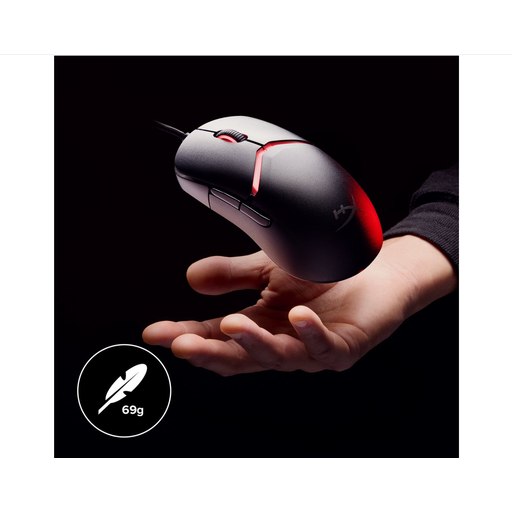 Image unavailable
A wired option to include in your comparison if adjustable controls matter to you; plan how you’ll route the cable around your workspace.
The product information lists 26,000 DPI, adjustable DPI, customisable button mapping, dimensions of 119.7 × 67.2 mm and a HyperFlex cable.
 Image unavailable
A wireless option to compare if you want to keep a mouse cable off your desk; bear in mind that it charges via the included dock.
The product name lists tri-mode Bluetooth, 2.4 GHz and USB-C, a PAW3311 sensor with 24,000 DPI and a weight of 63 g.
 Image unavailable
A wireless model to compare if you want a cable-free setup; consider charging and the extra buttons.
The product name lists Bluetooth 5.0, 2.4 GHz and USB-C, a PAW3311 sensor with 12,000 DPI, seven programmable buttons, a weight of 67 g and a 400 mAh battery.
 Image unavailable
A wireless option to compare if you want to avoid a mouse cable; check whether the receiver and battery will suit your setup.
The product information lists six programmable buttons, a scroll wheel, a LIGHTSPEED USB receiver, Bluetooth and an AA battery.
Start with a pointer speed you can control comfortably, then adjust it if needed. Logitech and Razer say you can change the DPI on models including the G305 and Orochi V2, so you don’t have to use the highest maximum DPI.
Don’t assume so without confirmation: Logitech’s setup instructions describe connecting via the included LIGHTSPEED USB receiver. If Bluetooth is essential for you, ask the seller to confirm the connection options for the exact listing.
Check which battery type is required and keep any USB receiver somewhere safe. Logitech specifies one AA battery for the G305; Razer warns that the Orochi V2 can only use one battery at a time.
For online purchases, you generally have a statutory 14-day cooling-off period from delivery; check the relevant exceptions and returns policy. ACM ConsuWijzer also states that if a product doesn’t meet what you could reasonably expect under normal use, you may be entitled to an appropriate free remedy from the seller. These rights don’t tell you whether a particular model will suit your hand or desk.