
Players with limited mouse space
Your keyboard and mouse share a small desk. You’ll benefit most from having enough room to move and a cable that doesn’t get in your way.


Start by working out how much room you actually have to move the mouse, then choose a shape that suits your hand and grip. A compact model won’t make a small desk any bigger. Going wireless can get rid of an inconvenient cable, while a wired mouse means you don’t have to manage a battery. Then check whether you can adjust the sensitivity and whether your game lets you assign the actions you want to the mouse buttons.
Your keyboard and mouse share a small desk. You’ll benefit most from having enough room to move and a cable that doesn’t get in your way.
You want a mouse shape that suits your hand and the way you hold it. A smaller shell isn’t automatically more comfortable.
You want to trigger frequently used actions quickly, provided your game supports button mapping and the buttons are easy to reach.
First, consider how much space you have and whether a cable can move freely there. Then look at how well the mouse fits your hand, how easy the buttons are to use and how it’s powered.
| What to consider | What should you check? | Who should prioritise this? |
|---|---|---|
| Movement space and cable | Measure the available mouse space and check whether a cable can move freely. Going wireless removes the cable, but doesn’t give you more surface area. | If I need to move the mouse a long way on a small desk, I don’t want a cable to get in the way. Around 36% of consumers prioritise space and the cable above all else. |
| Fit and grip | Compare the shape and size with your hand, and check that you can reach the buttons comfortably. | For repeated movements, I want a mouse that suits my hand and grip, not just one that takes up little space. Around 29% of consumers put fit first. |
| Buttons for building actions | Check whether your game supports button mapping and whether the extra buttons are easy to reach. | If I want to carry out building actions quickly, the buttons need to be within reach and usable in my game. Around 21% of consumers make button controls their top priority. |
| Power and maintenance | Check whether the model uses a replaceable battery, a rechargeable battery or a cable, and what you’ll need while playing. | I want to know in advance whether I’ll need to replace batteries or charge a rechargeable one, rather than use a cable. Around 14% of consumers prioritise power and maintenance. |
A small shell won’t necessarily give you more usable room to move the mouse, and it may feel uncomfortable if its shape doesn’t suit your hand or grip.
Measure the available space and your hand. Also check that you can reach the main and side buttons comfortably.
DPI determines how cursor movement relates to the movement of your hand. A higher maximum doesn’t automatically make you more accurate in a building game.
Check whether you can adjust the sensitivity, then choose a setting that works with the space you have.
Wired and wireless versions can have different specifications. For example, the wired and wireless Aerox 3 have different manufacturer specifications; according to Logitech, the Logitech G305 runs on one AA battery.
Check the full model name, connection, power source and specifications of the version you want to buy.
The G305 LIGHTSPEED is a wireless option if you want to avoid having a cable on your desk.
The Orochi V2 is a compact wireless option if you’re also looking for accessible, customisable buttons.
The wired Aerox 3 is an option if its cable can move freely on your desk; the wireless Aerox 3 is a different version.
The wired GXT 922 Ybar is worth considering if you’re looking for adjustable sensitivity and side buttons.
This selection includes wired and wireless gaming mice. Choose a version that suits the cable space, grip and controls you need.
 No image available
A wired option if the cable can move freely across your desk.
The product name lists RGB lighting and 26,000 DPI.
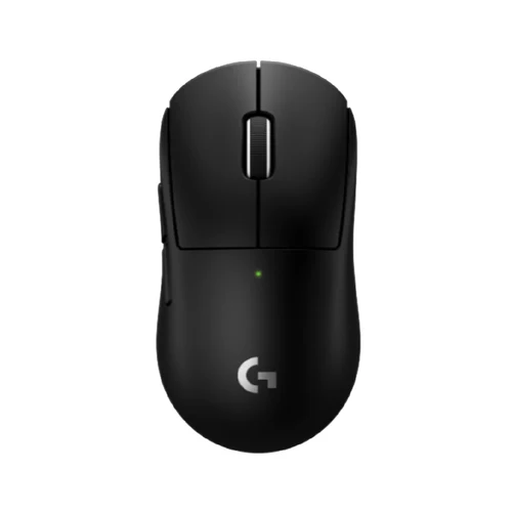 No image available
A wireless option if you want to avoid having a mouse cable on your desk. Check that the shape suits your hand and grip.
The product name lists LIGHTSPEED wireless technology.
 No image available
An option with several connection types if you want to choose between wireless and wired gaming.
The product name lists BT, 2.4G and USB-C, a charging dock and 24,000 DPI.
 No image available
A wireless option if you want to avoid a mouse cable and need extra buttons. Check that the buttons can be used in your game.
The product name lists BT5.0, 2.4G and USB-C, seven programmable buttons and 12,000 DPI.
 No image available
A wireless option if you’d rather not have a mouse cable across your desk. Check that the buttons and sensitivity settings suit your game.
The product name describes a wireless gaming mouse.
No. DPI determines how cursor movement relates to your physical mouse movement. Adjust the sensitivity to suit the available space and the level of control you prefer in your game; a higher maximum isn’t automatically better.
Follow the instructions for the exact model. Logitech lists one AA battery for the G305; check the connection and power requirements for the version you’re buying.
According to the Dutch government, used batteries shouldn’t go in the bin. Take them to a collection point, such as a shop that sells batteries. If you’re buying as a private customer, you may be able to hand in your old device free of charge under the take-back scheme when buying a new, similar electrical appliance, subject to the stated conditions. This also applies to online purchases.
For online purchases, you generally have up to 14 days after delivery to change your mind, according to ACM ConsuWijzer. Check in advance whether an exception applies. A product that breaks too soon under normal use is also covered by the statutory guarantee: the seller is responsible for providing an appropriate solution free of charge. This is separate from any fixed manufacturer’s warranty period for a particular mouse.