First, choose a mouse that fits the space you have to move it and feels comfortable in your hand. Then adjust the DPI and in-game sensitivity to suit the movements you can make there. A wireless mouse avoids a cable catching on things, while a wired one doesn’t need batteries replacing or charging. A high maximum DPI, on its own, is no proof of better aim.
Who is this buying guide for?
Players with limited mouse space
If you have little room next to your keyboard, you’ll want to know how much space you have to move the mouse and whether you can comfortably lift and reposition it. Megekko Academy highlights movement space and sensitivity as factors to consider when choosing a gaming mouse.
Players looking to find the right grip
The shape and weight should suit your hand and the way you hold the mouse. Megekko Academy lists grip, weight and sensor as factors to weigh up; maximum DPI alone won’t tell you whether the mouse is comfortable to control.
Players weighing up cable and power options
A cable can get in the way on a cluttered desk, while a wireless mouse may need its batteries replacing or recharging. Logitech G and SteelSeries product specifications show that power and connectivity vary by model.
What should you look for when buying?
Start with the space you can actually use to move the mouse, then choose a shape and sensitivity to suit. Next, decide whether you’d rather use a cable or are happy to manage batteries and charging.
| What to consider |
What should you look for? |
Who is this important for? |
| Movement space and repositioning |
Measure the clear space next to your keyboard and check whether you can move and reposition the mouse within it. |
If I quickly run out of room to move my mouse, I want to be able to aim and reposition it without hitting the edge. Around 36% of consumers say movement space is their top buying priority. |
| Adjustable aiming control |
Compare the options for adjusting DPI and in-game sensitivity; don’t just look at the maximum DPI. |
I want to make small adjustments while still having enough room for larger movements. Around 29% of consumers give adjustable aiming control top priority. |
| Grip, shape and weight |
Consider how the shape suits your hand and grip, and whether lifting and repositioning the mouse feels comfortable. |
If the mouse doesn’t feel comfortable in my hand, a low stated weight won’t automatically help. Around 21% of consumers put grip and fit first. |
| Cable and power |
Check where a cable or receiver will sit, and whether a wireless model uses batteries or needs charging. |
I want to avoid a cable catching on my things, but I also want to know what power maintenance wireless use involves. Around 14% of consumers give cable-free use or easy maintenance top priority. |
Common pitfalls
-
Assuming a higher maximum DPI means better aim
A high DPI figure doesn’t, by itself, tell you whether you can control the mouse well on your surface and within the space available.
Compare the adjustment options and test the sensitivity where you play. Choose a setting that lets you make both small adjustments and reposition the mouse.
-
Focusing only on weight and forgetting about cable routing
Even a lightweight wired mouse can have its cable catching on things on a cluttered desk.
Work out where the cable can go before you choose. Weigh this up against replacing batteries or charging a wireless mouse.
-
Confusing the manufacturer’s warranty with your statutory rights
The terms or end date of a commercial warranty don’t automatically determine what you can reasonably expect from a product in the Netherlands during normal use.
If something goes wrong, contact the retailer and discuss an appropriate solution under the rules on statutory guarantees.
Brands to compare
Logitech G
The range includes wireless models with different power options, as well as rechargeable versions.
- Logitech G says the G305 uses one AA battery; the brand lists the PRO X SUPERLIGHT 2 as a rechargeable wireless model.
- These features apply to the models mentioned and don’t, by themselves, mean better aim. Check the exact version and shape.
Razer
Razer lists different weights for the Viper V3 Pro in different colour versions.
- According to Razer, the black Viper V3 Pro weighs 54 g and the white version weighs 55 g.
- These figures apply to those specific versions. Judge the shape and grip for yourself; the stated weight doesn’t guarantee a comfortable fit for you.
SteelSeries
The wired Aerox 3 (2022) is an option for anyone who doesn’t want to maintain a battery.
- SteelSeries lists the wired Aerox 3 (2022) with a stated weight of 59 g and a USB-C connection.
- The cable could still get in the way on a small or cluttered desk. The wireless Aerox 3 is a different version.
Endgame Gear
The wireless XM2we is a model worth comparing for its shape and dimensions.
- Endgame Gear lists the black version at approximately 63 g, with dimensions of approximately 122 × 66 × 38 mm.
- A stated battery life is a manufacturer’s claim, not a measured runtime for your settings.
Joybuy products
This Joybuy selection focuses on wireless gaming mice for practice at a small desk, with an emphasis on grip, adjustable sensitivity and cable-free movement.
 No image available
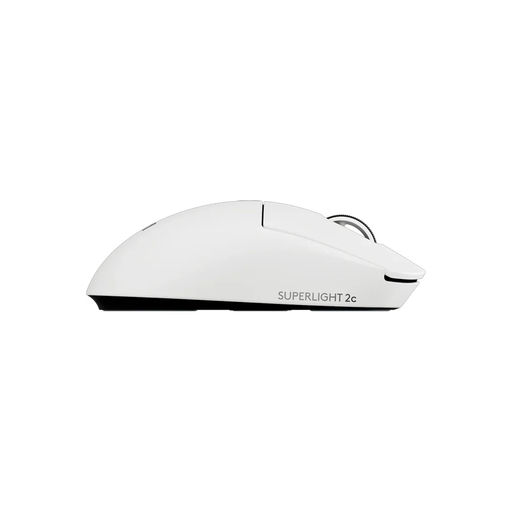
Logitech G PRO X Superlight 2c wireless gaming mouse, white
A wireless option for anyone looking for a compact shape and wanting to adjust sensitivity to suit the space available for their mouse.
The product information lists a compact design and adjustable DPI. Check that the shape suits your hand and grip.
Joybuy
 No image available
AJAZZ AJ159 APEX wireless gaming mouse with magnetic charging dock
A wireless option for anyone looking for a symmetrical shape and several connectivity options.
The product information lists a PAW3950 sensor, three connection modes and a magnetic charging dock included in the set. Check that the shape suits your hand.
Joybuy
 No image available
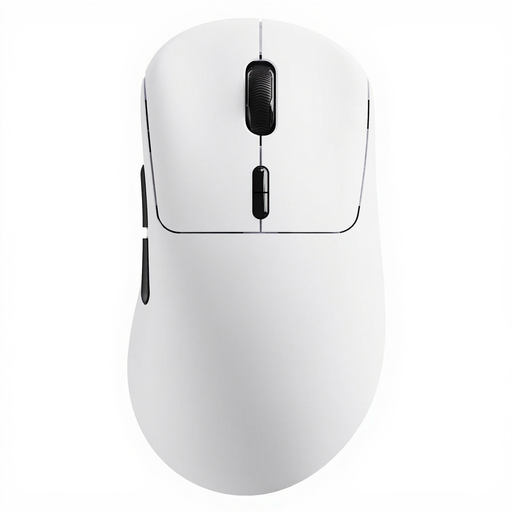
Rapoo VT3 wireless gaming mouse, white, with 8K wireless polling rate
A wireless option for anyone who wants to adjust aiming sensitivity independently on each axis.
The product information lists adjustable X/Y DPI and a wireless design. Check that the adjustment options suit your in-game sensitivity.
Joybuy
 No image available
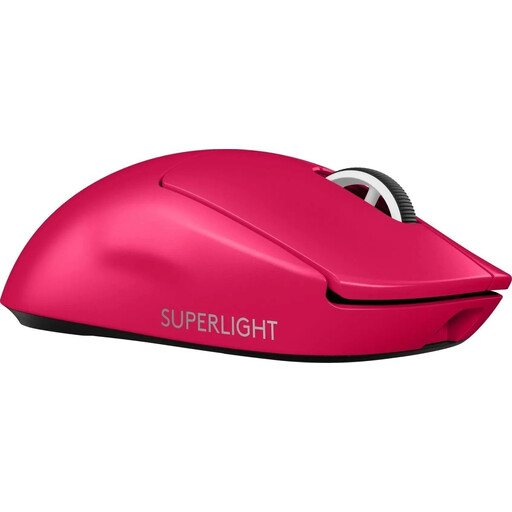
Logitech G PRO X SUPERLIGHT 2 LIGHTSPEED gaming mouse, pink
A wireless option for anyone who wants to practise without a mouse cable and adjust their DPI settings.
The product information lists DPI settings and USB-C charging.
Joybuy
 No image available
Razer Orochi V2 wireless gaming mouse, black
A wireless option for anyone looking for a compact, symmetrical mouse shape.
The product information lists Bluetooth and Razer HyperSpeed as connection options, and says it can be powered by an AA or AAA battery. Check that this power option suits your preference.
Joybuy
Frequently asked questions
Should I choose the highest DPI for a small desk?
No. A higher maximum DPI isn’t automatically better for aim. DPI describes how far the cursor moves in response to a physical mouse movement. Choose an adjustable sensitivity that you can control within the space you have.
How do I set up a mouse for aim practice?
Start with the space you have to move the mouse, then choose DPI and in-game sensitivity settings that make both small adjustments and repositioning manageable. If you choose a wireless mouse, also check what power source and receiver the exact version uses.
What should I consider about ongoing use as well as the purchase?
It depends on the connection: a model with an AA battery needs its battery replacing, a rechargeable model needs charging, and a wired mouse doesn’t need a mouse battery. Check the power source for the specific version before you choose.
What are my rights when buying online in the Netherlands?
According to ACM ConsuWijzer, online purchases generally come with a statutory cooling-off period of up to 14 days after delivery; relevant exceptions may apply. If a product breaks during normal use sooner than you could reasonably expect, the retailer must offer an appropriate solution free of charge, such as a repair, replacement or refund, according to ACM ConsuWijzer. There is no single fixed duration for the statutory guarantee on every mouse.


