First decide what matters most in your shared bedroom: demonstrably quieter clicks, easy-to-reach buttons for frequently used actions, or a mouse shape and connection that suit your hand and desk. A mouse that specifically claims to click more quietly may be a work mouse rather than a gaming mouse; having lots of programmable buttons does not prove that a gaming mouse is quiet.
Who is this buying guide for?
Gamer who shares a bedroom
You want to minimise the clicking noise for your roommate and weigh up whether a mouse with quieter clicks offers enough gaming controls. Logitech describes the MX Anywhere 3S as clicking more quietly than the previous MX Anywhere 3.
Gamer who uses lots of shortcuts
You want frequently used actions within thumb’s reach, so you’re looking at the position and customisation of the buttons, not just how many there are. SteelSeries and Corsair describe models with lots of programmable buttons.
Gamer with a small shared desk
You’re looking for a mouse that suits your hand and leaves enough room to move, and weighing up a cable against wireless use and charging. Also check whether the buttons are easy to reach with your grip.
What should you look for when choosing?
Start with the clicking noise if it could bother your roommate; then compare the button layout and connection with the way you play.
| What to consider |
What to look for |
Who is this important for? |
| Clicking noise |
Look for a statement about the exact model and check what the sound is being compared with. Don’t assume a mouse is quiet based on its switch type. |
If I play in the same bedroom as someone else, I want to know whether they’ll find the clicking noise acceptable. Around 33% of consumers put clicking noise first. |
| Easy-to-reach buttons |
Count the actions you actually want to assign and check whether you can reach the buttons easily. Also check whether the customisation software works on your computer. |
If I often perform the same actions, I want to control them with my thumb without an overcrowded layout. Around 27% of consumers prioritise plenty of easy-to-reach shortcuts. |
| Shape and controls |
Consider hand preference, grip and reach to the scroll wheel and thumb buttons. If you spend a long time at a screen, vary your posture and activity. |
If I play for a long time, I want a shape and button layout that suit my hand. Around 27% of consumers prioritise controls that suit them during long sessions. |
| Wired or wireless |
Check the available connection, space for a cable and how you charge a wireless model. |
If my desk has limited space, I want to know whether a cable will get in the way or wireless use will suit my setup better. Around 13% of consumers put connection and desk space first. |
Common buying mistakes
-
Assuming a gaming mouse with optical switches is quiet
The type of switch doesn’t prove how loud a mouse sounds when it clicks, or how its sound compares with another model.
Look for information about the clicking noise of the exact version you’re considering and check what it’s being compared with.
-
Focusing only on the highest number of buttons
Lots of buttons are only useful if you want to assign your preferred actions to them and can reach them easily.
Make a short list of the actions you use regularly, then compare the position and accessibility of the buttons.
-
Confusing the manufacturer’s warranty with your legal guarantee
According to ACM ConsuWijzer, your legal guarantee in the Netherlands depends, among other things, on what you could reasonably expect from the product, not just on a stated manufacturer’s warranty period.
First check your legal rights in relation to the seller, then consider whether an additional warranty package offers you anything extra.
An optional warranty package may cost extra and does not replace your existing legal rights.
Brands to compare
Trust
The GXT 923 Ybar is a wireless gaming option for anyone looking for a few programmable buttons.
- Trust lists six programmable buttons and up to 50 hours of use per charge.
- The right-handed shape and clicking noise are separate considerations; the stated battery life is the manufacturer’s estimate.
SteelSeries
The Aerox 9 Wireless is a gaming option for anyone who wants to assign lots of actions to a thumb panel.
- SteelSeries specifies 18 programmable buttons and a weight of 89 g for this model.
- These specifications don’t tell you whether the layout suits your hand or how loud the clicks are.
Corsair
The Scimitar Elite Wireless is an example of a gaming mouse with an adjustable thumb-button panel.
- For the version reviewed, Corsair lists 16 programmable buttons and an adjustable panel with twelve buttons.
- The version described is for the US market; check the Dutch version and the items included in the box.
Razer
The wired Basilisk V3 is an example of gaming controls with multiple scroll modes.
- Razer lists 10+1 programmable buttons and the option to switch between precise and free scrolling.
- The manufacturer’s description is not an independent comparison of clicking noise or suitability for this game.
Logitech
The wired G502 X is an example of gaming controls; the MX Anywhere 3S is a work mouse for anyone who values quieter clicks.
- Logitech describes the G502 X as having a two-mode scroll wheel. For the MX Anywhere 3S, Logitech claims less clicking noise than with the previous MX Anywhere 3.
- The quieter-click claim applies to the comparison with the MX Anywhere 3 and doesn’t prove that the MX Anywhere 3S is quieter than the gaming mice mentioned.
Gaming mice at Joybuy
This selection includes wireless gaming mice with different button layouts and connection options. The product information doesn’t give us grounds to conclude that any of these models click quietly.
 No image available
AJAZZ AJ159 PRO, white
An option if you’re looking for wireless control and adjustable sensitivity; the magnetic base is an important factor to consider.
56 g; PAW3395 sensor; up to 26,000 DPI; 2.4 GHz, Bluetooth and USB-C; 400 mAh battery.
Keep the magnetic charging dock away from pacemakers, medical implants and payment or identity cards.
View at Joybuy
 No image available
AJAZZ AJ200 AI MC
Suited to anyone who wants to assign a few frequently used gaming actions to buttons and have a choice of connection types.
Six buttons; PAW3311 sensor; up to 24,000 DPI; USB-C, 2.4 GHz and Bluetooth.
The product name mentions a charging dock.
View at Joybuy
 No image available
AULA SC620, white
An option if you want to assign several gaming actions and are looking for a wireless connection via Bluetooth or 2.4 GHz.
Seven programmable buttons; PAW3311 sensor; 12,000 DPI; 67 g; Bluetooth 5.0, 2.4 GHz and USB-C; 400 mAh battery.
View at Joybuy
 No image available
RAPOO VT9Pro 4K, BlackPurple
Suited to anyone looking for lots of customisable gaming actions and wireless play; the stated battery life is a product specification, not a guarantee of how long it will last with your usage.
Ten programmable buttons; PAW 3398 sensor; 26,000 DPI; 68 g; product information lists up to 180 hours of battery life.
The product information also mentions macros and on-board memory.
View at Joybuy
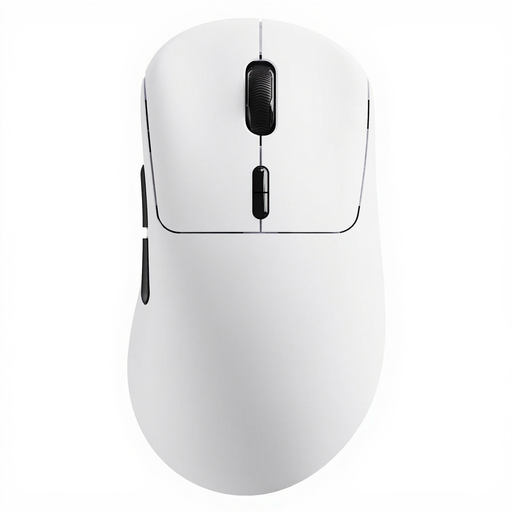 No image available
Rapoo VT3, white
An option if ten programmable buttons and wireless use matter to you; according to the product information, mechanical switches retain the usual click feel and sound.
53 g; 8K wireless polling rate; ten programmable buttons; stated battery life of up to 750 hours at 1000 Hz.
The stated battery life is a product specification, and the clicking noise is not described as quiet.
View at Joybuy
Frequently asked questions
Is a mouse with quieter clicks automatically the right gaming mouse for a shared bedroom?
No. Logitech compares the clicking noise of the MX Anywhere 3S with that of the previous MX Anywhere 3 and presents the MX Anywhere 3S as a work mouse. Check whether the buttons and connection suit your game; this comparison says nothing about the noise made by other gaming mice.
How should I set up my mouse buttons and workspace?
Start with the actions you use often and can reach easily. If you spend a long time at a screen, vary your posture and activity; Arboportaal also recommends taking micro-breaks. This doesn’t prove that any particular mouse model prevents discomfort.
What are my rights regarding guarantees and cancellation periods when buying online in the Netherlands?
For an ordinary online consumer purchase from a business, you generally have a 14-day cooling-off period, according to the Dutch government. Your legal guarantee is separate: if a product breaks too soon under normal use, contact the seller. ACM ConsuWijzer explains that there isn’t one fixed legal guarantee period for all mice.
What product safety should I check for a mouse sold in the Netherlands?
Electrical, electronic and radio equipment covered by the relevant European requirements must carry a CE marking. The Dutch Authority for Digital Infrastructure explains that this requirement applies to equipment that meets the relevant requirements; check the marking on the device itself when it arrives.


